
Juggling classes, assignments, and a social life is a core part of the student experience. The right digital tools aren’t just about getting more done; they’re about working smarter, reducing stress, and reclaiming your time. This guide moves beyond generic app store lists to provide a detailed breakdown of the best productivity apps for students available today. We’ll explore specific use cases, from organizing research for a term paper to managing group projects and blocking out distractions during finals week.
Our goal is to help you build a personalized digital toolkit that fits your unique study habits and academic demands. We understand that finding the perfect app can be overwhelming. That’s why we’ve curated a comprehensive resource that cuts through the noise, focusing on practical application rather than just listing features. Whether you’re a freshman building new habits or a graduate student managing a complex thesis, this list will help you thrive academically and maintain a healthy work-life balance.
In this article, you will find a detailed analysis of each recommended application. We cover everything from core functionality and pricing to platform availability and standout features that make a real difference.
Each entry includes:
- A “Best For” summary to quickly identify if an app suits your needs.
- In-depth pros and cons based on real-world student use cases.
- Practical workflow suggestions to help you integrate the tool effectively.
- Direct links and screenshots so you can see the app in action and try it for yourself.
Forget endless searching. Let’s dive into the tools that will help you conquer your coursework, stay organized, and achieve your academic goals.
1. Apple App Store
For students invested in the Apple ecosystem, the App Store is the essential starting point for finding the best productivity apps for students. It’s not an app itself, but rather Apple’s official, highly curated digital marketplace for iPhone, iPad, and Mac. Its primary strength lies in its stringent security and quality control, ensuring every app is vetted, safe, and optimized for your specific device.
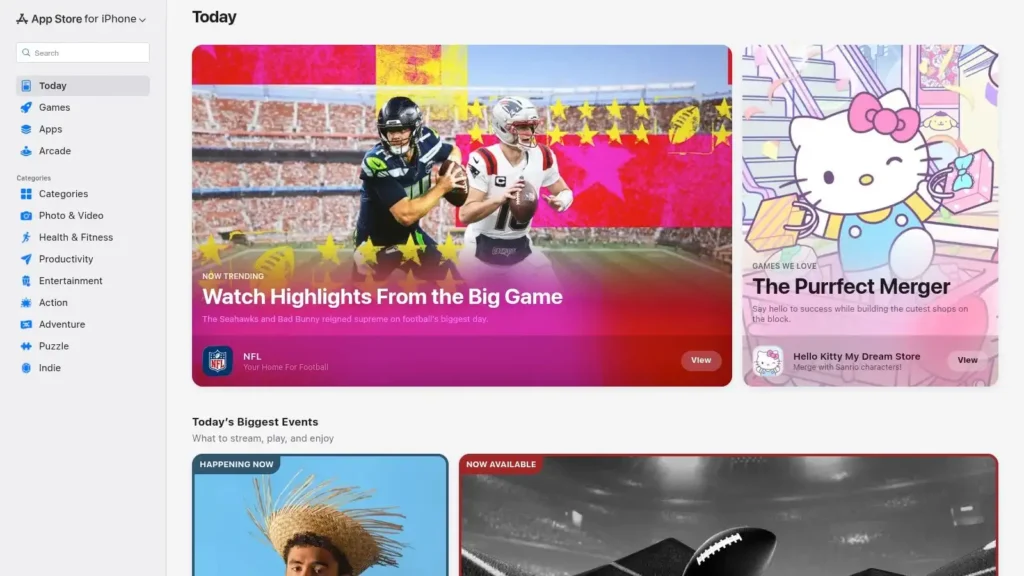
The platform’s editorial team frequently curates collections like “Apps for College” or “Study Essentials,” making it easy to discover powerful tools for note-taking, task management, and focus. While you can browse app previews on the web, installation requires an Apple device and an Apple ID. This integrated system simplifies managing subscriptions and purchases across all your devices.
Platform Breakdown
| Feature | Details |
|---|---|
| Availability | Accessible on iPhone, iPad, Mac, and Apple Watch |
| Pricing | Free to access; apps range from free to paid |
| Best For | Students within the Apple ecosystem looking for a secure, curated source of high-quality productivity tools. |
| Unique Feature | Editorial collections and “Today” tab stories that spotlight innovative and useful student apps. |
Pros and Cons
Pros:
- Unmatched Security: The safest source for iOS, iPadOS, and macOS apps.
- Centralized Management: Easy to handle subscriptions, refunds, and Family Sharing via your Apple ID.
- Excellent Curation: Editorial picks and dedicated education hubs simplify the discovery process.
Cons:
- Platform Lock-in: Many apps are exclusive to Apple devices, limiting cross-platform use.
- Web-to-Device Workflow: Web pages only offer previews; you must switch to your device to install an app.
Website: https://apps.apple.com
2. Google Play Store (Productivity category)
For students using Android or ChromeOS devices, the Google Play Store is the definitive hub for finding the best productivity apps for students. As Google’s official digital marketplace, it offers a massive and diverse collection of tools, from task managers and calendars to advanced writing aids. Its strength lies in its openness and sheer volume, providing countless options to fit any student’s budget and workflow.
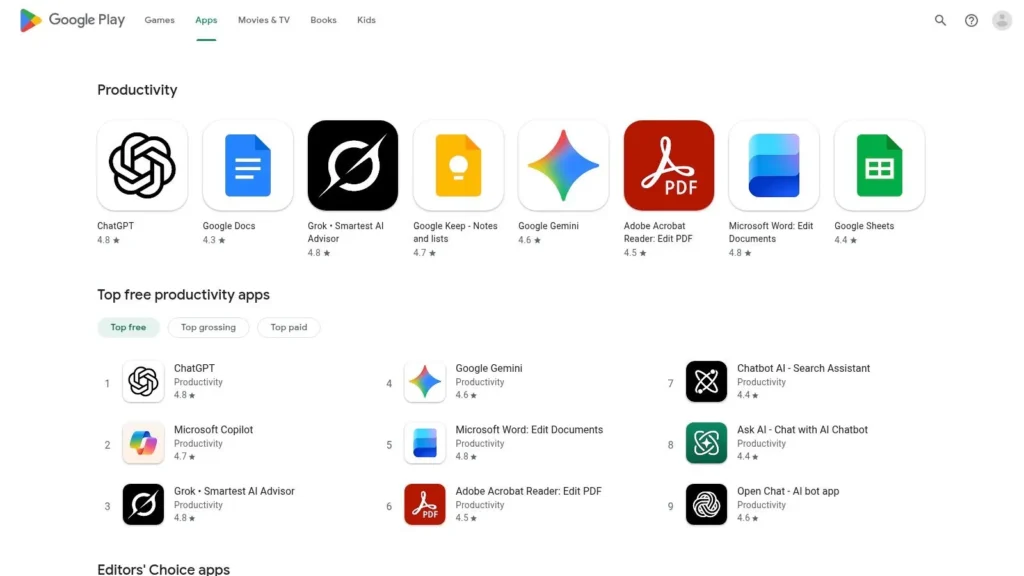
The store’s dedicated Productivity category features curated “Editors’ Choice” lists and “Top Free” charts, making it simple to find highly-rated, popular apps. Listings are detailed, showing user ratings, update histories, and required permissions, which helps you make informed decisions. A key benefit is the seamless integration with your Google account, allowing you to queue app installations to any of your linked Android phones, tablets, or Chromebooks directly from your web browser.
Platform Breakdown
| Feature | Details |
|---|---|
| Availability | Accessible on Android phones, tablets, and Chromebooks |
| Pricing | Free to access; apps range from free with ads to paid |
| Best For | Students in the Android and ChromeOS ecosystem seeking a vast and flexible selection of productivity tools. |
| Unique Feature | Device-based install queue lets you remotely install apps on all your devices from a single web page. |
Pros and Cons
Pros:
- Massive Selection: The broadest collection of productivity apps available for Android users, with frequent sales and promotions.
- Seamless Installation: Your Google account syncs installs across all your Android and ChromeOS devices.
- Family Library: Share eligible paid apps with family members at no extra cost.
Cons:
- Variable Quality: The open nature means app quality can vary greatly; always check recent reviews and permissions.
- Device Fragmentation: Some apps or features may not be compatible with all device models or Android versions.
Website: https://play.google.com/store/apps/category/PRODUCTIVITY?hl=en_US
3. Notion
Notion is a powerful all-in-one workspace that adapts entirely to your needs, making it one of the best productivity apps for students who want a single hub for everything. It combines notes, tasks, databases, and calendars into a flexible system of pages and blocks. Students can build custom dashboards for tracking syllabi, managing research, outlining projects, and collaborating on group assignments.
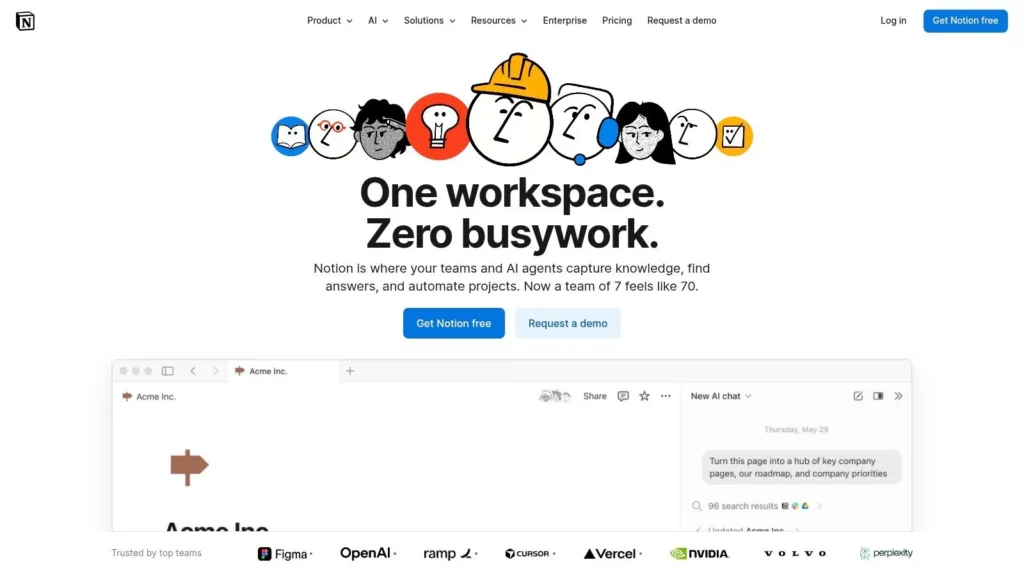
The platform truly shines with its database features, allowing you to create interconnected tables for everything from class notes to internship applications. For complex assignments, you can learn how to structure your research paper within Notion to keep sources and drafts organized. Its robust template community means you don’t have to start from scratch, and eligible college students can get the premium Plus plan for free, unlocking even more features.
Platform Breakdown
| Feature | Details |
|---|---|
| Availability | Web, Windows, macOS, iOS, and Android |
| Pricing | Free personal plan; Free Plus plan for students |
| Best For | Students who want a highly customizable, all-in-one system for notes, project management, and personal organization. |
| Unique Feature | Interconnected databases that allow you to link notes, tasks, and resources in a relational way. |
Pros and Cons
Pros:
- Extremely Customizable: Build unique workflows for course tracking, research, and personal planning.
- Generous Free Plan: The free tier is powerful, and students get the Plus plan for free with a .edu email.
- Vibrant Community: Access thousands of free, pre-built templates for any academic need.
Cons:
- Steep Learning Curve: Can feel overwhelming at first compared to simpler note-taking apps.
- Requires Internet: Offline mode is limited, which can be an issue without reliable Wi-Fi.
Website: https://www.notion.so
4. Todoist
For students who need a straightforward yet powerful task manager, Todoist is a top-tier choice among the best productivity apps for students. Its clean, minimalist interface is built for speed, allowing you to capture assignments, project deadlines, and study session reminders in seconds. The app’s standout feature is its intelligent natural language input; simply type “Submit history essay next Friday at 5 pm” and Todoist automatically creates a task with the correct due date and time.
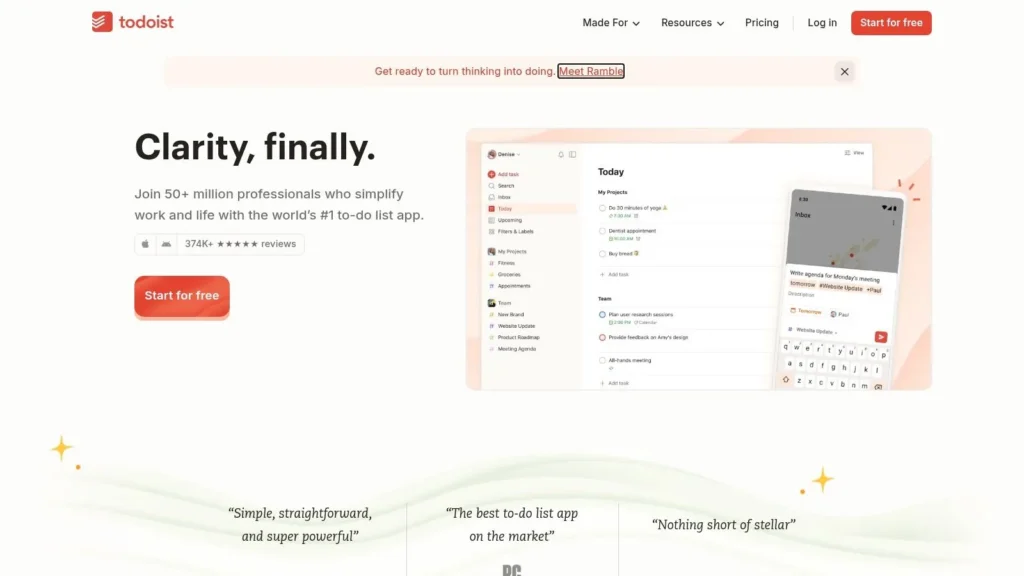
Todoist excels at organizing the academic workload with features like recurring tasks for weekly assignments, priority levels for urgent items, and sub-tasks for breaking down large projects. Its cross-platform availability ensures your to-do list is always in sync, whether you’re on your laptop, tablet, or phone. The platform also integrates seamlessly with other tools like Google Calendar and email, centralizing your schedule and tasks in one place.
Platform Breakdown
| Feature | Details |
|---|---|
| Availability | Web, Windows, macOS, Linux, iOS, Android, and browser extensions |
| Pricing | Free plan available; Pro plan starts at $4/month (billed annually) |
| Best For | Students needing a fast, reliable, and cross-platform system for managing deadlines and daily academic tasks. |
| Unique Feature | Natural language processing for quick task entry and scheduling, saving valuable time. |
Pros and Cons
Pros:
- Excellent Cross-Platform Sync: Your task list is always up-to-date across all your devices.
- Fast and Intuitive Workflow: Natural language input makes adding and scheduling tasks incredibly efficient.
- Robust Free Tier: The free version is powerful enough for most individual students’ planning needs.
Cons:
- Advanced Features are Paid: Key features like reminders and the AI Assistant require a Pro subscription.
- No General Student Discount: Unlike some competitors, Todoist does not currently offer a standard discount for students.
Website: https://todoist.com
5. Microsoft OneNote
Microsoft OneNote stands out as a powerful and free digital notebook, making it one of the best productivity apps for students who need flexible, multimedia note-taking. Its unique free-form canvas allows you to type, handwrite with a stylus, draw diagrams, and embed audio recordings anywhere on the page. This unstructured approach is perfect for brainstorming sessions, annotating lecture slides, and organizing research materials in a way that mimics a physical binder.
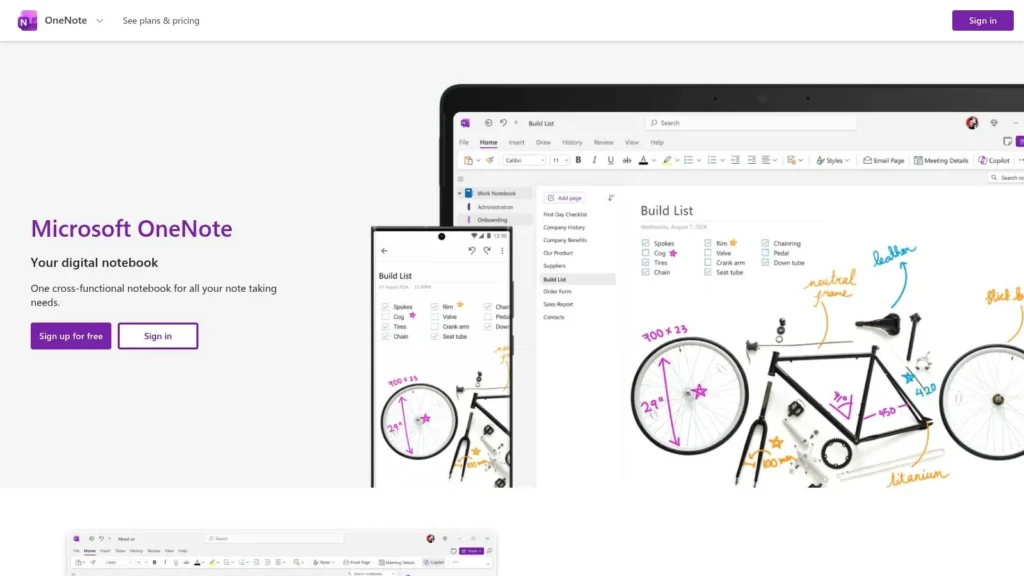
The platform organizes content into Notebooks, Sections, and Pages, creating a clear hierarchy for different classes and subjects. Seamless synchronization across Windows, Mac, iOS, Android, and the web ensures your notes are always accessible. Furthermore, its deep integration with the Microsoft 365 ecosystem, including Outlook and OneDrive, allows for a connected workflow, especially for students whose institutions provide Microsoft accounts.
Platform Breakdown
| Feature | Details |
|---|---|
| Availability | Accessible on Windows, Mac, iOS, Android, and Web |
| Pricing | Free to use; some advanced features require a Microsoft 365 subscription |
| Best For | Students who prefer a flexible, multimedia note-taking experience and are integrated into the Microsoft ecosystem. |
| Unique Feature | A free-form canvas that combines typing, inking, audio recording, and file embedding on a single page. |
Pros and Cons
Pros:
- Completely Free and Powerful: The core app offers robust features without a subscription.
- Excellent Inking and PDF Annotation: Ideal for students with styluses who need to mark up documents.
- Tight Microsoft 365 Integration: Seamlessly works with Outlook, OneDrive, and other Office apps.
Cons:
- App Version Confusion: Students should use the current “OneNote” app, as the legacy “OneNote for Windows 10” is being phased out.
- Subscription for Advanced Features: AI-powered Copilot enhancements and other premium tools require a Microsoft 365 subscription.
Website: https://www.onenote.com
6. Google Keep
For students needing a fast, no-fuss way to capture thoughts and tasks, Google Keep is a standout digital sticky note service. It excels at quick capture, allowing you to jot down ideas, create checklists for assignments, or save snippets from research with minimal friction. Its seamless integration with the Google ecosystem makes it one of the best productivity apps for students who already use Gmail, Drive, and Calendar.
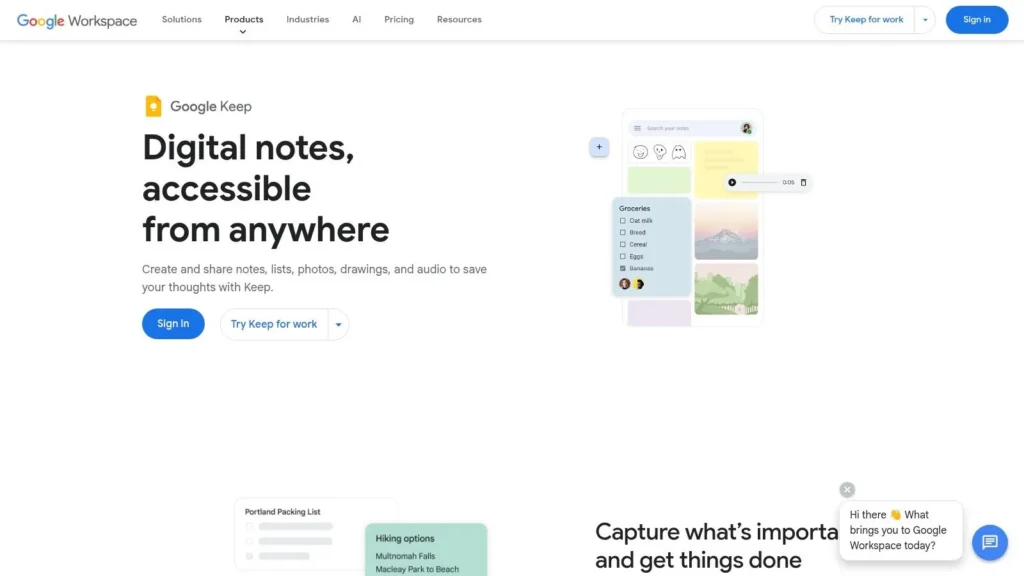
The interface is simple and visual, using color-coded notes and labels to help you organize everything from reading lists to group project tasks. You can quickly add images and have Keep transcribe the text, or record a voice memo that it automatically converts to a note. This multi-modal input makes it incredibly versatile for capturing information in any format, wherever you are.
Platform Breakdown
| Feature | Details |
|---|---|
| Availability | Accessible via web browser, Android, and iOS devices |
| Pricing | Free with a Google account |
| Best For | Students needing a lightweight tool for quick idea capture, simple to-do lists, and basic note organization. |
| Unique Feature | The ability to turn a note into a Google Doc, which is perfect for expanding quick ideas into structured essays or reports. |
Pros and Cons
Pros:
- Completely Free: No cost to use all features, just requires a Google account.
- Seamless Google Integration: Works perfectly with Drive, Docs, and Calendar for a connected workflow.
- Effortless Quick Capture: The minimal interface reduces friction, making it ideal for capturing fleeting thoughts.
Cons:
- Reminder System Changes: Reminders are migrating to Google Tasks, which has led to the removal of some features like location-based alerts.
- Limited Advanced Features: Lacks the complex organizational tools of dedicated note-taking apps like Notion or Evernote.
Website: https://workspace.google.com/products/keep/
7. Trello
For students who think visually, Trello is one of the best productivity apps for students for managing complex coursework and group projects. It uses a Kanban-style system of boards, lists, and cards to help you track tasks from “To-Do” to “Done.” This simple, intuitive framework is perfect for organizing research paper steps, tracking assignment deadlines, or coordinating tasks within a study group or student club.
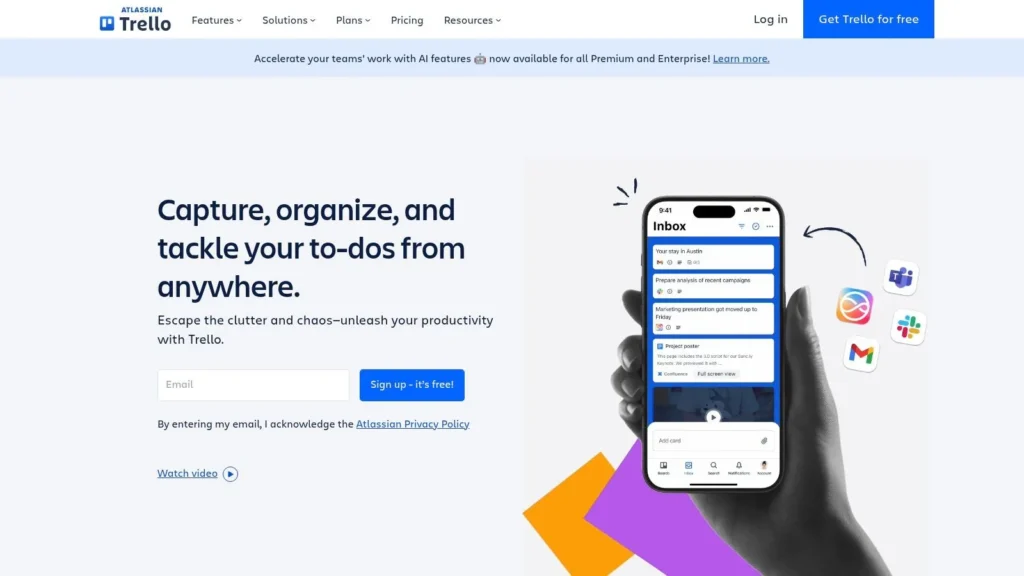
Each card on a Trello board can hold checklists, due dates, attachments, and comments, creating a central hub for all project-related information. You can use its “Power-Ups” to integrate with other apps like Google Drive, Slack, or Calendar, extending its functionality to fit your specific workflow. The drag-and-drop interface makes it incredibly easy to see your progress at a glance and adapt your plan as priorities change.
Platform Breakdown
| Feature | Details |
|---|---|
| Availability | Web, Windows, macOS, iOS, and Android |
| Pricing | Generous free plan; paid plans with more features start at $5/month |
| Best For | Visual learners and student groups needing a flexible tool for project management and task tracking. |
| Unique Feature | The visual Kanban board system combined with “Power-Ups” for extensive app integrations. |
Pros and Cons
Pros:
- Highly Intuitive: The visual board-and-card system is easy to learn and use immediately.
- Excellent for Collaboration: Real-time updates make it ideal for group projects and student organizations.
- Robust Free Tier: The free plan is powerful enough for most individual students and small teams.
Cons:
- Free Plan Limitations: The limit of 10 boards per workspace can be restrictive for larger projects or multiple classes.
- Can Become Cluttered: Without careful organization, boards with many cards can quickly become overwhelming.
Website: https://trello.com
8. Asana
For students juggling group projects, leading a student organization, or planning a capstone project, Asana provides a structured environment to manage complex tasks. More than just a simple to-do list, it’s a full-fledged project management tool that helps teams organize, track, and manage their work from start to finish. Its strength lies in its versatility, offering multiple views like lists, boards, and calendars to suit different workflow preferences.
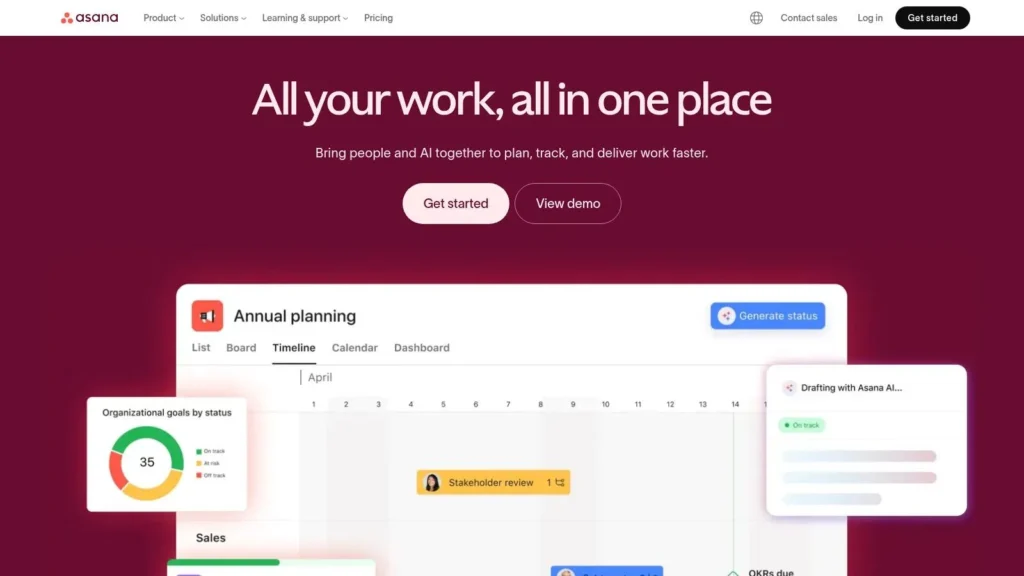
Asana excels at clarifying who is doing what by when, which is crucial for group accountability. Students can assign tasks, set deadlines, attach files, and communicate directly within a task, keeping all project-related information in one centralized place. This level of organization makes it one of the best productivity apps for students involved in collaborative efforts, ensuring everyone stays aligned and on schedule.
Platform Breakdown
| Feature | Details |
|---|---|
| Availability | Web, Desktop (Mac, Windows), iOS, and Android |
| Pricing | Free Personal plan; paid tiers for teams start at $10.99/user/month |
| Best For | Student leaders, group project members, and anyone managing multi-step academic or extracurricular projects. |
| Unique Feature | Multiple project views (List, Board, Calendar, Timeline) that allow users to visualize work in the way that makes the most sense to them. |
Pros and Cons
Pros:
- Generous Free Plan: The Personal plan is robust enough for individual students or small group projects.
- Excellent for Collaboration: Scales incredibly well for student clubs and teams with features designed for group work.
- Powerful Integrations: Connects with other tools like Google Drive, Slack, and Microsoft Teams to centralize workflows.
Cons:
- Learning Curve: Can feel overwhelming for simple to-do lists compared to more minimalist apps.
- Costly for Teams: Advanced features for larger groups are locked behind paid plans, which can be expensive for students.
Website: https://asana.com
9. Evernote
For students needing a powerful digital filing cabinet, Evernote remains a top contender among the best productivity apps for students. It excels at capturing, organizing, and retrieving information from various sources, making it ideal for large research projects, literature reviews, and compiling class notes. Its legendary Web Clipper is perfect for saving articles, while its document scanning feature digitizes handouts and textbook pages with ease.
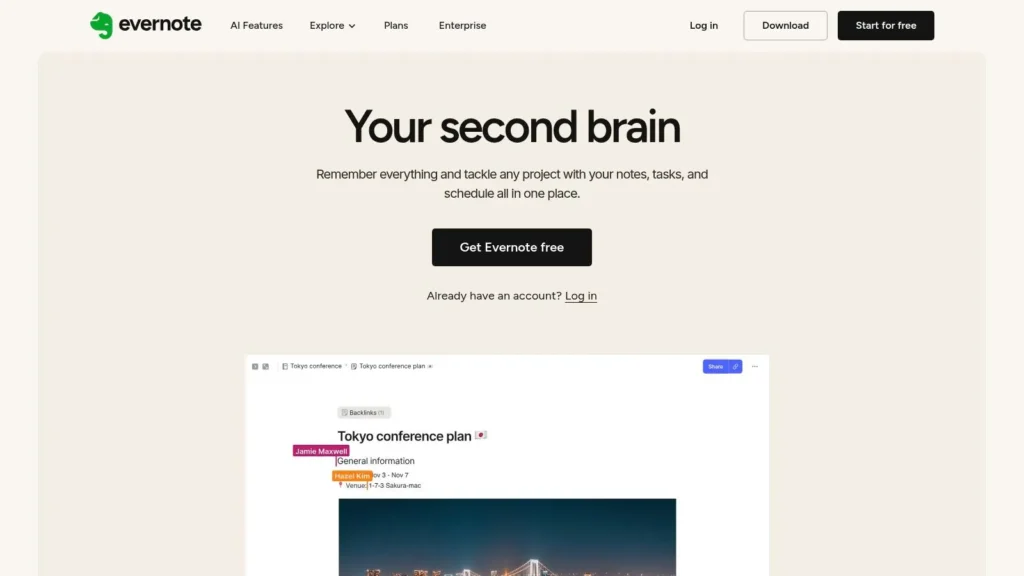
Evernote’s strength lies in its robust organizational system, which combines notebooks and tags for flexible, multi-dimensional filing. Recent updates have introduced features like AI-powered search and real-time collaborative editing, enhancing its utility for group projects. While its pricing structure has evolved, the platform’s core function as a centralized knowledge base remains incredibly valuable for academic work.
Platform Breakdown
| Feature | Details |
|---|---|
| Availability | Accessible on Web, Windows, macOS, iOS, and Android |
| Pricing | Free plan with limitations; paid tiers (Personal, Professional) offer more features and storage |
| Best For | Students managing heavy research loads, collecting web clippings, and needing a long-term digital archive for their coursework. |
| Unique Feature | The Web Clipper and document scanner combination provides unmatched information capture capabilities. |
Pros and Cons
Pros:
- Powerful Capture Tools: Excellent for saving web pages, PDFs, and scanned documents for research.
- Mature Ecosystem: A dependable, cross-platform experience with robust search and organization.
- Cross-Device Sync: Notes and files are accessible and synced across desktop and mobile devices.
Cons:
- Pricing Changes: Recent plan restructuring and potential price increases may be a drawback for some users.
- Feature Complexity: The vast feature set can be overwhelming for users who only need simple note-taking.
Website: https://evernote.com
10. Grammarly
For students, clear and effective writing is non-negotiable, from essays to emails. Grammarly serves as an indispensable AI-powered writing assistant that goes far beyond basic spell-checking. It provides real-time feedback on grammar, style, tone, and clarity, making it one of the best productivity apps for students aiming to improve their written communication. Its seamless integration across platforms ensures your writing is polished, whether you’re drafting a paper in Google Docs or sending a message from your phone.
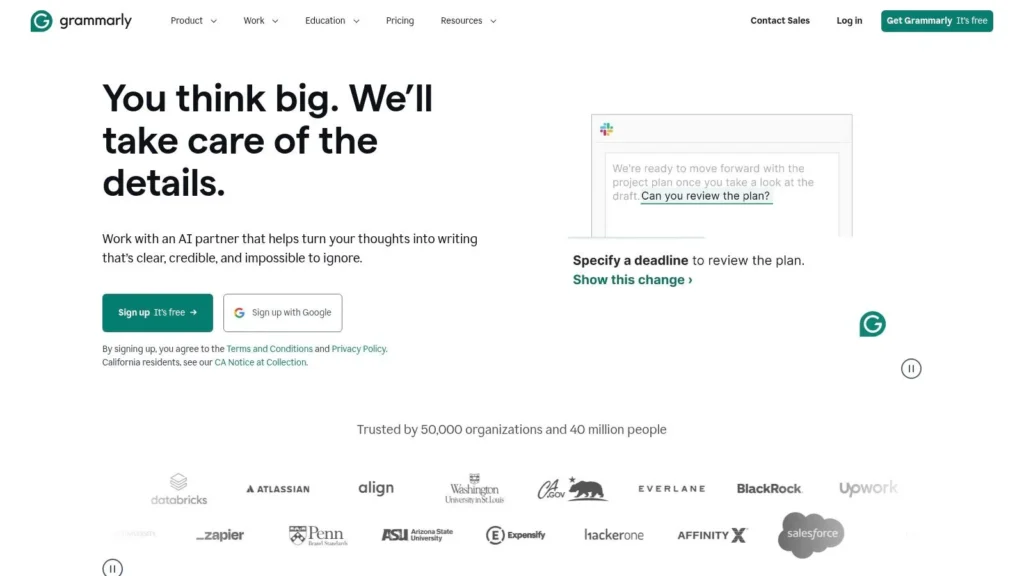
Grammarly’s true power lies in its ability to save significant editing time and build better writing habits. The platform offers suggestions that explain the “why” behind an error, helping you learn and avoid similar mistakes in the future. For students struggling with essays, its generative AI features can also help brainstorm ideas and refine drafts, which is a great way to overcome writer’s block and get started on challenging assignments.
Platform Breakdown
| Feature | Details |
|---|---|
| Availability | Browser extensions (Chrome, Safari, etc.), desktop apps (Windows, Mac), mobile keyboards (iOS, Android), and Microsoft Office add-in |
| Pricing | Free plan with basic grammar and spelling checks; Premium and Business plans unlock advanced features |
| Best For | Students who need to produce high-quality written work, from lab reports and essays to scholarship applications. |
| Unique Feature | Tone detector that analyzes your word choice and phrasing to ensure your message is received as intended (e.g., confident, formal, friendly). |
Pros and Cons
Pros:
- Saves Editing Time: Catches errors in real-time, significantly speeding up the proofreading process.
- Broad Compatibility: Works across countless websites and applications, providing consistent support.
- Educational Tool: Helps improve writing skills by explaining grammatical rules and stylistic choices.
Cons:
- Premium Features Paywalled: Advanced suggestions for style, plagiarism, and full-sentence rewrites require a paid subscription.
- Potential for Over-Reliance: Users may become too dependent on the tool instead of developing their own editing skills.
Website: https://www.grammarly.com
11. Freedom
For students who struggle with digital distractions, Freedom is one of the best productivity apps for students specifically designed to reclaim focus. It’s a powerful website and app blocker that works across all your devices, including Mac, Windows, iOS, Android, and Chromebook. Its core function is to let you create custom blocklists and schedule distraction-free sessions, ensuring that social media, tempting websites, and time-wasting apps are inaccessible when you need to study.

Freedom excels with its cross-device syncing, so starting a focus session on your laptop simultaneously locks down your phone. Features like recurring schedules help build consistent study habits, while the “Locked Mode” prevents you from ending a session early. It even includes ambient focus audio to create a productive study environment, making it a comprehensive tool for deep work.
Platform Breakdown
| Feature | Details |
|---|---|
| Availability | Mac, Windows, iOS, Android, ChromeOS, and browser extensions |
| Pricing | Free trial, with premium plans starting at $8.99/month (discounts for annual and ‘Forever’ plans) |
| Best For | Students who need a robust, cross-platform blocker to enforce discipline and create dedicated, distraction-free study periods. |
| Unique Feature | “Locked Mode” makes it impossible to bypass a block session, enforcing commitment to focused work. |
Pros and Cons
Pros:
- Reliable Cross-Device Blocking: Syncs sessions across all your computers and mobile devices seamlessly.
- Powerful Scheduling Controls: Set recurring blocks to automate your focus routine and build habits.
- Flexible Pricing: Offers a great value annual plan and a one-time “Forever” license option.
Cons:
- Initial Setup Time: Requires some effort to customize blocklists and whitelists for your specific workflow.
- Device Configuration: May require adjusting device settings or permissions to ensure the blocker works consistently.
Website: https://freedom.to
12. Forest
Forest gamifies the Pomodoro Technique to help students build consistent study habits. It’s a focus timer that cleverly discourages phone distractions by growing a virtual tree while you work. If you leave the app, your tree withers, providing a simple yet powerful visual incentive to stay on task. This unique approach makes it one of the best productivity apps for students looking to overcome procrastination.
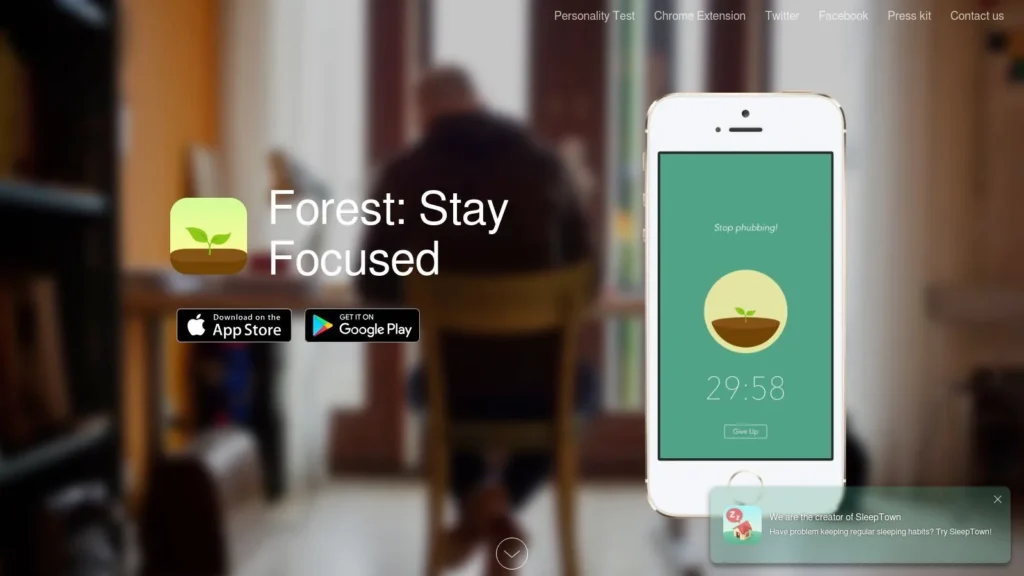
The app rewards your focus sessions with virtual coins, which can be spent to unlock new tree species or even contribute to planting real trees through the platform’s partnerships. This transforms mundane study time into a rewarding game, helping to build positive routines and manage the stress that often accompanies academic pressure. For those who find study-related stress overwhelming, learning how to calm anxiety naturally can be a valuable complementary strategy.
Platform Breakdown
| Feature | Details |
|---|---|
| Availability | iOS, Android, and browser extensions for Chrome and Firefox |
| Pricing | One-time purchase on iOS; free with in-app purchases/subscription on Android and other platforms |
| Best For | Students who need a simple, visually motivating tool to build focus habits and track short study sessions. |
| Unique Feature | Gamified focus where successful sessions grow a virtual forest and can contribute to planting real trees. |
Pros and Cons
Pros:
- Engaging Motivation: The visual reward of growing a forest makes building study habits feel fun and satisfying.
- Effective Deterrent: The “kill your tree” mechanic is a strong psychological nudge to avoid phone distractions.
- Cross-Platform Sync: Your virtual forest and stats sync across mobile apps and browser extensions.
Cons:
- Inconsistent Pricing: The payment model varies across platforms (paid on iOS, freemium on Android).
- Changing Features: Users report that app features and subscription models have changed; always check the current app store listing for details.
Website: https://www.forestapp.cc
Top 12 Student Productivity Apps — Feature Comparison
| Item | Core features | UX & quality | Target audience | Price & value | Unique selling point |
|---|---|---|---|---|---|
| Apple App Store | Editorial curation, privacy labels, device‑specific builds, web previews | Highly curated, secure; installs require Apple device | iPhone/iPad/mac students who want vetted apps | Free to browse; apps/subscriptions vary; Family Sharing | Editorial picks + privacy transparency |
| Google Play Store (Productivity) | Productivity category, ratings, permissions, charts, device install queue | Broad selection; quality varies by publisher | Android/Chromebook students seeking variety | Many free apps, frequent sales; Family Library on select titles | Largest Android app catalog and category charts |
| Notion | Pages, databases, templates, collaboration, Notion AI, cross‑platform | Extremely flexible but steeper learning curve | Students building study hubs, research workflows, group projects | Generous free tier; eligible college students get Plus free | All‑in‑one customizable workspace with templates |
| Todoist | Natural‑language dates, list/board/calendar views, reminders, integrations, Assist AI | Fast task entry; excellent cross‑platform sync | Students tracking assignments and recurring deadlines | Solid free tier; Pro paid plan for advanced features | Speedy natural‑language scheduling and simple workflows |
| Microsoft OneNote | Handwriting/inking, audio recording/transcription, notebooks, sync, MS365 integration | Powerful free notebook; deep Microsoft ecosystem ties | Students needing inking, lecture notes, and Class Notebook | Core app free; some advanced features via Microsoft 365 | Rich inking + audio transcription and Class Notebook features |
| Google Keep | Color‑coded notes, labels, OCR, Docs export, offline support | Lightweight, minimal friction for quick capture | Students who need fast notes, checklists and reading snippets | Free with Google account | Simplicity with seamless Drive/Docs integration |
| Trello | Boards, lists, cards, checklists, Power‑Ups, automation | Intuitive visual Kanban; strong free tier for individuals | Student teams, project workflows, clubs | Free usable tier; affordable paid upgrades; nonprofit discounts | Visual Kanban that’s easy to adopt for group work |
| Asana | List/board/calendar/timeline, custom fields, forms, automation, reporting | Structured and scalable project management | Capstone teams, event planners, student org leaders | Free Personal plan; team plans require paid tiers | Robust timeline/Gantt and workflow automation |
| Evernote | Notebooks, tags, web clipper, document scanning, AI Search | Excellent capture and research organization; recent pricing changes | Research‑focused students and long‑term note keepers | Free tier; newer paid tiers may be pricier than legacy plans | Web clipper + strong document capture and tagging |
| Grammarly | Real‑time grammar/style/tone checks, rewrites, extensions/keyboard | Consistent writing support across apps; easy to use | Students writing essays, ESL writers and editors | Free basic plan; Pro paid plan for full features | Real‑time grammar + tone detection and rewriting suggestions |
| Freedom | Block lists, recurring schedules, Locked Mode, focus audio, cross‑device sync | Reliable cross‑device blocking; needs setup for whitelists | Students who need distraction‑free study sessions | Annual plans, team plans, and a one‑time Forever license option | Cross‑device Locked Mode with scheduling and focus audio |
| Forest | Gamified Pomodoro timer, streaks, achievements, tree planting options | Engaging and motivating; simple to use | Students who prefer gamified focus and habit building | Paid app/in‑app purchases or subscription options | Gamified tree growth to reward focus and optional real‑world planting |
Building Your Personal Productivity System
Navigating the landscape of academic life is a complex balancing act. From managing dense course loads and looming deadlines to juggling extracurriculars and personal time, the pressure can feel immense. We’ve explored a comprehensive list of the best productivity apps for students, from powerful all-in-one workspaces like Notion to focused task managers like Todoist and dedicated study aids like Forest. Yet, the most crucial takeaway isn’t about which single app is superior; it’s about understanding that the ultimate productivity tool is the personalized system you construct for yourself.
No single application can magically organize your student life. The true power lies in strategically combining a select few tools that directly address your unique challenges and learning style. The goal is to build a seamless, low-friction workflow that feels intuitive, not like another chore to manage. A well-designed system reduces cognitive load, minimizes decision fatigue, and frees up mental energy for what truly matters: learning, critical thinking, and engaging with your coursework.
How to Build Your Personalized App Stack
Instead of downloading every app on this list, take a step back and perform a quick self-assessment. A thoughtful approach will prevent you from becoming overwhelmed and abandoning your new system before it has a chance to work.
- Identify Your Primary Pain Points: Where do you struggle the most? Is it disorganized lecture notes scattered across notebooks and documents? Do you consistently forget minor assignment due dates until the last minute? Or is your biggest obstacle the siren call of social media during focused study blocks? Be honest about your one or two biggest productivity hurdles.
- Start Small and Specific: Based on your pain points, choose just one or two apps from our list to start. If note-taking is your chaos zone, begin with either Notion for integrated knowledge management or OneNote for a more traditional digital binder feel. If deadlines are your downfall, implement Todoist for its robust recurring task features. For distraction-free studying, install Freedom or Forest.
- Leverage Free Tiers: Nearly every app we’ve discussed offers a generous free version or a trial period. Use this opportunity to experiment without financial commitment. Spend a week actively using the app for its intended purpose. Does the interface click with you? Does it genuinely solve the problem you identified? If it creates more friction than it removes, don’t hesitate to try an alternative.
- Integrate and Automate: Once you’ve settled on a couple of core apps, look for simple ways they can work together. For instance, you can use your note-taking app (like Evernote or Notion) to plan out a project and then transfer the specific, actionable tasks into your task manager (like Asana or Todoist). The key is to create a logical flow of information from one platform to another, ensuring nothing falls through the cracks.
Beyond the Tools: The Habit is the Key
Remember, the best productivity apps for students are merely enablers. They provide the structure, but you provide the consistency. The most sophisticated project management setup is useless if you don’t build the habit of checking it daily. A powerful note-taking app won’t help if you don’t develop a consistent method for reviewing and synthesizing your notes.
Think of these tools as a digital gym membership; they provide the equipment, but you still need to show up and do the work. The real transformation happens when you pair a great app with a solid habit, such as a weekly review of your upcoming tasks or a 15-minute daily planning session. This synergy between technology and routine is what ultimately leads to less stress, better grades, and a more balanced and successful academic journey.
Building a powerful productivity system is just one part of thriving as a student. For more deep dives into effective study techniques, habit formation, and personal growth, explore the curated articles and resources at maxijournal.com. Our education section is designed to give you the strategies you need to complement your new digital toolkit. Visit us at maxijournal.com to continue learning.
Discover more from Maxi Journal
Subscribe to get the latest posts sent to your email.


Pingback: Effective Techniques to Improve Your Memory Retention Skills