Your freelance writing portfolio isn’t just a collection of your best work; it’s your single most powerful marketing asset. It’s the proof that turns a potential client’s “maybe” into a confident “yes.” While a resume lists experience, a portfolio demonstrates expertise, showcasing your ability to deliver high-quality content that drives results. It’s the silent salesperson that works for you 24/7, building trust and credibility before you ever send a pitch.
This guide moves beyond theory to provide a deep dive into powerful freelance writing portfolio examples. We will dissect what makes them effective, from strategic design choices to compelling content curation. Instead of just showing you a finished product, we’ll break down the specific tactics each writer uses to attract their ideal clients, whether they specialize in B2B tech, lifestyle blogging, or in-depth journalism. Our goal is to give you a replicable blueprint for success.
Throughout this listicle, you will find:
- Actionable Analysis: We’ll explore portfolio examples from platforms like Journo Portfolio, Contently, and Authory, examining how each writer leverages the platform’s unique features.
- Strategic Insights: Learn why certain layouts work better for specific niches and how to structure your own site to highlight your most valuable skills.
- Practical Takeaways: Each example includes direct links and screenshots, providing a clear visual reference you can adapt for your own use.
By the end of this article, you won’t just be inspired by these freelance writing portfolio examples; you’ll have a clear, strategic framework for building or refining a portfolio that actively wins you better-paying work and establishes you as an authority in your field. Let’s get started.
1. maxijournal.com
Maxijournal.com serves as a powerful and accessible platform, making it a stellar example for freelance writers looking to understand how to structure a multi-niche portfolio or find a venue for their work. It operates as an independent online magazine and blog, curating practical, approachable content across a vast spectrum of categories. For freelance writers, this site demonstrates how to build a broad portfolio that appeals to diverse clients while maintaining a consistent, reader-friendly tone.
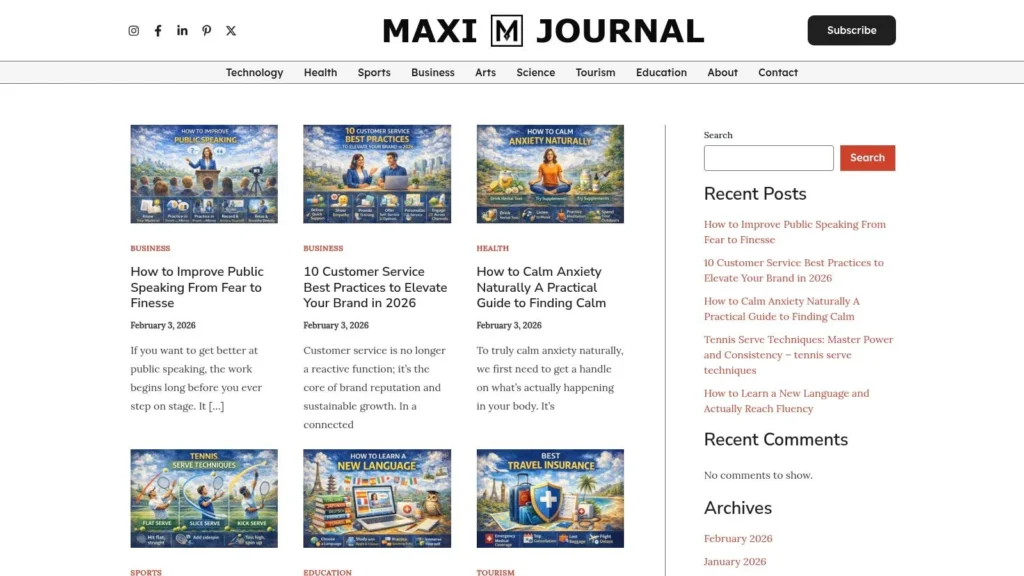
The platform’s strength lies in its blend of broad topic coverage and a focus on actionable advice. It successfully houses articles on everything from public speaking and travel insurance to natural anxiety remedies and tennis techniques, all presented in a clear, explainer style. This makes it an ideal model for writers aiming to showcase their versatility without sacrificing clarity or authority.
Strategic Analysis: What Makes Maxijournal.com a Top Portfolio Example
The core strategy behind Maxijournal is its dual function as both a reader-centric content hub and a contributor-friendly platform. A prominent “Write For Us” call-to-action signals an open door for new talent, making it an excellent real-world example of a site where emerging writers can publish their work to build credibility.
The site’s design and content strategy offer several key takeaways for building effective freelance writing portfolio examples:
- Diverse Niche Coverage: The site is organized into clear categories like Science & Technology, Health, Business, and Arts. This structure is a blueprint for writers who want to display expertise in multiple areas without creating a cluttered or unfocused portfolio.
- Actionable Content Focus: Maxijournal prioritizes “how-to” and explainer articles. This approach demonstrates a writer’s ability to translate complex topics into practical, valuable advice for the reader, a highly sought-after skill by content marketing clients.
- Clear User Experience: With straightforward navigation, essential policy pages (About, Contact, Privacy), and social media integration, the site models the professionalism and transparency that clients look for in a writer’s own portfolio website.
Actionable Insights for Your Own Portfolio
You can replicate Maxijournal’s success by applying these tactics to your own portfolio:
- Categorize Your Work: Just as Maxijournal uses distinct sections, group your writing samples by niche or content type (e.g., Blog Posts, White Papers, Case Studies). This allows potential clients to quickly find the examples most relevant to their needs.
- Showcase Practicality: Instead of just listing titles, add a brief sentence describing the value each article provides to the reader. For example, “A how-to guide on improving tennis serves for beginner players.”
- Create an Open-Door Policy: Add a clear “Hire Me” or “Work With Me” page that functions like Maxijournal’s “Write For Us” section. Make it incredibly easy for potential clients to understand your services and get in touch.
Key Features and Benefits
| Feature | Strategic Benefit for Freelance Writers |
|---|---|
| Multidisciplinary Content | Demonstrates versatility and the ability to adapt to different brand voices and industries. |
| “Write For Us” Pathway | Provides a clear model for creating a contributor or client inquiry page on a personal portfolio. |
| Clean Navigation | Shows the importance of a professional, user-friendly layout for showcasing your work effectively. |
| Frequent Publishing Cadence | Signals to potential clients that you are an active, consistent writer capable of meeting deadlines. |
Maxijournal.com is a free-to-access platform, with no paid tiers or membership fees required to read content. Its primary value for writers is as a case study in building a diverse yet coherent collection of work and as a potential venue for publication. While it lacks deep author bios or visible editorial credentials, its strength is its content-first approach, making it one of the most practical freelance writing portfolio examples to study and emulate.
Website: https://maxijournal.com
2. Authory
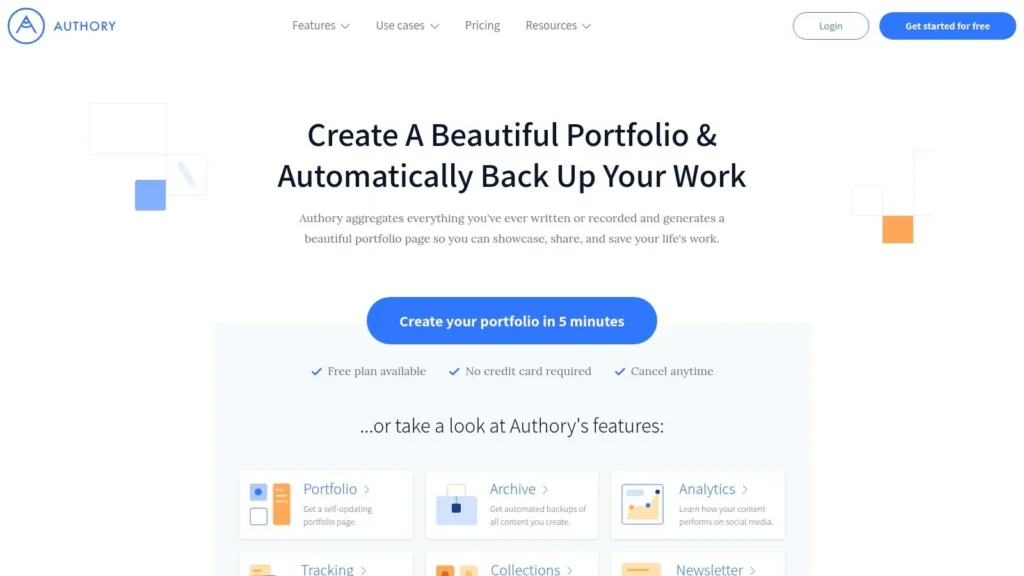
Authory is less of a traditional website builder and more of a specialized, automated portfolio platform designed specifically for writers, journalists, and content creators. Its core function is to find, import, and permanently back up all your published work from across the web, creating a self-updating professional portfolio with minimal effort. This “set it and forget it” approach is its biggest differentiator.
For busy freelancers, Authory solves the persistent problem of manually updating a portfolio and the fear of losing published clips if a website goes offline. The platform automatically scans sources you provide and adds new articles to your portfolio as soon as they are published, ensuring potential clients always see your latest work.
Strategic Breakdown: The Power of Automation and Archiving
Authory’s strength lies in its automation and archival features, which provide two critical benefits for a freelance writer’s career: time savings and content security. The platform acts as both a client-facing showcase and a private, searchable backup of your entire career.
Key Takeaway: Automate your portfolio updates to save administrative time and ensure your clips are permanently archived. A self-updating portfolio means you can focus on writing and pitching, not on manual website maintenance.
The platform also includes social media analytics to track how your articles are shared and an integrated newsletter feature. This turns your portfolio into a powerful marketing tool, allowing you to directly engage with your audience. For those looking to grow their readership, this is an excellent primer on how to build an email list directly from your body of work.
Actionable Tips for Using Authory
To get the most out of Authory, connect it to every publication you write for. The more sources it tracks, the more comprehensive and impressive your portfolio becomes.
- Organize with Collections: Use the “Collections” feature to group your work by niche, client, or format (e.g., “B2B SaaS Content,” “Travel Guides,” “Investigative Reports”). This allows you to send targeted links to different types of prospective clients.
- Utilize the Search Function: The searchable archive is a powerful personal tool. You can quickly find past articles on specific topics to reference statistics, quotes, or ideas for new pitches.
- Customize Your Bio: While design options are simpler than a full website builder, make sure your bio is compelling and includes a clear call to action (CTA), such as an invitation to connect on LinkedIn or contact you for work.
| Feature Comparison | Authory (Paid Plan) | Manual Website (e.g., WordPress) |
|---|---|---|
| Setup Effort | Low (Connect sources) | High (Design, hosting, plugins) |
| Maintenance | Automatic (Self-updating) | Manual (Requires constant updates) |
| Content Backup | Automatic & Permanent | Manual (Requires backup plugins) |
| Cost | Subscription Fee | Hosting, Domain, Theme/Plugin costs |
Authory offers a free plan limited to 10 content items without auto-importing. The paid plans unlock the platform’s full power, with the Professional plan starting at $12/month for unlimited items, auto-importing, custom domains, and analytics.
Website: https://authory.com
3. ClearVoice CV (Talent Network portfolios)
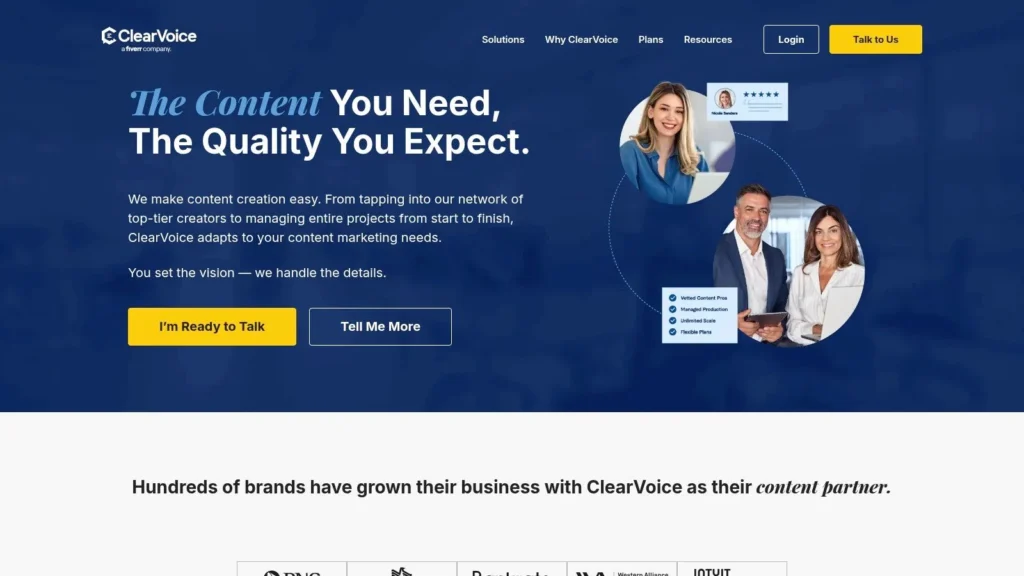
ClearVoice operates as a major content marketing platform and talent network, offering freelancers a free “CV” portfolio page. This isn’t just a simple profile; it’s a strategically designed portfolio integrated directly into a marketplace where brands like Adobe and Intuit source writers. Its primary function is to serve as both a public showcase and a direct application tool for assignments within the ClearVoice ecosystem.
The platform stands out by providing a standardized, professional format that clients on the network are accustomed to seeing. For freelancers, this removes the guesswork of what information to include and offers a no-cost, credible online presence. By browsing existing CVs, writers can see countless freelance writing portfolio examples from vetted professionals who are actively winning work on the platform.
Strategic Breakdown: The Power of Marketplace Integration
The core strength of a ClearVoice CV is its direct integration with a high-paying freelance marketplace. Your portfolio isn’t just a passive display; it’s an active tool that ClearVoice’s talent managers use to match you with assignments from major brands. Optimizing your CV directly impacts the quality and quantity of work opportunities you receive.
Key Takeaway: Build your portfolio on a platform where the clients are. A portfolio integrated with a marketplace shortens the distance between showcasing your work and getting hired, as it’s built to meet the exact needs of the platform’s clients.
This model is particularly effective for writers who prefer to focus on writing rather than on direct client outreach and sales. ClearVoice mediates the opportunities, so a well-crafted portfolio that clearly highlights your niche expertise, roles, and best work becomes your primary marketing asset.
Actionable Tips for Using ClearVoice CV
To maximize your visibility on ClearVoice, treat your CV as an ongoing project, not a one-time setup. The platform’s algorithm considers how complete and updated your profile is.
- Tag Content Strategically: Use the categorization and content type tags for every portfolio piece. This is how the system matches your skills to specific client needs. Be precise (e.g., “Blog Post,” “White Paper,” “Finance Technology”).
- Curate Your Featured Samples: Your top six portfolio items appear first. Pin your most impressive and relevant work here, ideally showcasing projects for well-known brands or demonstrating deep expertise in a high-demand niche.
- Write a Client-Centric Bio: Frame your bio around the value you provide to clients. Instead of “I am a writer,” try “I help B2B SaaS companies create authoritative content that drives organic traffic and conversions.”
| Feature Comparison | ClearVoice CV (Free) | Standalone Website (e.g., Squarespace) |
|---|---|---|
| Setup Effort | Low (Fill in template) | Medium (Design, content creation) |
| Maintenance | Low (Add new clips) | Manual (Requires regular updates) |
| Client Access | Integrated (Marketplace matching) | Manual (Requires outreach & SEO) |
| Cost | Free | Hosting, Domain, Theme costs |
Creating and maintaining a ClearVoice CV is completely free for freelancers. The platform makes its revenue by taking a percentage of project fees when a client hires you through their marketplace, meaning there is no upfront cost to build your portfolio and get seen by their talent team.
Website: https://www.clearvoice.com
4. Contently
Contently is an enterprise content marketing platform that offers freelancers a free, standardized portfolio. Its primary purpose is to serve as a talent-sourcing tool for the high-profile brands that use Contently’s marketplace, such as Google, Marriott, and Dell. This makes it less of a public-facing website builder and more of a strategic profile for accessing premium freelance opportunities.
For freelancers aiming to work with large enterprise clients, a Contently portfolio is essential. The platform is built around showcasing your expertise in a format that their talent managers and editors prefer. Approval is required to make your portfolio public and visible in their network, which means your profile must meet their quality standards, incentivizing you to present your best work.
Strategic Breakdown: The Power of a Curated Marketplace
Contently’s strength lies in its positioning as a gateway to high-value clients. Instead of you pitching cold, the platform allows brands to find you based on a well-optimized portfolio. It functions as a pre-vetted system, so getting approved signals a certain level of professionalism and skill.
Key Takeaway: Treat your Contently portfolio as a direct application to enterprise-level clients. Optimize it not just for visual appeal, but for the specific keywords, topics, and industries you want to attract within their closed ecosystem.
The platform provides extensive resources, including setup guides and published rate guidance, which helps you align your pricing and project expectations with industry standards. This transparency is a significant advantage, removing the guesswork often associated with pricing high-level content projects. These resources make it a great place to find freelance writing portfolio examples that are already successful within the system.
Actionable Tips for Using Contently
To get approved and noticed on Contently, you must be strategic. Simply uploading clips is not enough; your portfolio needs to tell a clear story about your expertise.
- Specialize Your Portfolio: Focus your portfolio on one or two core niches. A portfolio showcasing deep expertise in “FinTech for B2B” is more likely to attract enterprise clients than a generalist portfolio covering ten different topics.
- Optimize Your Bio and Clips: Use keywords in your bio and clip descriptions that match the industries you are targeting. Think like an editor searching for an expert. What terms would they use?
- Showcase High-Impact Work: Prioritize clips from well-known publications or those that demonstrate measurable results, like high social shares or significant traffic. The goal is to prove your ability to deliver quality at scale.
| Feature Comparison | Contently (Free Profile) | Manual Website (e.g., WordPress) |
|---|---|---|
| Primary Goal | Attract enterprise clients | Public-facing brand presence |
| Customization | Low (Standardized template) | High (Full creative control) |
| Client Access | Via an exclusive marketplace | Direct outreach & inbound marketing |
| Cost | Free | Hosting, Domain, Theme/Plugin costs |
Creating a portfolio is free, but its value is tied to getting approved for Contently’s talent network. Unapproved portfolios are not public by default, making the submission and approval process a critical step.
Website: https://contently.com/register
5. Journo Portfolio
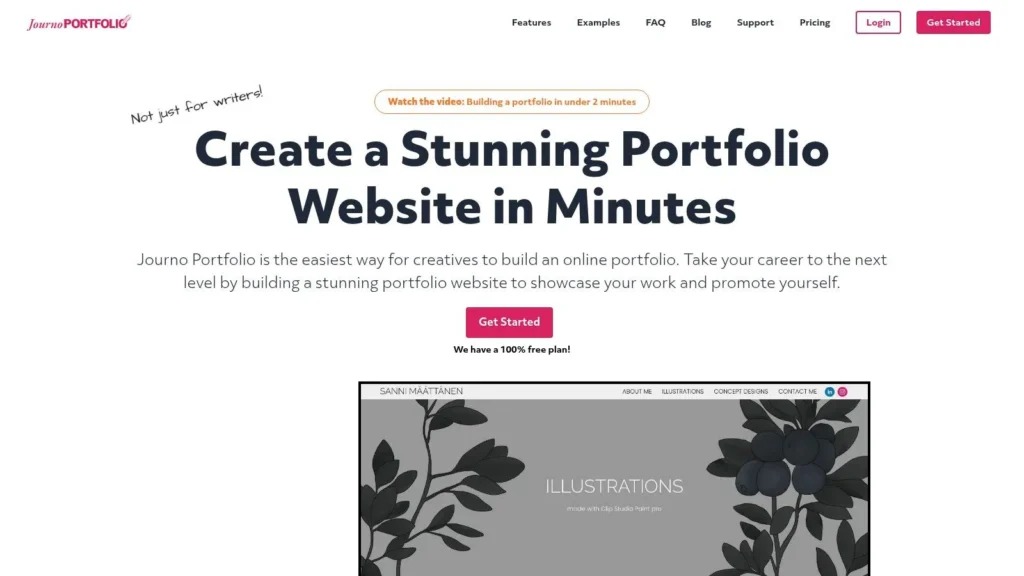
Journo Portfolio is a purpose-built portfolio platform that offers a sleek, modern, and highly intuitive experience for writers, journalists, and copywriters. It strikes a balance between the simplicity of a template-driven builder and the flexibility of a traditional website, allowing freelancers to create professional showcases without needing technical skills. Its standout feature is an integrated examples library, which provides inspiration and a quick starting point for users unsure of how to structure their portfolios.
The platform is designed for ease of use, enabling writers to quickly upload articles, PDFs, and multimedia clips to create a visually appealing grid or column-based layout. It handles the design heavy lifting, so freelancers can focus on curating their best work. This makes it an ideal choice for those who want a polished, professional online presence without the steep learning curve of more complex builders.
Strategic Breakdown: The Power of Simplicity and Scalability
Journo Portfolio’s strength lies in its streamlined setup and scalable features, making it one of the best freelance writing portfolio examples for both beginners and established professionals. You can start with a simple, single-page portfolio and later expand it into a full multi-page site with a blog, services page, and contact form as your career grows. This scalability prevents you from having to migrate platforms down the line.
Key Takeaway: Choose a platform that grows with you. A simple, clean portfolio is effective for landing early clients, but the ability to add service pages, testimonials, and a blog is crucial for long-term business growth.
Furthermore, the platform’s support for multimedia and direct PDF uploads means you can showcase a diverse range of work, from blog posts and articles to white papers and video scripts. This versatility is critical for writers who work across different content formats. For those moments when creativity feels stalled, exploring other writers’ portfolios can be a great way to discover how to overcome writer’s block and find new layout ideas.
Actionable Tips for Using Journo Portfolio
To maximize Journo Portfolio, take advantage of its built-in design themes and customization options to match your personal brand.
- Create Multiple Sections: Use the multi-page functionality (on paid plans) to create distinct sections for your portfolio, like “Copywriting,” “Blog Posts,” and “Case Studies.” This helps clients quickly find relevant samples.
- Use High-Quality Images: Choose a professional headshot and compelling featured images for your articles. Visual appeal is crucial for making a strong first impression.
- Integrate a Clear CTA: Add a contact form or a prominent “Hire Me” button. Guide potential clients on the exact next step you want them to take after reviewing your work.
| Feature Comparison | Journo Portfolio (Plus Plan) | General Website Builder (e.g., Squarespace) |
|---|---|---|
| Setup Effort | Low (Template-based) | Medium (Requires design choices) |
| Maintenance | Minimal (Content updates only) | Manual (Plugin, theme, & content updates) |
| Niche Features | Built-in for writers (e.g., clip uploads) | General (Requires plugins for specific functions) |
| Cost | Subscription Fee | Hosting, Domain, Template costs |
Journo Portfolio offers a free plan limited to one page and 10 articles. Paid plans, starting with the Plus plan at $8/month, unlock custom domains, unlimited articles and pages, and more advanced features. The Pro plan at $12/month adds article backups and the ability to sell services directly.
Website: https://www.journoportfolio.com
6. Clippings.me
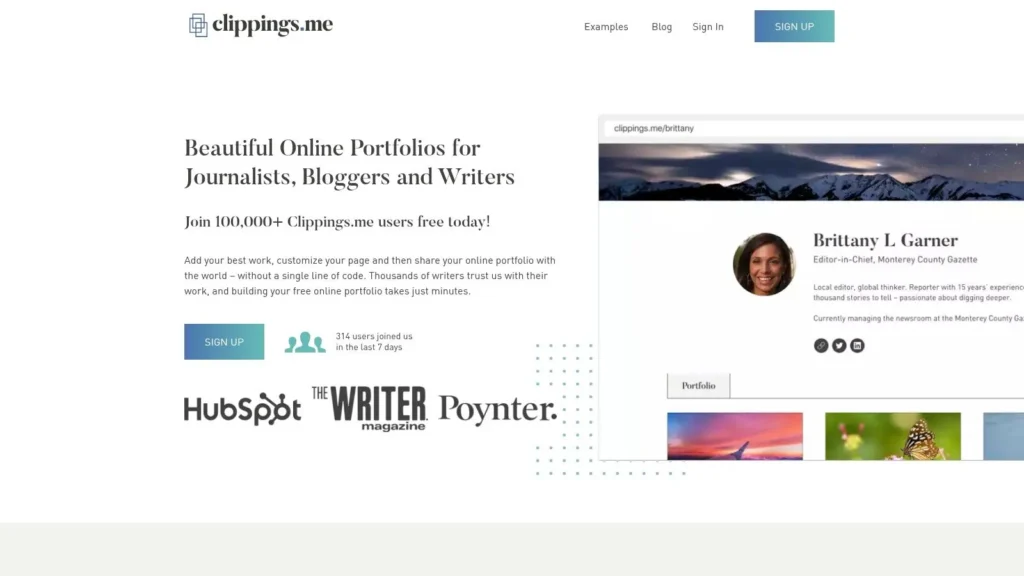
Clippings.me is one of the most straightforward and longest-standing portfolio platforms designed specifically for journalists, bloggers, and freelance writers. Its appeal lies in its simplicity and speed; you can create a professional-looking, public-facing portfolio in minutes without touching a line of code. The platform is built around the core function of showcasing your best work quickly and efficiently.
The main value proposition for writers, especially those just starting out or who are tech-averse, is the extremely low barrier to entry. By allowing users to add clips via URL, PDF uploads, or by embedding multimedia content, Clippings.me removes the technical hurdles associated with building a website from scratch. This focus on ease-of-use makes it a popular choice for creating a clean, functional online presence.
Strategic Breakdown: The Power of Simplicity and Accessibility
Clippings.me thrives on its no-frills, function-first approach. Its primary strength is providing a fast, accessible, and professional showcase without the complexities of web hosting, design, or maintenance. This allows a writer to focus purely on curating their best clips and sharing them with potential clients.
Key Takeaway: A simple, clean, and easy-to-navigate portfolio is often more effective than an overly complex one. Prioritize speed and clarity to ensure potential clients can find your best work without any friction.
The platform also helps with discoverability by creating SEO-friendly pages for each writer. While not a replacement for a full content marketing strategy, this built-in feature gives your work a better chance of being found by clients searching for writers in your niche. Looking at other freelance writing portfolio examples on their public gallery can provide excellent inspiration for layout and organization.
Actionable Tips for Using Clippings.me
To maximize the platform’s potential, focus on curation and clear categorization. Since the design is minimalist, the strength of your portfolio will come from the quality and presentation of your work.
- Create Topical Pages: Use the “Pages” feature to categorize your work by niche or service type (e.g., “Blog Posts,” “Case Studies,” “Travel Writing”). This lets you send highly relevant samples to different prospects.
- Write a Compelling Bio: Your biography is prime real estate. Clearly state your niche, the types of clients you serve, and include a strong call to action, such as your email address for inquiries.
- Use High-Quality Cover Images: Since the layout is visually driven, ensure each clip has a high-quality, relevant cover image. This makes your portfolio more engaging and professional at first glance.
| Feature Comparison | Clippings.me (Premium) | Manual Website (e.g., Squarespace) |
|---|---|---|
| Setup Effort | Very Low (Add clips & bio) | Medium (Template-based design) |
| Maintenance | Low (Add new clips manually) | Medium (Manual updates, plugins) |
| Content Backup | None (Links only, no archiving) | Manual (Requires backup service) |
| Cost | Low Subscription Fee | Higher Subscription/Hosting Costs |
Clippings.me offers a generous free-for-life plan that allows you to display up to 10 articles. For unlimited clips, a custom domain, and Google Analytics integration, the Premium plan is priced at $9.99/month.
Website: https://www.clippings.me
7. Canva (Portfolio website and templates)
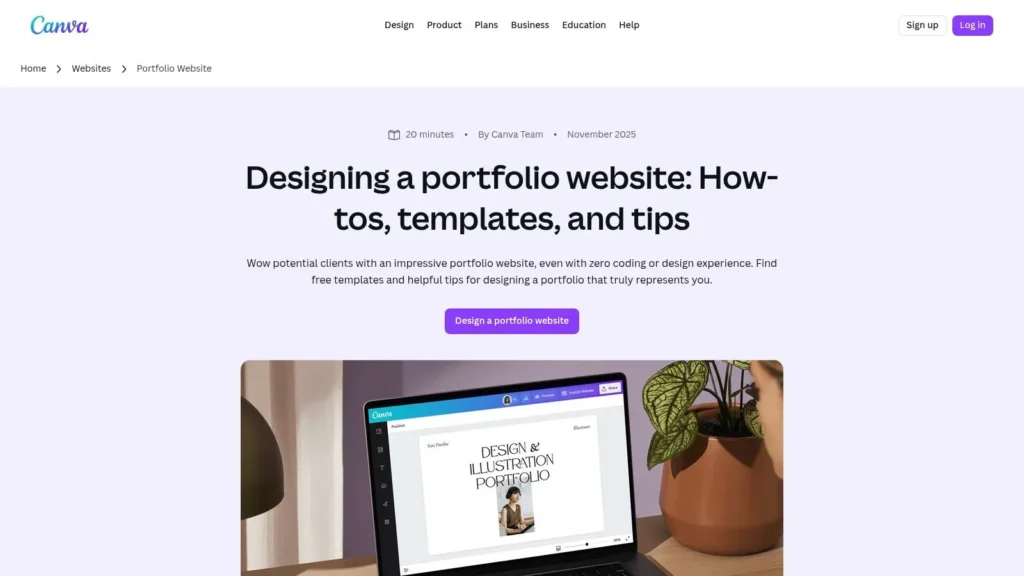
Canva has evolved beyond a graphic design tool into a surprisingly powerful, accessible website builder perfect for creating a visually stunning writing portfolio without any technical skills. Its strength lies in its vast library of templates and an intuitive drag-and-drop editor, allowing freelancers to produce a professional-looking, single-page website in hours, not days. This makes it an ideal choice for writers who want a polished online presence quickly.
For freelancers who prioritize design and branding but lack coding or web development experience, Canva offers a streamlined solution. It removes the technical barriers associated with traditional website builders, enabling you to focus entirely on presenting your work effectively. You can easily embed links, add multimedia, and create a unique site that reflects your personal brand.
Strategic Breakdown: The Power of Visual Design and Speed
Canva’s core advantage is the fusion of speed and professional design. It empowers writers to create a portfolio that looks like it was designed by a professional, leveraging templates that are already optimized for visual appeal and user experience. This visual-first approach can help your work stand out in a crowded market.
Key Takeaway: Leverage professional design templates to create a visually compelling portfolio quickly. A strong visual presentation can elevate the perceived quality of your work and make a memorable first impression on potential clients.
While it lacks the automated features of writer-specific platforms, Canva provides unmatched creative control for a tool of its simplicity. Its Brand Kit (available on paid plans) allows you to maintain brand consistency across your portfolio, resume, and social media graphics. This unified branding is a key step for those learning how to start a blog and build an author platform from the ground up.
Actionable Tips for Using Canva
To maximize Canva’s potential, start by selecting a template that closely matches your personal brand aesthetic. Customization is key to making it your own.
- Structure with Sections: Use separate pages or blocks within a one-page design for “About,” “Services,” and “Portfolio.” Create distinct portfolio sections for different niches (e.g., “Tech Blogging,” “Email Copywriting”) to showcase your versatility.
- Create Clickable Mockups: Instead of just listing links, create simple graphic mockups of your articles (e.g., a screenshot placed on a laptop or phone image) and make the entire image a clickable link to the live article.
- Embed Multimedia: Use Canva’s embed features to include video testimonials, podcast interviews, or other multimedia elements that showcase your expertise beyond the written word.
| Feature Comparison | Canva (Pro Plan) | Manual Website (e.g., WordPress) |
|---|---|---|
| Setup Effort | Low (Template-based) | High (Design, hosting, plugins) |
| Design Flexibility | High (Within template) | Very High (Requires expertise) |
| Content Backup | Manual | Manual (Requires backup plugins) |
| Cost | Subscription Fee | Hosting, Domain, Theme/Plugin costs |
Canva offers a robust free plan with access to many templates. The Pro plan, starting around $14.99/month, unlocks premium templates, the Brand Kit, AI tools, and the ability to publish to a custom domain.
Website: https://www.canva.com/website-builder/portfolio-websites/
Top 7 Freelance Writing Portfolio Platforms — Comparison
| Platform | Implementation complexity | Resource requirements | Expected outcomes | Ideal use cases | Key advantages |
|---|---|---|---|---|---|
| Maxijournal.com | Very low — read or submit via site forms | Minimal (no account or payment shown) | Audience exposure through editorial publication; regular readership | Contributors seeking easy submission; readers wanting practical how‑to content | Broad multidisciplinary reach; frequent, approachable articles; low barrier to contribute |
| Authory | Low–Medium — connect feeds and configure imports | Moderate — paid plans for full automation and custom domain | Self‑updating consolidated portfolio and permanent backups of clips | Freelancers with clips across many outlets who want automated aggregation | Automatic import/backup; searchable archive; analytics |
| ClearVoice CV (Talent Network portfolios) | Low — create CV page within marketplace | Low (free portfolio) | Marketplace visibility and direct matching to assignments | Writers aiming for paid marketplace gigs | Free portfolio tied to a client marketplace; real examples and optimization guidance |
| Contently | Low–Medium — profile setup and possible approval process | Low (free portfolio) but public view may require approval | Access to enterprise clients and higher‑paying assignments when approved | Freelancers targeting enterprise brands and higher rates | Enterprise marketplace exposure; onboarding and rate guidance |
| Journo Portfolio | Low — template-based site builder for writers | Low–Medium — free tier limits; paid for custom domain/more pages | Professional, scalable writer portfolio (single to multi‑page) | Journalists and writers who need a dedicated portfolio site | Purpose-built for writers; multimedia support; examples gallery |
| Clippings.me | Very low — add clips via URL/PDF, minimal setup | Minimal — free tier available; premium for unlimited clips/custom domain | Fast live portfolio with SEO‑friendly pages | Journalists/bloggers needing a quick, low‑cost portfolio | Extremely fast, code‑free setup; good value pricing for premium |
| Canva (Portfolio website and templates) | Very low — drag‑and‑drop design and templates | Low–Medium — Pro/Business unlocks advanced tools and templates | Polished, on‑brand portfolio sites ready quickly (discovery relies on promotion) | Creators needing branded, design‑forward portfolios without coding | Large template library; drag‑and‑drop editor; brand and AI tools |
Your Next Steps: Turning Portfolio Examples into Action
We’ve journeyed through a diverse collection of freelance writing portfolio examples, from the sleek, minimalist designs of Journo Portfolio to the robust, content-centric showcases on Contently and the automated elegance of Authory. Each example, whether crafted with the design flexibility of Canva or the professional network integration of ClearVoice, offers a unique blueprint for success. But inspiration without action is just an idea, and now it’s time to build your own client-attracting machine.
The core lesson from these examples is clear: your portfolio is not just a gallery of past work. It’s your most powerful sales tool, a strategic asset designed to demonstrate your expertise, prove your value, and convince potential clients that you are the right writer for their project. The most effective portfolios achieve this by aligning their presentation with their niche and target client. A B2B tech writer’s portfolio on maxijournal.com will look and feel fundamentally different from a travel writer’s colorful Canva site, and that’s precisely the point.
From Analysis to Application: Your Action Plan
To transform the insights from this guide into a tangible, high-performing portfolio, focus on these critical next steps. This isn’t just about picking a tool; it’s about building a strategic foundation for your freelance writing career.
Define Your Primary Goal: What is the number one thing you want your portfolio to achieve? Is it to land high-paying corporate clients, attract editors from specific publications, or showcase your versatility across multiple niches? Your goal will dictate your tool choice and content strategy.
Curate, Don’t Collect: Resist the urge to include every article you’ve ever written. Select only your best, most relevant pieces that align with the clients you want to attract. The Contently and ClearVoice examples we analyzed excel at this, presenting a focused and impressive body of work. Quality will always trump quantity.
Optimize for Your Ideal Client: Think like a hiring manager. What information do they need to see first? Structure your portfolio to answer their questions immediately. This means clear navigation, a compelling bio that highlights your value proposition, and easy access to your best work samples.
Incorporate Social Proof: Testimonials, client logos, and performance metrics (like “increased blog traffic by 200%”) are not vanity metrics. They are crucial trust signals that validate your skills and professionalism, a key takeaway from many of the top-tier freelance writing portfolio examples.
Choosing the Right Tool for the Job
The tools we’ve explored each serve a different purpose. Your choice should be a direct reflection of your career stage, technical comfort level, and professional goals.
- For Total Beginners & Simplicity: Clippings.me is a fantastic starting point. It’s free, incredibly easy to set up, and gives you a professional-looking home for your first few samples.
- For Automation & Archiving: If you’re a prolific writer and hate manually updating your portfolio, Authory is a game-changer. Its automatic content backup and sophisticated filtering are worth the investment.
- For Design Flexibility: If you have a strong visual brand or want complete creative control, Canva provides beautiful templates and an intuitive drag-and-drop interface to build a stunning, custom portfolio website.
- For Professional Networking: Platforms like Contently and ClearVoice are more than just portfolios; they are talent networks that can directly connect you with high-caliber clients.
Ultimately, the best platform is the one you will actually use and keep updated. Start with a simple tool if you’re feeling overwhelmed, and remember that you can always upgrade or migrate as your career grows. The most important step is simply to start. Use these freelance writing portfolio examples as your guide, select your tool, and begin building the asset that will unlock your next great opportunity.
Ready to build a professional, dynamic portfolio that does the selling for you? maxijournal.com offers the perfect blend of simplicity and power, allowing you to showcase your best work with elegant templates designed specifically for writers. Start your free trial at maxijournal.com today and create a stunning home for your writing in minutes.
Discover more from Maxi Journal
Subscribe to get the latest posts sent to your email.