Your MacBook Air can game now, but the right answer still depends on which Air you own. If you’ve just unboxed an M-series model, the old advice about Macs being bad for gaming is outdated. Apple’s move to its own silicon changed the practical answer to best games for MacBook Air because newer Air models can run a growing library of native Mac games, and Mac coverage now includes major releases such as Civilization VI, Hades II, Assassin’s Creed Shadows, and Cyberpunk 2077 across stores like Steam, Epic, and the App Store, as discussed in this Apple silicon Mac gaming overview.
That doesn’t mean every Air is suddenly a gaming beast. The MacBook Air is still best treated as a casual-to-midrange gaming machine. If you pick games that are native to Apple silicon, or at least properly optimized for Mac, you can get a smooth, quiet experience on a thin laptop that still spends most of its life doing work, study, and travel duty.
Older Intel Airs are the exception. They can still handle lighter games, but most modern recommendations you’ll see online blur together Intel-era advice and Apple silicon reality. That’s a mistake. An M1 Air, M2 Air, and M3 Air can all play far more than an older Intel Air, and the same title can feel very different depending on your chip, RAM, and how long you play in one sitting.
If you’re also trying to keep an older machine healthy for longer, this guide on choosing a new MacBook Air battery is worth a look.
1. Baldur’s Gate 3
Baldur’s Gate 3 on Steam is the game I recommend when someone wants one big RPG to justify gaming on a MacBook Air. It’s dense, reactive, and full of turn-based fights that are easier on laptop thermals than twitch shooters. That matters on an Air, especially a fanless one.
It’s also demanding. You can play it on modern Apple silicon, but this is not the game to buy for an Intel Air unless you’re unusually patient with compromises.
How to run it well on a MacBook Air
On an M1 Air with 8GB RAM, start conservative. Use lower internal resolution, keep texture and effects settings modest, and expect some slowdown in busier scenes. On an M2 or M3 Air, especially with more memory, you’ve got more room to push image quality, but I’d still prioritize stability over chasing prettier shadows.
Practical rule: If your Air has 16GB memory, Baldur’s Gate 3 becomes much easier to live with for long sessions. If it has 8GB, keep expectations in check and close everything else first.
A few setup habits make a real difference:
- Use the native Mac build: Buy it through Steam and install the macOS version directly.
- Play plugged in for long sessions: Battery play is fine, but long RPG sessions are smoother when macOS isn’t trying to balance everything around battery life.
- Lower crowd and visual extras first: Those settings usually hurt comfort more than slightly softer image quality does.
If the D&D setting is new to you, a quick primer on how to play Dungeons & Dragons helps the world and class choices click faster.
2. Stardew Valley

If your priority is low heat, long battery life, and a game you can open for twenty minutes or five hours, Stardew Valley is one of the best games for MacBook Air. It runs easily on Apple silicon and older Intel models, and it doesn’t ask much from the machine.
That makes it a safe buy if you’re not sure how much gaming your Air will really do. It’s also one of the few games I’d recommend almost regardless of model.
Best fit by MacBook Air model
Intel Air owners should start here, not with flashy ports. Stardew Valley feels natural on old hardware because the game loop is gentle, the controls are simple, and performance isn’t hanging on GPU horsepower. M1, M2, and M3 Air owners can just install it and play without thinking too hard about settings.
If you want co-op, Steam is usually the least fussy route on Mac. Mods also work well, but if you’re new to community content in games, the logic is similar to guides for how to install CC in Sims 4. Keep folders tidy, add mods slowly, and test one change at a time.
- Best storefront choice: Steam, especially if you might use co-op or mods.
- Best use case: Casual sessions, travel gaming, and battery-friendly play.
- What doesn’t matter much: Your chip generation. Almost any Air handles it well.
3. Hades

Hades is the cleanest answer for people who want something action-heavy that still feels perfect on a MacBook Air. It launches fast, plays brilliantly with a controller, and fits the laptop form factor better than many larger games because each run is self-contained.
This is also where Apple silicon really shines in practice. A Mac gaming review of the M1 Air reported that more than 90% of a Steam library could run on the machine, which is a useful sign of broad compatibility, but Hades is the kind of game that turns compatibility into actual convenience.
Why it works so well on the Air
Short runs mean less thermal buildup. Clean art direction means the game still looks good without brute-force graphics settings. And because combat readability matters more than visual excess here, even modest hardware feels good.
I’d recommend a controller if you have one, but keyboard play is still solid. On any M-series Air, you can generally focus less on tuning and more on playing. On Intel, it’s still one of the safer action picks compared with newer 3D releases.
Smooth frame pacing matters more than raw spectacle on a MacBook Air. Hades gets that balance right.
The one trade-off is genre taste. If you don’t like repeating runs and slowly mastering systems, Hades won’t convert you. If you do, it’s one of the easiest Mac recommendations to make.
4. Disco Elysium The Final Cut
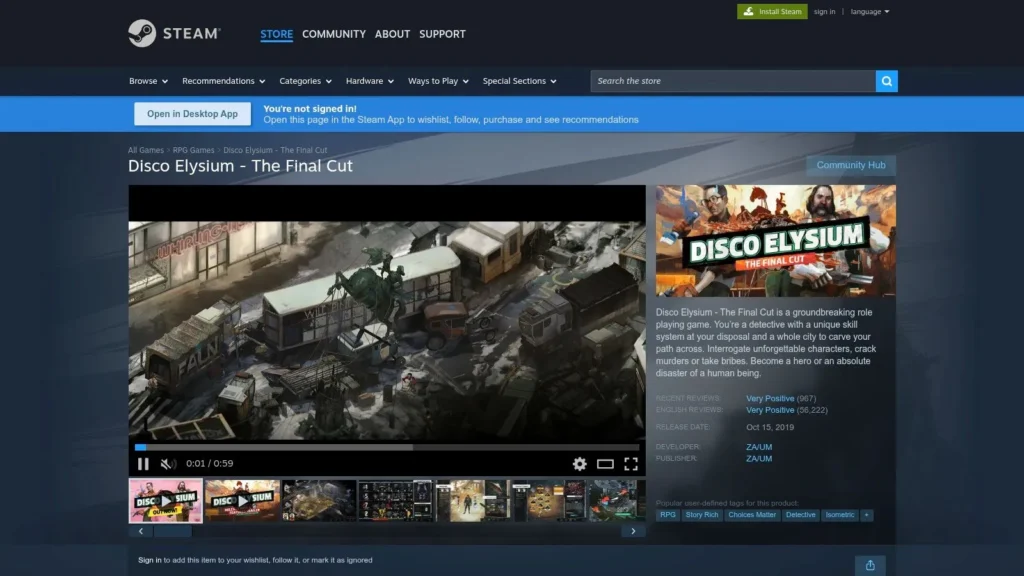
Some games fit the MacBook Air because they’re technically light. Disco Elysium The Final Cut on Steam fits because the whole experience matches the machine. It’s thoughtful, portable, and easy to dip into without committing to a giant graphics load.
If you’ve got an Intel Air and feel left out by modern Mac gaming lists, the conversation becomes more encouraging. The game doesn’t need action-game reflex performance to be great.
What to tweak and what to expect
You can usually favor battery life and comfort here. Lowering resolution on older Airs is often enough. On Apple silicon, it feels relaxed and stable, which makes it a strong choice for flights, cafés, or evenings when you want a game that doesn’t turn the laptop into a space heater.
- Best for: M1, M2, M3, and many Intel Airs.
- Best session style: Long narrative sessions with headphones.
- What doesn’t work for everyone: It’s reading-heavy, voice-acting heavy, and almost entirely about conversation and investigation.
This isn’t the game for action-first players. It is one of the best games for MacBook Air if you want writing, role-playing, and minimal setup friction.
5. Divinity Original Sin 2 Definitive Edition
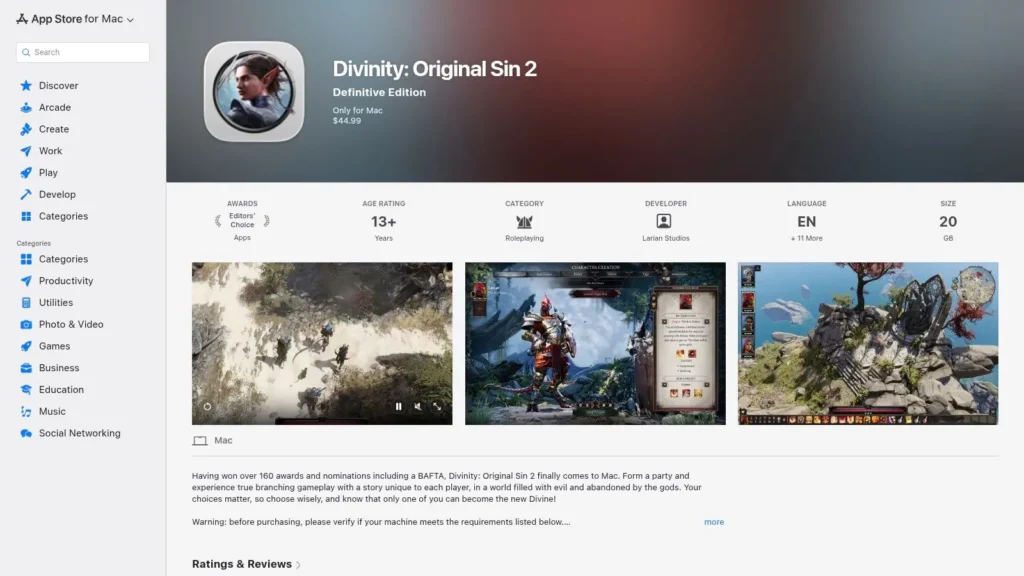
Divinity Original Sin 2 on the Mac App Store hits a sweet spot for the Air. It feels big and rich like a premium RPG, but turn-based pacing makes it more forgiving than a lot of real-time AAA games on thinner hardware.
This is also a great answer if Baldur’s Gate 3 interests you but feels too heavy for your current Air. Divinity gives you tactical depth without asking for as much from the machine.
Practical setup advice
On M-series Airs, the game is a strong fit. If your Air has 8GB memory, keep browser tabs closed and avoid stacking background apps. If you’ve got 16GB, co-op and longer play sessions are easier to enjoy without the machine feeling stretched.
A few choices help immediately:
- Choose the store version you want to stay in: If your library already lives in Apple’s ecosystem, the App Store version is convenient.
- Use medium settings first: RPGs like this benefit more from readable combat spaces than from maxed-out effects.
- Prefer a mouse or controller for comfort: Trackpad play works, but it’s not ideal once fights get more involved.
The learning curve is real. So is the payoff. If you like clever encounters and creative problem-solving, this game rewards patience on a MacBook Air better than many flashier alternatives.
6. No Man’s Sky

No Man’s Sky for Mac is one of the most flexible picks on this list. You can treat it like a calm exploration game, a base-building project, a survival grind, or a long-term universe to revisit in bursts. That flexibility matters on the Air because it lets you tune both your settings and your play style.
The Mac version supports Apple silicon and modern Metal features, which is exactly the kind of technical fit Air owners should look for. Native Mac support with Metal-aware optimization tends to age better on these machines than workaround-heavy installs.
Best way to approach it on an Air
Start at moderate settings and don’t panic if one planet feels rougher than another. This game varies by biome, weather, and scene complexity more than many fixed-level games do. M1 Air users should be more conservative. M2 and M3 Air owners can push a bit more, but smoothness still matters more than visual ambition.
Field note: This is the kind of game where one bad settings choice can affect an entire session. Test on a busy planet before deciding your setup is stable.
If cross-platform play matters to you, it’s worth understanding how games handle that across ecosystems. This explainer on Fallout 76 cross-platform support gives useful context on what that term usually means, even though it’s a different game.
The downside is simple. Big install, long sessions, and occasional heavy scenes can expose the Air’s thermal limits faster than indie games do.
7. Resident Evil Village
Resident Evil Village on the Mac App Store is one of the clearest examples of modern Mac gaming becoming real. It’s a native Apple silicon release, available directly through Apple’s store, and it brings proper AAA survival horror to the platform.
It also draws a hard line around hardware. This one is for M1 or newer, not Intel Airs, and you should go in expecting to adjust settings rather than max them.
Where it fits in the MacBook Air lineup
Apple-community discussion around MacBook Air gaming paints the right picture. Users report that an Air can handle casual games like Minecraft and Roblox with minimal heat, while demanding titles depend much more on compatibility and cooling, as reflected in this Apple Support Community discussion. Resident Evil Village lives on that demanding side of the line.
For an Air, the best approach is simple:
- Use reduced settings first: Prioritize stable play and readable dark scenes.
- Play with a controller if possible: The game feels better that way on a laptop.
- Expect more heat than in strategy or indie games: That’s normal for this class of title on an Air.
If you own an M2 or M3 Air, Village makes more sense as a showcase buy. On an M1 Air, it’s still viable, but only if you’re comfortable with compromise.
8. Death Stranding Director’s Cut
Death Stranding Director’s Cut on the Mac App Store is a very specific recommendation. It’s not for everyone, but it’s a strong fit for players who want a cinematic, premium Mac game that rewards patience more than fast reflexes.
That makes it more Air-friendly than its visuals suggest. You spend a lot of time traversing terrain, planning routes, and managing cargo, which can feel surprisingly good on a portable machine.
Storage and hardware trade-offs
The first question isn’t frame rate. It’s storage. If your MacBook Air has a smaller SSD, think about where this game will live before you buy it. Big modern titles on Mac can crowd out creative apps and media fast.
On the performance side, stick to the same rule that works across most heavier Apple silicon titles. Lower resolution first, then trim costly visual settings. M1 Air owners should stay realistic. M2 and M3 Air owners get more flexibility, especially for shorter sessions.
- Best for: Players who want a premium single-player world and don’t mind a slow-burn game loop.
- Less ideal for: Anyone expecting instant action or tiny install sizes.
- Storefront advice: The Mac App Store version is the straightforward path for supported Apple silicon Macs.
If your Air is mainly a travel laptop, Death Stranding works best when you plan around storage and battery, not when you treat it like a desktop replacement.
9. Minecraft Java Edition
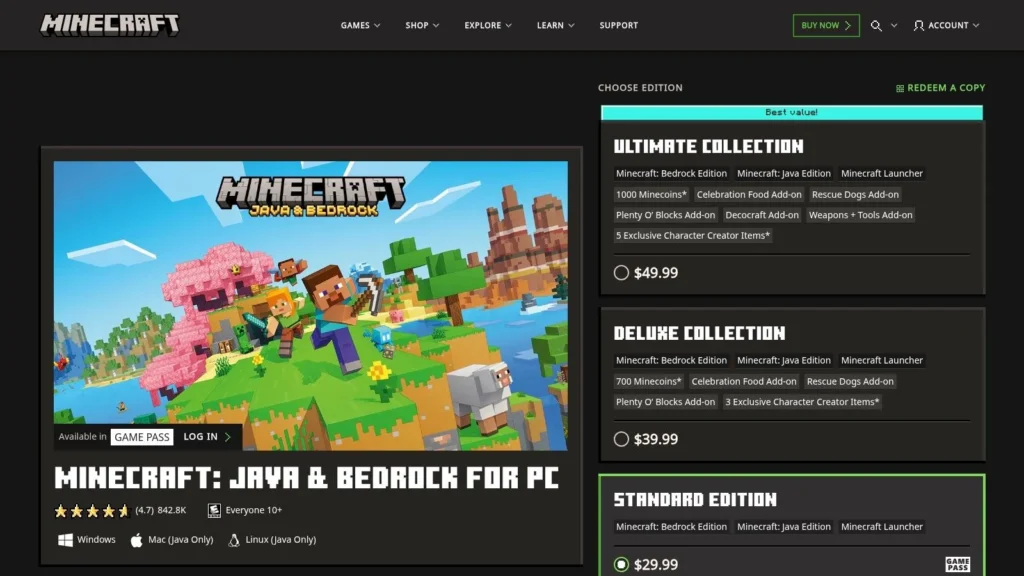
Minecraft Java and Bedrock Edition for PC earns its place on a MacBook Air for one practical reason. You can tune it to the laptop you own. A base M1 Air with 8GB can handle vanilla survival well with sensible settings, while an M2 or M3 Air with more memory gives you room for larger worlds, light modding, and longer sessions without the system feeling cramped.
The main limit is memory, not raw graphics power. Minecraft Java will start on older Intel Airs, but they hit thermal limits faster and benefit more from conservative settings. If the plan is vanilla play, Realms, or a small private server, Intel models are still serviceable. If the plan is shaders, big modpacks, or lots of background apps open at the same time, Apple silicon with 16GB is the safer buy.
Set it up for steady frame rates
Start by treating render distance as the first performance slider. On a MacBook Air, 10 to 14 chunks is usually the right range for vanilla play. Drop it lower on Intel models or 8GB systems. Fancy clouds, high particle effects, and aggressive shader presets cost more than they add on a fanless laptop.
Java edition also rewards a cleaner setup. Use one launcher profile for vanilla and another for mods so you can control RAM allocation instead of guessing. Giving the game too much memory can hurt overall system responsiveness on an 8GB Air. Giving it too little causes stutter once world generation and background tasks pile up.
Keep render distance modest and use light optimization mods before you touch shader packs.
Storefront choice matters here. Mac players buying Minecraft should pay attention to the wording on Mojang’s store page, because the linked bundle is presented for PC and includes both Java and Bedrock, while Mac support is tied to Java. For most MacBook Air owners, the practical answer is Minecraft Java on macOS, not Bedrock expectations carried over from Windows.
- Best for: Players who want one game that can scale from relaxed solo survival to years of mods and servers.
- Runs best on: M-series MacBook Air models, especially with 16GB RAM if mods are part of the plan.
- Less ideal for: Anyone expecting heavy shader packs to run comfortably on an 8GB Air or older Intel hardware.
If you only change three things, change render distance, cap your ambitions with shaders, and match your mod setup to your RAM. That is what separates “Minecraft runs” from “Minecraft feels good” on a MacBook Air.
10. Total War WARHAMMER III
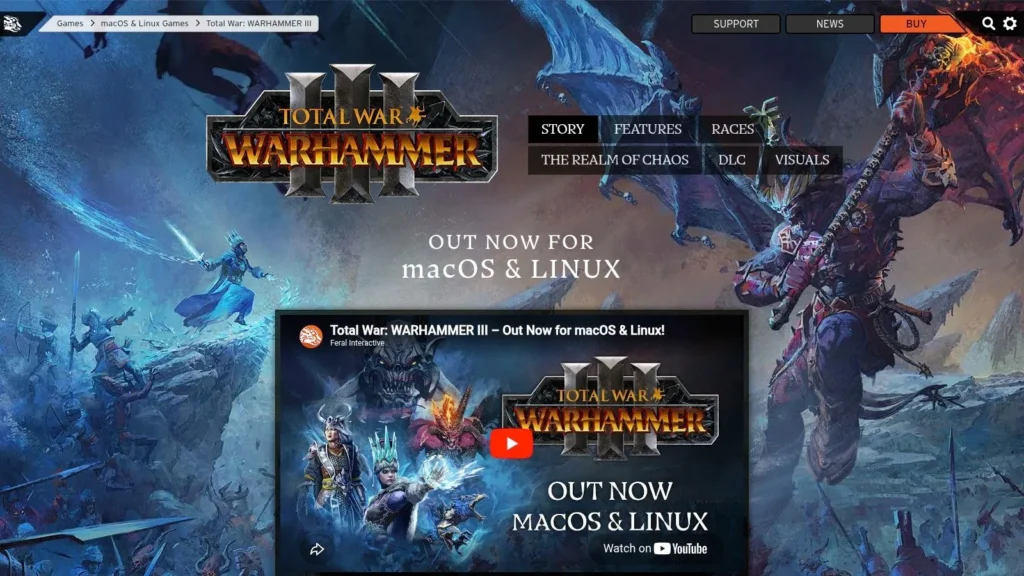
Total War WARHAMMER III for Mac is the strategy game on this list for players who want long campaigns, faction variety, and battles that still feel huge on a thin laptop. It can work on a MacBook Air, but only if you set expectations correctly and tune for stability instead of spectacle.
The critical split is hardware. On an M2 or M3 MacBook Air, campaign play is comfortable with sensible settings, and battles are playable if unit counts and effects stay in check. On an M1 Air, it is still worth considering, but I would keep graphics conservative from the start. On Intel Airs, this is a poor fit unless you are unusually tolerant of long load times, lower battle performance, and a hotter chassis.
Start by deciding what matters more to you. If the answer is campaign depth, diplomacy, empire management, and turn-based pacing, the game makes more sense on an Air. If your goal is large battles at high visual settings, this machine is the wrong place to chase that.
A practical setup usually looks like this: play at a lower resolution than the panel’s maximum, keep texture and terrain settings in the middle range, and reduce shadows, fog, and unit detail before touching campaign complexity options. Those cuts preserve readability while trimming the settings that hit a fanless MacBook Air the hardest. I would also close background apps before launch, especially on 8GB systems, because this game already asks a lot from memory and storage.
RAM changes the experience more than many buyers expect. An 8GB Air can run the game, but late-session hitching, app switching, and long turns feel worse once the system is under pressure. A 16GB Air is the better target if this is one of your main games.
- Best for: Strategy players who care more about campaign depth than maxed-out battle visuals.
- Runs best on: M2 and M3 MacBook Air models, ideally with 16GB RAM.
- Less ideal for: Intel MacBook Air owners, or anyone expecting consistently smooth large battles on an 8GB machine.
My practical advice is simple. Buy this if you want Total War on the go and are willing to tune it like a laptop game, not a desktop showcase. That trade-off is what makes WARHAMMER III viable on a MacBook Air.
Top 10 MacBook Air Games Comparison
| Title | Genre & Core Features | MacBook Air Fit | Unique Selling Point | Best For | Notes / Cons |
|---|---|---|---|---|---|
| Baldur’s Gate 3 (Larian) | Choice-driven CRPG, party tactics, co-op option | Native M1+, playable with reduced settings; best on M-series +16GB | Deep narrative reactivity, cross-platform parity | Story-first RPG fans, tactical players | Demanding, large install |
| Stardew Valley (ConcernedApe) | Farming/life sim, co-op, moddable | Runs effortlessly, very battery‑friendly | Relaxed gameplay, huge replayability & mods | Casual players, long sessions, modders | Pixel-art style may not suit everyone |
| Hades (Supergiant) | Fast action roguelike, polished combat & art | Excellent performance on M-series and older Macs | Tight combat loop, high replay value | Short-session players, action fans | Roguelike repetition may not appeal to all |
| Disco Elysium: The Final Cut (ZA/UM) | Dialogue-driven narrative RPG, investigation | Low hardware demands, ideal for long battery sessions | Industry-leading writing and full voice acting | Story lovers, investigative players | Reading-heavy, almost no combat |
| Divinity: Original Sin 2 – Definitive (Larian) | Turn-based tactical RPG, 4-player co-op | Runs well on M-series Macs | Highly flexible builds and creative combat systems | Tactical RPG fans, co-op groups | Steeper learning curve |
| No Man’s Sky (Hello Games) | Space exploration sandbox, survival, updates | Scales to Air at moderate settings; performance varies by biome | Continuous major free updates, cross-play/cross-save | Explorers, long-term sandbox players | Large download, variable performance |
| Resident Evil Village (CAPCOM) | AAA survival-horror, controller support | Native M1+ optimized; demanding on MacBook Air | Native AAA visuals on macOS | Horror fans, visual fidelity seekers | Hotter/greater battery use on fanless machines |
| Death Stranding Director’s Cut (Kojima) | Cinematic open-world “strand” adventure | Optimized for M-series; requires ample storage | Unique gameplay loop, Director’s Cut extras | Cinematic players, exploration fans | Large storage needs, Mac App Store release |
| Minecraft: Java Edition (Mojang) | Sandbox, highly moddable, servers | Runs well with tunable settings; heavy modpacks strain Air | Massive mod & server ecosystem, endless creativity | Modders, creative multiplayer communities | Modpacks can tax RAM and thermals |
| Total War: WARHAMMER III (Creative Assembly) | Grand strategy + cinematic battles, DLC-rich | Official Apple silicon support; tune settings for Air | Deep strategy systems, long-term support | Strategy enthusiasts, campaign players | Large storage, DLC can increase cost |
Beyond Native Cloud Gaming and Final Tips
Native Mac gaming is good enough now that you don’t need to treat every session like a workaround. Apple silicon changed the category. The practical pattern is clear. Games that are native to Apple silicon, or that use officially supported Metal rendering and ARM64 builds, are usually the best technical fit for a MacBook Air because they avoid translation overhead and tend to deliver steadier frame pacing, as reflected in Apple’s Play for Mac and Apple silicon game direction.
That said, the MacBook Air is still not the top Apple gaming machine. A gaming-focused guide for 2026 ranked the 16-inch MacBook Pro with M3 Max as the leading Apple option, not the Air, which reinforces the Air’s role as a casual-to-midrange gaming laptop rather than a flagship replacement, as noted in the earlier Apple community evidence. That’s the mindset that gets the best results. Pick games that suit the hardware instead of trying to force every blockbuster into a thin, silent chassis.
For setup, start simple:
- Lower resolution before slashing everything else: This usually gives the cleanest performance win on the Air.
- Prefer medium settings as a baseline: Then move individual settings up only if the game stays comfortable over time.
- Close memory-hungry apps: Browsers, chat apps, and creative software can make an 8GB Air feel cramped quickly.
- Use native storefront versions when possible: Steam, the Mac App Store, and other official Mac builds are usually the least troublesome path.
- Think in session length: A game that feels fine for twenty minutes may feel worse after an hour once thermals settle.
Cloud gaming is the backup plan that turns the Air into something broader. Services like GeForce NOW and Xbox Cloud Gaming can stream PC-only games without leaning on your local GPU the same way native installs do. If your internet is stable, that’s often the easiest path to big shooters and other demanding titles that don’t make much sense natively on an Air.
The best games for MacBook Air aren’t always the biggest ones. They’re the ones that match the machine. Strategy games, management games, indies, lighter action games, and well-optimized native ports are where this laptop shines. If you treat it like a smart, portable gaming machine instead of a desktop replacement, you’ll get far more out of it.
If long sessions are part of your routine, it also helps to understand gamer eye protection and set up your screen, lighting, and breaks sensibly.
If you like practical gaming guides that skip the hype and explain what works on real hardware, explore more at maxijournal.com. The site publishes approachable writing across games, tech, science, health, entertainment, and more, and it’s also a solid destination for readers and prospective contributors who want fresh independent coverage.
Discover more from Maxi Journal
Subscribe to get the latest posts sent to your email.