Your blog’s theme is the architectural blueprint for your digital presence. It’s not merely a visual overlay; it is the core framework that defines user experience, dictates page speed, and ultimately supports your content strategy and growth. The right theme can significantly boost your SEO, make your articles more engaging, and streamline your workflow. Conversely, a poorly coded or bloated theme can lead to sluggish performance, frustrated readers, and a constant battle with technical issues.
This comprehensive guide is designed to eliminate the guesswork. We’ve sifted through thousands of options to identify and analyze the best WordPress themes for blogs available today. Instead of just listing features, we dive into practical applications, performance metrics, and customization potential. Our goal is to provide a clear, actionable resource that helps you select the perfect foundation for your specific needs, whether you’re launching a personal travel diary, a high-traffic tech news site, or a sophisticated online magazine.
Inside, you will find a curated selection of top-tier themes, complete with detailed breakdowns, key performance considerations, and ideal use-case scenarios. We cover everything from free, lightweight options perfect for beginners to powerful premium frameworks that offer unparalleled flexibility. Each entry includes direct links and essential details to help you make a confident, informed decision. Forget endless searching and analysis paralysis; the ideal theme to elevate your blog and captivate your audience is waiting in this list.
1. WordPress.org Theme Directory
The official WordPress.org Theme Directory is the essential starting point for any new blogger. It serves as the official, free repository for self-hosted WordPress sites, offering a massive, vetted library that is perfect for those just beginning their journey. Its primary strength lies in its review process; every theme submitted must pass strict coding, security, and quality guidelines. This ensures that even as a free resource, you are starting with a secure and stable foundation, which is crucial when you learn how to start a blog for the first time.
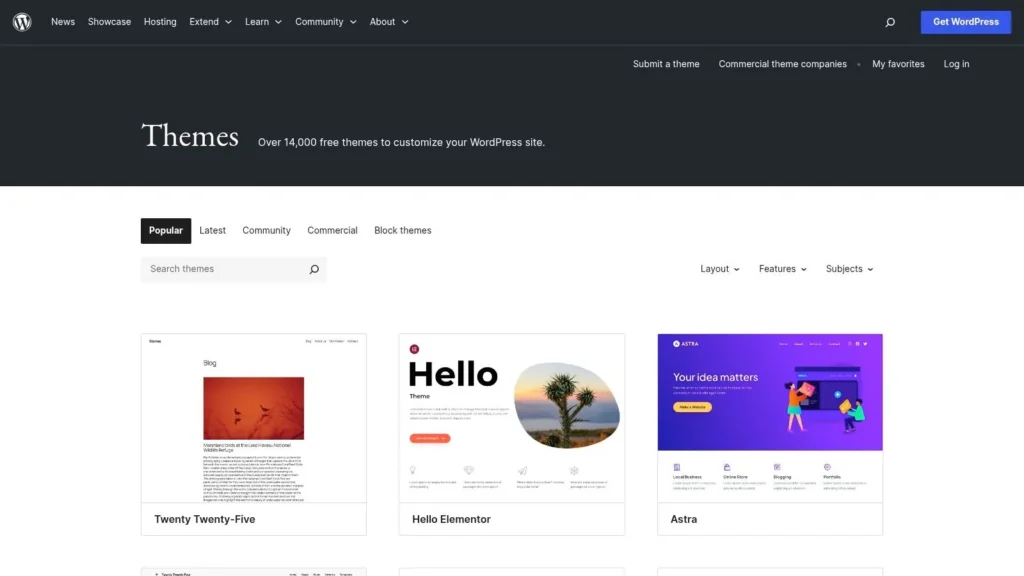
This directory is seamlessly integrated into your WordPress dashboard, allowing for one-click installations and updates. For bloggers seeking specific layouts, the “Feature Filter” is an invaluable tool, letting you narrow down over 14,000 options by criteria like “blog,” “grid layout,” or “custom colors.” This makes it one of the best places to find WordPress themes for blogs without an initial investment.
Key Details & User Experience
While the selection is vast, the quality and feature depth can vary. Support is typically provided by volunteer theme authors through forums, so response times can differ. Many themes here are “lite” versions of premium products, offering a clear upgrade path if you require more advanced functionality later on. This “try-before-you-buy” model is perfect for testing a design’s look and feel before committing financially.
- Pricing: Completely free.
- Best For: New bloggers, testing design concepts, and those on a tight budget.
- Pros: Safe and secure, massive selection, direct dashboard integration.
- Cons: Inconsistent support, features can be limited compared to premium options.
Website: https://wordpress.org/themes/
2. WordPress.com Themes (Marketplace)
For bloggers who prefer a managed, all-in-one solution, the WordPress.com Themes Marketplace is the ideal destination. This platform offers a curated collection of free and premium themes specifically designed and tested for the WordPress.com hosted environment. Unlike its self-hosted counterpart, this marketplace emphasizes simplicity and security, handling all the technical maintenance so you can focus solely on content creation. It’s a streamlined approach perfect for writers who want professional designs without the complexities of server management.
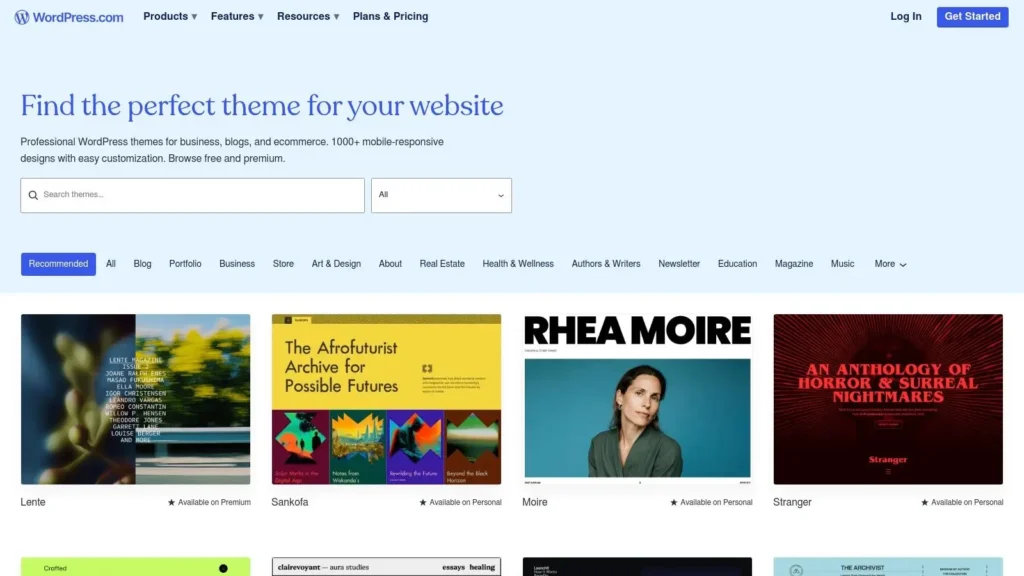
The marketplace is integrated directly into the WordPress.com dashboard, making theme installation a simple one-click process. With over 1,000 responsive designs, you can easily use filters for categories like “Blog” or “Magazine” to find a layout that suits your niche. This curated environment ensures that every theme works flawlessly out of the box, making it one of the best sources for WordPress themes for blogs when ease of use is a top priority.
Key Details & User Experience
The user experience on WordPress.com is built around convenience. Support for premium themes is often handled directly by dedicated teams, ensuring quick and reliable assistance. While this managed environment offers less flexibility than a self-hosted site (for instance, uploading custom themes requires a higher-tier plan), its primary benefit is the peace of mind that comes from a stable and secure platform. This makes it an excellent choice for bloggers who value integrated support and a hands-off technical experience.
- Pricing: Free and premium themes available (premium themes require a paid WordPress.com plan).
- Best For: Bloggers using the WordPress.com platform, beginners seeking a simplified setup, and users who prioritize integrated support.
- Pros: Simplified hosted environment with fewer maintenance tasks, clear compatibility and guaranteed support paths for premium themes.
- Cons: Less control than self-hosted WordPress, uploading custom third-party themes requires specific plan tiers.
Website: https://wordpress.com/themes/blog
3. ThemeForest (Envato Market)
As the largest premium marketplace for WordPress themes, ThemeForest is a go-to destination for bloggers seeking professional, feature-rich designs. It hosts thousands of options specifically tailored for blogs and online magazines, covering virtually every niche imaginable. This makes it an ideal platform when you need a theme with a very specific aesthetic or functionality, like those required when you learn how to start a travel blog and need map integrations or gallery layouts.
ThemeForest’s strength lies in its transparency and powerful filtering tools. Each theme page includes detailed sales data, buyer ratings, user comments, and a public log of recent updates. This information is crucial for vetting a theme’s quality and the author’s commitment to maintenance. You can easily filter through the massive catalog by page builder compatibility, layout styles, and specific features, ensuring you find one of the best WordPress themes for blogs that meets your exact requirements.
Key Details & User Experience
While the selection is vast, quality can vary significantly between authors. It’s essential to check a theme’s update history and support reviews before purchasing. Most themes come with six months of author support, which can be extended. The live demo feature is invaluable, allowing you to thoroughly test a theme’s design, responsiveness, and user experience before committing. This marketplace offers a one-time purchase model for a single-site license, providing a clear and upfront cost.
- Pricing: One-time purchase, typically ranging from $29 to $79.
- Best For: Bloggers seeking premium, niche-specific designs with dedicated support.
- Pros: Enormous selection for every niche, transparent ratings and update history, advanced search filters.
- Cons: Quality varies by author, support is limited to the purchase window unless extended.
Website: https://themeforest.net/category/wordpress/blog-magazine
4. TemplateMonster
TemplateMonster is a massive digital marketplace that has been a significant player for years, offering one of the largest collections of WordPress themes tailored for bloggers. It stands out due to its sheer volume and niche diversity, housing thousands of options for everything from personal lifestyle blogs to complex, content-heavy online magazines. The platform operates as a traditional marketplace, where individual authors list their products, providing a competitive environment that often results in unique designs and frequent discounts.
Its direct, one-off purchase model is straightforward, and each product page clearly outlines features, compatibility, and user ratings. For prolific bloggers or web developers, the optional MonsterONE subscription offers a compelling alternative, granting access to an extensive library of themes and other digital assets for a recurring fee. This flexibility makes it a valuable resource for finding some of the best WordPress themes for blogs, whether you need a single license or a broader toolkit.
Key Details & User Experience
As a marketplace, the quality and support level can vary between different theme authors, so it is essential to check reviews and author ratings before purchasing. The platform itself is easy to navigate, with powerful filters to sort themes by style, features, and compatibility. Many themes come with live demos, allowing you to thoroughly test the user experience. The transparent pricing and frequent sales make it a go-to for finding premium features at an accessible price point.
- Pricing: Individual themes typically range from $29 to $99; MonsterONE subscription plans are also available.
- Best For: Bloggers seeking niche-specific designs and developers needing a wide variety of assets.
- Pros: Huge selection with many unique and niche templates, transparent marketplace policies and visible pricing, flexible subscription options.
- Cons: Quality can be inconsistent across different authors; careful product review is necessary.
Website: https://www.templatemonster.com/blog-wordpress-themes/
5. Creative Market
Creative Market is a designer-centric marketplace where independent creators sell unique, stylish WordPress themes. It’s an ideal destination for bloggers who want to move beyond mainstream designs and find something with a distinct, boutique aesthetic. The platform features thousands of themes created by individual designers, offering a level of creativity and personality that is often hard to find in larger, more conventional theme shops. This makes it a great source for finding some of the best WordPress themes for blogs that truly stand out.
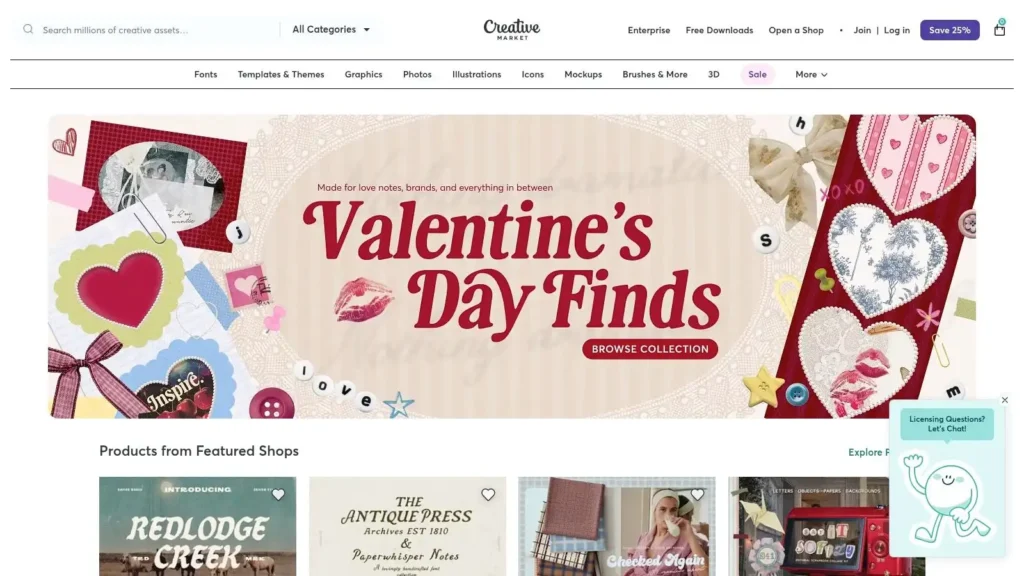
Many offerings on Creative Market are child themes designed for popular frameworks like Genesis or Divi. This allows you to leverage the power of a robust framework while applying a highly customized, artistic skin. When browsing, it’s crucial to check the product description to see if a parent theme or framework is required for the theme to function correctly. Purchases are typically one-off, providing instant access to theme files and documentation directly from the seller.
Key Details & User Experience
The user experience is centered around discovering individual artists and their portfolios. Each product page includes previews, detailed descriptions, and a direct line of communication with the theme’s creator for support. However, since you are buying from an independent seller, the quality of support and the frequency of updates can vary significantly from one creator to another. Always check a seller’s ratings and reviews before making a purchase to ensure they have a good track record.
- Pricing: Varies by theme (typically $29 – $79 for a one-time purchase).
- Best For: Bloggers seeking unique, artistic designs and those using frameworks like Genesis or Divi.
- Pros: Highly unique and creative designs, direct support from creators, simple licensing.
- Cons: Support and update quality varies by seller, often requires a separate framework purchase.
Website: https://creativemarket.com/
6. Elegant Themes (Divi)
Elegant Themes offers Divi, one of the most popular and versatile WordPress themes available, functioning as both a theme and a powerful visual page builder. It empowers bloggers to move beyond standard templates and create truly unique layouts without touching a single line of code. Its drag-and-drop interface and vast module library make it an excellent choice for bloggers who want complete design control over their category pages, posts, and homepage.
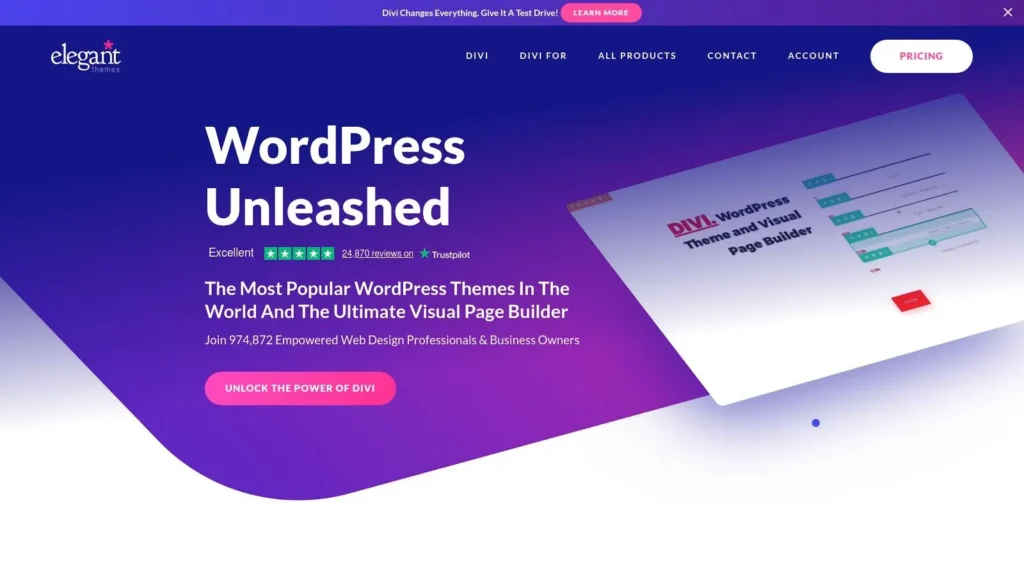
The platform includes hundreds of pre-made website packs, with dozens designed specifically for different blog niches like travel, food, and tech. The package also grants access to the Extra theme, a magazine-style layout perfect for content-heavy blogs, alongside powerful marketing plugins for email opt-ins and social sharing. This all-in-one approach provides immense value, making it one of the best WordPress themes for blogs that plan to scale.
Key Details & User Experience
The user experience is centered on its front-end visual builder, allowing you to see design changes in real-time. While this offers incredible flexibility, it can have a steeper learning curve than traditional themes and may be heavier if not optimized correctly. Support is reliable and backed by a large, active community with abundant tutorials and third-party resources. The 30-day money-back guarantee provides a risk-free way to determine if it’s the right fit for your blogging goals.
- Pricing: Annual or lifetime access plans (check site for current offers).
- Best For: Bloggers wanting total design freedom and a visual, no-code building experience.
- Pros: Highly versatile visual builder, includes Extra theme and marketing plugins, huge library of pre-built layouts.
- Cons: Can be resource-heavy if not optimized, potential for a learning curve for beginners.
Website: https://www.elegantthemes.com/
7. StudioPress (Genesis)
StudioPress is renowned in the WordPress community for its powerful and secure Genesis Framework. This platform is the go-to choice for serious bloggers and developers who prioritize clean code, fast performance, and a rock-solid SEO foundation over flashy, pre-packaged designs. Rather than offering all-in-one themes bloated with features, StudioPress provides a lean, optimized parent framework (Genesis) and a variety of “child themes” that inherit its core strengths while providing unique aesthetics. This approach ensures your site remains fast and secure, even as you customize its appearance.
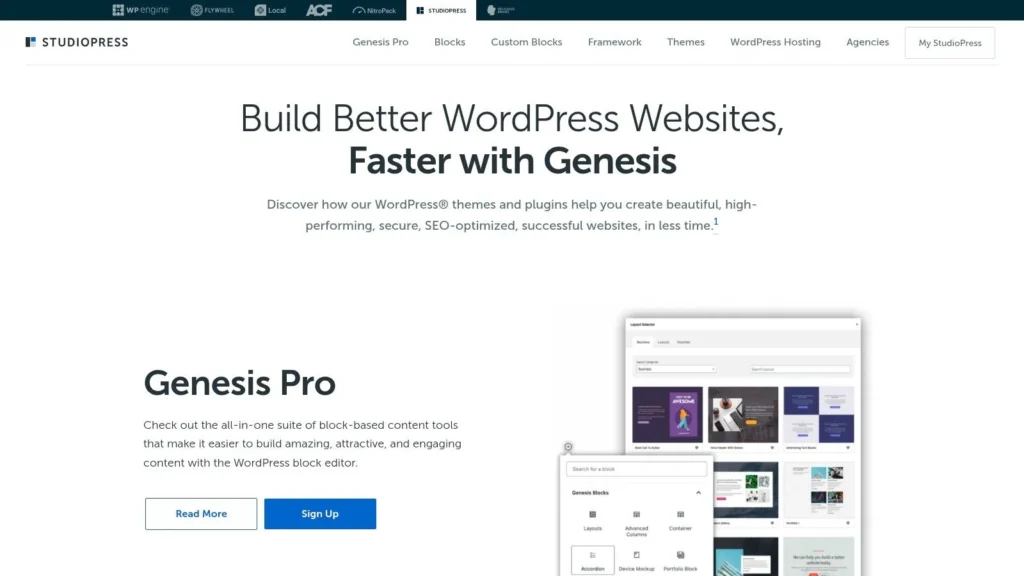
The framework is highly respected for its adherence to WordPress coding standards and its built-in SEO features, making it one of the best choices for WordPress themes for blogs aiming for high search engine rankings. With the introduction of Genesis Pro, users gain access to the full catalog of StudioPress-made themes and advanced block-based tools, which streamline the process of building custom, professional layouts without needing a traditional page builder.
Key Details & User Experience
The StudioPress experience is geared towards users who value long-term stability and performance. The learning curve for customizing child themes can be steeper than with drag-and-drop builders, but the payoff is a more maintainable and faster website. Support is a major strength, with extensive documentation and an active community of developers and users who are quick to offer assistance and share solutions in the official forums.
- Pricing: Genesis Pro provides access to all themes and tools for a single annual subscription. Some third-party child themes are sold individually.
- Best For: Professional bloggers, developers, and businesses seeking a high-performance, secure, and SEO-friendly foundation.
- Pros: Exceptional code quality, strong SEO fundamentals, excellent performance, and a dedicated community.
- Cons: Requires a subscription for full access, and customization may require some basic coding knowledge.
Website: https://www.studiopress.com/
8. GeneratePress
GeneratePress is a performance-first, lightweight theme framework renowned for its speed, stability, and clean code. It is designed for bloggers who prioritize site performance and a solid foundation over pre-styled aesthetics, giving you a blank canvas to build upon. Its core strength lies in its modular approach and incredibly small footprint, ensuring your blog loads quickly without sacrificing flexibility, which is vital when you’re focused on producing content and need to overcome writer’s block without technical distractions.
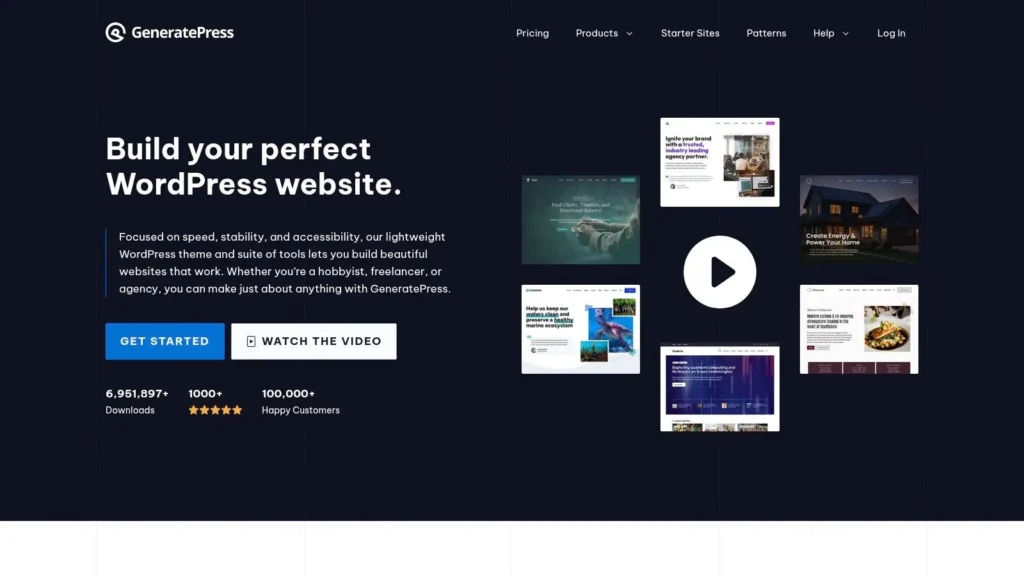
The free version provides an excellent, fast base, but its true power is unlocked with the GP Premium add-on. This gives you access to the Theme Builder for creating custom post layouts, advanced blog-specific controls like infinite scroll and masonry grids, and a library of professionally designed starter sites. This combination makes it one of the best WordPress themes for blogs that require both high performance and deep customization capabilities.
Key Details & User Experience
GeneratePress is more of a framework than a theme with a fixed design. The user experience is centered around the WordPress Customizer, which is clean and intuitive. Styling is intentionally minimal, encouraging you to use the extensive options or a page builder like GenerateBlocks to craft a unique design. The support, particularly for premium users, is widely praised for being fast, clear, and helpful.
- Pricing: Free core theme; GP Premium starts at $59/year.
- Best For: Performance-focused bloggers, developers, and those wanting full layout control.
- Pros: Extremely fast and lightweight with stable code, excellent and responsive support, extensive customization with GP Premium.
- Cons: Styling is minimal by design, requiring more setup; advanced blog features are locked behind the premium add-on.
Website: https://generatepress.com/
9. Astra (Brainstorm Force)
Astra is one of the most popular and fastest-growing WordPress themes, celebrated for its lightweight foundation and unparalleled flexibility. It is designed to be a performance-first theme, ensuring your blog loads quickly without sacrificing design possibilities. Astra’s main advantage is its deep integration with the block editor and popular page builders like Elementor and Beaver Builder, giving bloggers complete creative control over their site’s appearance. Its extensive library of starter templates includes dozens of professionally designed blog layouts that can be imported in just a few clicks.
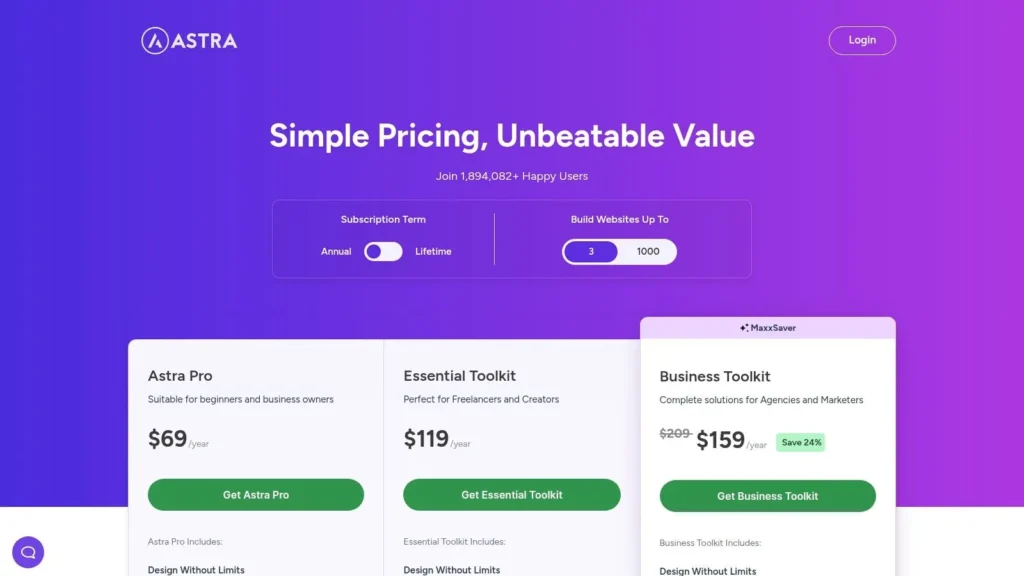
This modular approach makes it one of the best WordPress themes for blogs of any scale. You can start with the free version and enable only the modules you need, keeping the theme lean and fast. For those wanting more power, the Pro version unlocks advanced blog layouts, a header and footer builder, more color and typography controls, and other premium features. This scalability provides a clear and smooth upgrade path as your blog grows.
Key Details & User Experience
Astra’s user experience is focused on simplicity and speed, both on the front end and in the back end. The customization options are neatly organized within the native WordPress Customizer, making it intuitive for beginners to find and modify settings. The theme is also backed by comprehensive documentation and a large community, so finding tutorials or support is easy. The various pricing tiers and bundles can be confusing, so it is important to review the current offerings to ensure you are getting the specific features you need.
- Pricing: Free version available; Pro version starts at $49 per year, with lifetime and bundle options.
- Best For: Performance-focused bloggers, users of page builders, and those who want a scalable theme.
- Pros: Exceptionally fast and lightweight, large starter template library, extensive customization options.
- Cons: Many advanced features are locked behind the Pro version; bundle pricing can be complex.
Website: https://wpastra.com/pricing/
10. Kadence WP
Kadence WP is a modern, lightweight theme built from the ground up for the Gutenberg block editor. It excels in performance and offers extensive design flexibility, making it one of the best WordPress themes for blogs whose owners prioritize speed and deep customization without needing to write code. Its primary strength lies in its powerful header and footer builder and extensive typography and color controls, giving you a premium feel even with the free version.
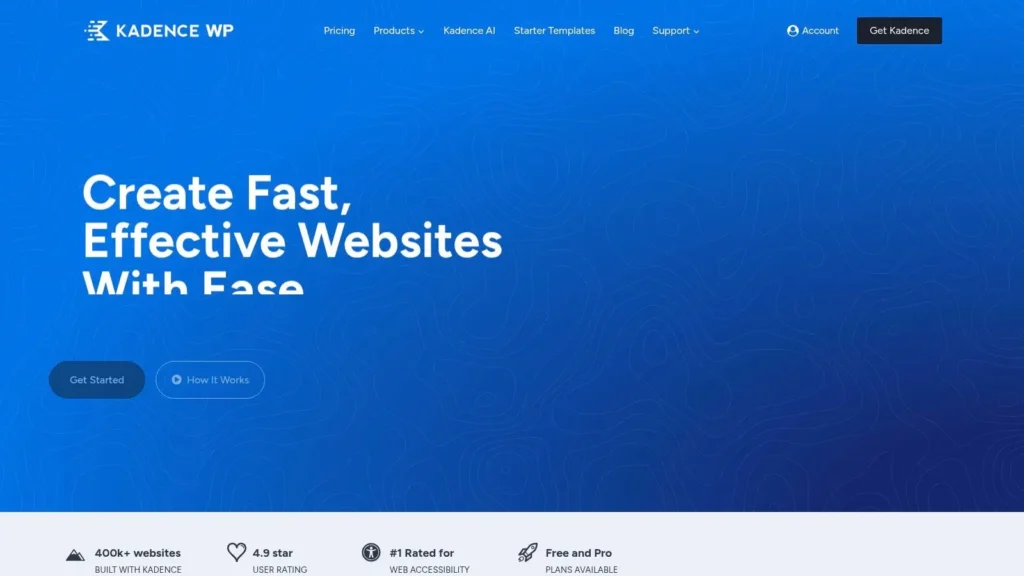
The theme is built to be lightning-fast, which is a significant advantage for SEO and Core Web Vitals. Bloggers can leverage the extensive library of starter templates to launch a professional-looking site quickly, then use the granular layout controls to fine-tune every aspect of their blog posts and archives. Kadence takes a modular approach, allowing you to enable only the features you need to keep your site lean.
Key Details & User Experience
The user experience with Kadence is incredibly intuitive, especially for those comfortable with the block editor. The free theme is highly capable, but the true power is unlocked with the Pro theme and blocks, available individually or in bundles. These bundles often include conversion tools like popups and shop kits, which are highly valuable for bloggers looking to monetize their content or build an email list. Be sure to check the current pricing and site limits, as plans have changed in the past.
- Pricing: Free theme available; Pro bundles start from $149/year.
- Best For: Performance-focused bloggers, business bloggers, and those who want granular design control within the block editor.
- Pros: Lightweight and fast, excellent Core Web Vitals, powerful free version, and bundles add valuable marketing tools.
- Cons: The best features are in premium bundles; purchasing add-ons individually can become expensive.
Website: https://www.kadencewp.com/
11. ThemeIsle (Neve)
Neve by ThemeIsle is engineered for speed and versatility, making it a powerful choice for modern bloggers who prioritize performance without sacrificing design. Its mobile-first approach ensures your content looks flawless on any device, while its lightweight core keeps loading times incredibly fast. Neve excels with its extensive library of over 110 starter sites, allowing bloggers to launch a professional-looking site for nearly any niche, from personal portfolios to multi-author magazines, with just a few clicks.
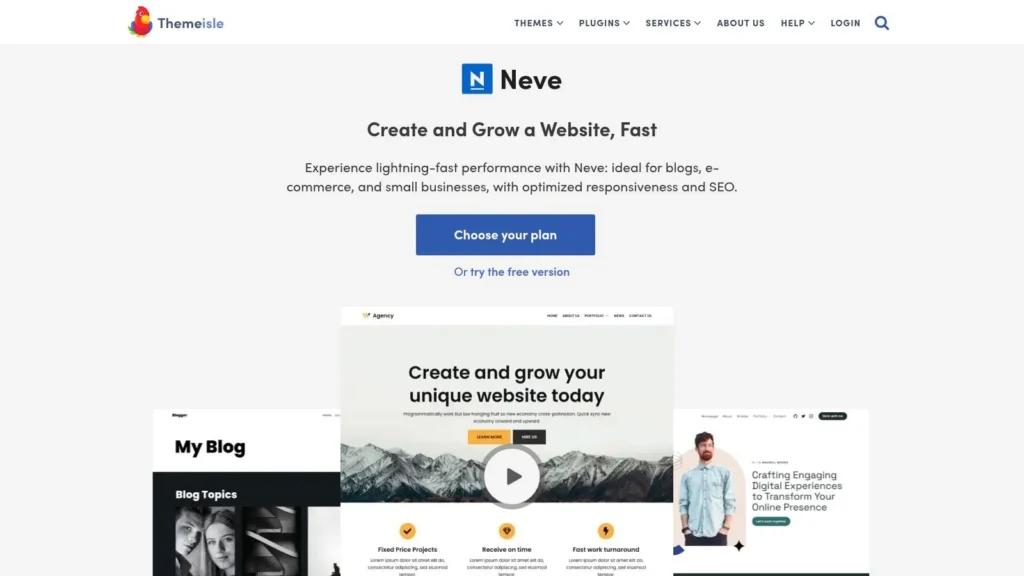
The theme integrates seamlessly with popular page builders like Elementor and the native Block Editor, offering deep customization options. For bloggers looking to fine-tune their site, the Pro version unlocks extended blog settings and custom layout hooks, providing granular control over every aspect of your posts and archives. This flexibility makes it one of the best WordPress themes for blogs that plan to scale over time.
Key Details & User Experience
Neve strikes a perfect balance between simplicity and power. The free version is highly capable, but upgrading to the Pro plan is necessary to access its most advanced blogging features, such as enhanced post layouts and content restriction options. The user experience is smooth, with intuitive controls in the WordPress Customizer and frequent updates that ensure compatibility and security. Its performance-first philosophy means your blog will be optimized for search engines and user engagement right from the start.
- Pricing: Free version available; Pro plans start at $69 per year.
- Best For: Performance-focused bloggers, multi-author magazines, and users who want a fast-launching site.
- Pros: Extremely lightweight and fast, extensive library of starter templates, frequent and reliable updates.
- Cons: Advanced blog layout controls are locked behind the Pro version, agency-level features are costly.
Website: https://themeisle.com/themes/neve/
12. WPZOOM
WPZOOM is a boutique theme shop that stands out for its focus on beautifully crafted blog and magazine themes. Rather than offering an overwhelming marketplace, it provides a curated collection of polished, content-centric designs perfect for niches like food, lifestyle, and photography. This specialization ensures that each theme is built with the specific needs of content creators in mind, resulting in elegant layouts that make your articles and images shine.
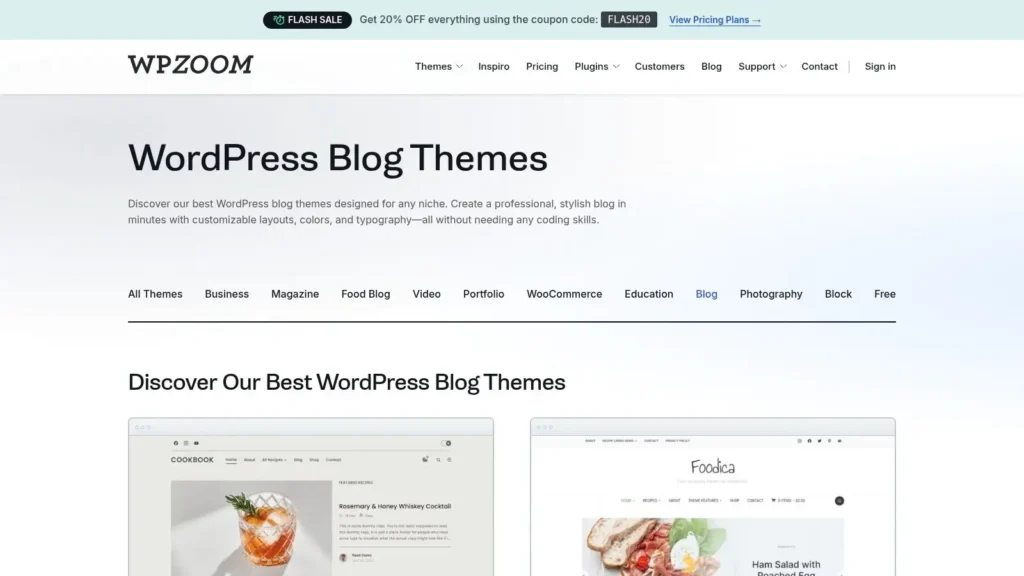
Themes like Foodica PRO and Indigo are prime examples of their quality, offering professional aesthetics without a complicated setup. Features like a one-click demo importer, SEO-optimized code, and robust WooCommerce integration are standard across many of their products. This makes WPZOOM a reliable source for some of the best WordPress themes for blogs that require a sophisticated and professional look from day one.
Key Details & User Experience
WPZOOM provides a straightforward user experience with an approachable customizer and clear documentation for each theme. The support is known for being dependable and helpful, which is a significant advantage over larger, more impersonal marketplaces. While the catalog is smaller, the quality is consistently high, ensuring you get a premium product. They also offer packages like the All Themes package, providing excellent value for developers or bloggers managing multiple sites.
- Pricing: Individual themes typically range from $59 to $79; an All Access Pass is also available.
- Best For: Niche bloggers (food, travel, lifestyle), magazine-style sites, and users who value premium design and dedicated support.
- Pros: Highly polished and curated designs, excellent for specific content niches, reliable customer support.
- Cons: Smaller theme selection compared to marketplaces, some designs may be too specific for general-purpose blogs.
Website: https://www.wpzoom.com/themes/blog/
Top 12 WordPress Blog Theme Providers — Comparison
| Source / Provider | Core features | User experience & quality | Pricing / value | Best for | Unique selling point |
|---|---|---|---|---|---|
| WordPress.org Theme Directory | 14,000+ free themes, feature filters, dashboard install | Vetted for code/security; support varies by author | Free; upgrade paths listed by authors | Self‑hosted bloggers testing designs on a budget | Largest vetted free catalog with one‑click install |
| WordPress.com Themes (Marketplace) | Curated free & premium themes, blog category filters, one‑click install | Managed hosting with built‑in support and compatibility checks | Free + premium; some features require higher plans | Users who prefer hosted, low‑maintenance sites | Hosted simplicity with partner support |
| ThemeForest (Envato) | Huge premium catalog, live demos, ratings, 6‑month author support | Wide variety; quality varies by author | Paid per theme; prices vary by item | Buyers needing niche or highly designed premium themes | Massive selection with transparent sales/ratings |
| TemplateMonster | Marketplace with blog themes, live demos, MonsterONE subscription | Clear pricing and demos; quality varies | One‑off purchases + MonsterONE subscription option | Buyers wanting transparent pricing or broad access | Subscription bundle (MonsterONE) for many assets |
| Creative Market | Designer‑centric indie themes, child themes for frameworks | Boutique aesthetics; support varies by seller | One‑off purchases; instant download | Buyers seeking unique, designer-made looks | Indie/designer-focused, distinctive styles |
| Elegant Themes (Divi) | Divi visual builder, site packs, Extra theme, marketing plugins | No‑code visual design; large ecosystem; can be heavier | Membership pricing; 30‑day money‑back guarantee | Bloggers wanting drag‑and‑drop design control | Integrated visual builder + many prebuilt site packs |
| StudioPress (Genesis) | Genesis framework, SEO‑focused, child themes, block patterns | Clean, well‑maintained code and active community | One‑time child theme purchases or Genesis Pro subscription | Professional blogs/magazines needing SEO & stability | Reliable framework with strong SEO foundations |
| GeneratePress | Performance‑first, lightweight, starter sites, Theme Builder (premium) | Extremely fast, accessible, responsive support | Free core; GP Premium add‑on paid | Content‑heavy journals prioritizing speed | Lightweight, speed‑optimized theme framework |
| Astra (Brainstorm Force) | Lightweight, large starter template library, header/footer builder | Fast, flexible, integrates with page builders | Free + Pro/bundles; pricing varies by bundle | Sites needing many starter templates and builder support | Extensive starter‑site library and builder compatibility |
| Kadence WP | Block‑first, strong typography, starter templates, conversion bundles | Gutenberg‑friendly, lightweight; bundles add tools | Free core; Pro Theme Kit / Bundles paid | Bloggers wanting block control plus conversion tools | Block‑first + marketing/conversion bundles |
| ThemeIsle (Neve) | Fast blog theme, polished layouts, 110+ starter sites | Lightweight, frequent updates; performance options | Free + Pro; agency features cost more | Multi‑author blogs and magazines seeking modern, fast themes | Performance module with broad starter library |
| WPZOOM | Boutique blog/magazine themes, one‑click demo import, SEO optimized | Curated, polished designs with dependable support | One‑off purchases; All Themes / All Access passes | Niche content creators (food, lifestyle, photography) | Curated, content‑centric templates and niche focus |
Making Your Final Choice: A Practical Checklist for Bloggers
Navigating the vast landscape of WordPress themes can feel overwhelming, but after exploring the marketplaces and independent creators in this guide, you are now equipped with the knowledge to make an informed decision. We’ve covered everything from massive repositories like ThemeForest and Creative Market to powerhouse theme frameworks like Divi and Genesis, and lightweight, performance-focused options such as GeneratePress, Astra, and Kadence. The key takeaway is that the single “best” WordPress theme for blogs doesn’t exist; the right choice is entirely dependent on your unique goals, technical comfort level, and the story you want to tell.
Your theme is more than just a visual skin for your website. It is the foundational framework that impacts your site’s speed, user experience, SEO potential, and future scalability. A visually stunning but poorly coded theme from an unverified source can cripple your performance and create security vulnerabilities. Conversely, a minimalist, lightning-fast theme might not provide the design flexibility a creative lifestyle or travel blogger needs to stand out. The ideal theme sits at the intersection of your brand’s aesthetic, your audience’s expectations, and your long-term content strategy.
A Strategic Checklist Before You Commit
Before you click the “buy” or “install” button, pause and run through this practical checklist. Answering these questions honestly will save you countless hours of frustration and guide you toward a theme that truly serves your blog.
1. What is my primary blogging goal? Are you trying to build a high-traffic news hub, a personal portfolio, a visually-driven travel diary, or an affiliate marketing powerhouse? A news blog needs excellent readability and content organization (like themes from WPZOOM), while a portfolio blog needs a theme with strong gallery and visual features (often found on ThemeForest). Your goal dictates the necessary features.
2. What is my real technical skill level? Be realistic. If you are a beginner who shies away from code, a theme with a powerful visual builder like Divi or a user-friendly customizer like Kadence is a fantastic choice. If you are a developer or comfortable with hooks and filters, the Genesis Framework or GeneratePress offers a clean, extensible foundation to build upon.
3. Does the theme align with my performance needs? Speed is no longer optional. For blogs where traffic and SEO are paramount, lightweight themes like Astra, GeneratePress, and Neve are engineered for top performance. While many marketplace themes can be optimized, these options are built for speed from the ground up, giving you a significant head start.
4. Have I thoroughly reviewed the demo and real-world examples? Don’t just look at the main demo. Explore all the starter sites and pre-built layouts the theme offers. More importantly, search for real, live websites using the theme. How do they perform? Do they look and feel professional? This real-world evidence is more valuable than any marketing page.
5. What is the quality of support and documentation? A theme without reliable support is a liability. Look for active support forums, comprehensive documentation, and a history of regular updates. Themes from reputable developers like Elegant Themes, StudioPress, and the teams behind Astra and Kadence have a proven track record of excellent customer support and consistent maintenance.
6. What is my budget for the long term? Consider the pricing model. Is it a one-time fee or an annual subscription? Annual models often include continuous updates and support, which is crucial for security and compatibility. While free themes from the WordPress.org directory are great for starting, investing in a premium theme is often a wise decision for a serious blogger.
By systematically working through this checklist, you transform the process from a guessing game into a strategic decision. Your final choice of one of the best WordPress themes for blogs will be a confident one, setting the stage for a successful, stable, and beautiful website that can grow with you and your audience for years to come.
Feeling inspired to launch or redesign your blog but want to see how these principles apply in the real world? At maxijournal.com, we curate a diverse range of content, showcasing how a well-chosen theme and a clear content strategy come together to create an engaging reader experience. Explore maxijournal.com to see a live example of a dynamic online publication and gather fresh ideas for your own digital journey.
Discover more from Maxi Journal
Subscribe to get the latest posts sent to your email.