In the fast-paced world of startups, managing projects effectively isn’t just a best practice; it’s a survival mechanism. Spreadsheets, sticky notes, and endless email chains quickly become unsustainable, leading to missed deadlines, communication breakdowns, and a frustrated team. The right project management tool brings clarity, accountability, and momentum, allowing you to focus on building and scaling your business instead of wrestling with disorganized workflows.
But with countless options flooding the market, how do you choose the one that fits your unique needs? A tool designed for a massive enterprise will likely bog down a nimble startup with unnecessary features and a steep learning curve. Conversely, a simple to-do list app won’t scale as your team and complexity grow. This guide is designed to cut through the noise, offering a curated list of the best project management tools for startups available today.
We’ll analyze each platform based on what early-stage companies truly need: scalability, affordability, ease of use, and specific features that solve real-world startup challenges. Forget generic feature lists; we provide an honest assessment of each tool’s strengths and limitations.
Inside this comprehensive resource, you will find:
- Detailed breakdowns of platforms like monday.com, ClickUp, Asana, Jira, and Linear.
- Screenshots and direct links for every tool, so you can see them in action.
- Specific use-case scenarios tailored to different startup stages, from building an MVP to scaling operations.
- Clear pricing comparisons to help you make a budget-conscious decision.
Whether you’re a two-person team building a product or a growing company formalizing your processes, this breakdown will help you find the perfect system to organize your work and accelerate your growth. Let’s find the right tool for you.
1. monday.com
monday.com positions itself as a “Work OS,” a flexible platform that goes beyond typical task management. For startups, its strength lies in its ability to adapt and grow with the company. It can start as a simple task board for a small team and evolve into a sophisticated system that manages sales pipelines (CRM), development sprints (Dev), and cross-departmental projects on a single, unified platform. This scalability makes it a standout choice among project management tools for startups that anticipate rapid growth and need a tool that can consolidate workflows over time.
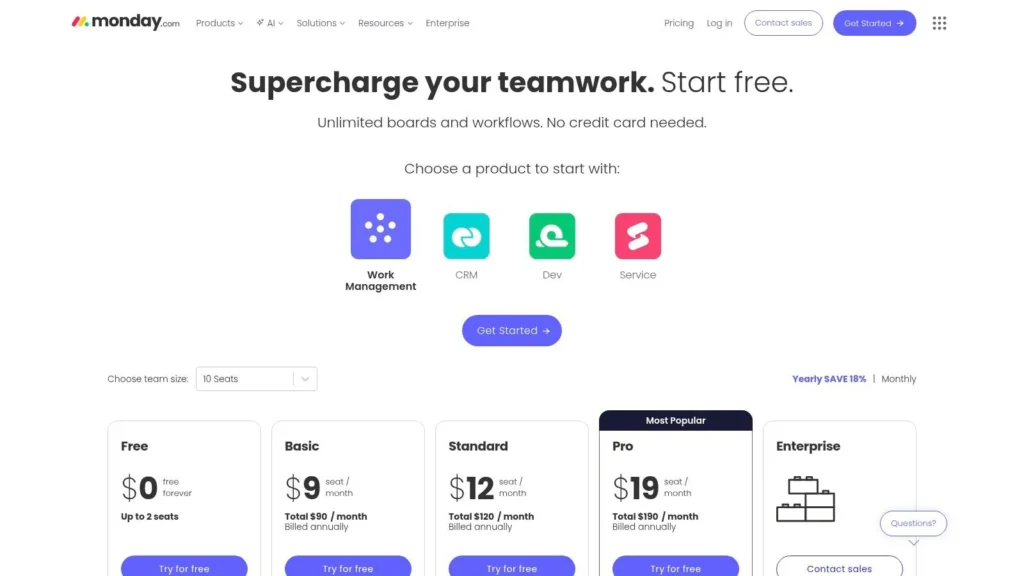
Its highly visual and customizable interface, featuring multiple views like Kanban, Gantt, and Calendar, allows teams to visualize work in the way that makes the most sense for them. This flexibility is crucial for non-technical team members who can easily build workflows without code. While this adaptability is key, startups should also be mindful of their operational strategy; building a strong foundation is as important as the tools you use, a concept well-explored in many of the best business books for entrepreneurs.
Key Considerations
- Pricing Model: Paid plans start at $9 per seat/month (billed annually) with a minimum of 3 seats. Pricing scales up with features like advanced automations, integrations, and security controls on higher tiers (Standard, Pro, Enterprise). A limited “Free Forever” plan is available for up to 2 users.
- Limitations: Automation and integration actions are capped monthly on lower-tier plans, which can be a constraint for startups heavily reliant on automating processes. Unlocking the full suite of features requires subscribing to the more expensive Pro or Enterprise plans.
- Best For: Startups seeking a single, scalable platform to manage multiple business functions from an early stage. It’s ideal for teams that value visual workflows and need a tool that both technical and non-technical staff can easily adopt.
2. ClickUp
ClickUp markets itself as the “one app to replace them all,” a bold claim that resonates with early-stage startups aiming to operate lean. Its core value proposition is bundling a vast array of features-tasks, documents, goals, whiteboards, and more-into a single platform. This all-in-one approach is highly attractive for startups needing to centralize work and avoid the costs and complexities of managing multiple, disparate tools. By offering nearly everything a small team could need, from basic task tracking to more complex goal setting, it stands out as one of the most feature-rich project management tools for startups on a budget.
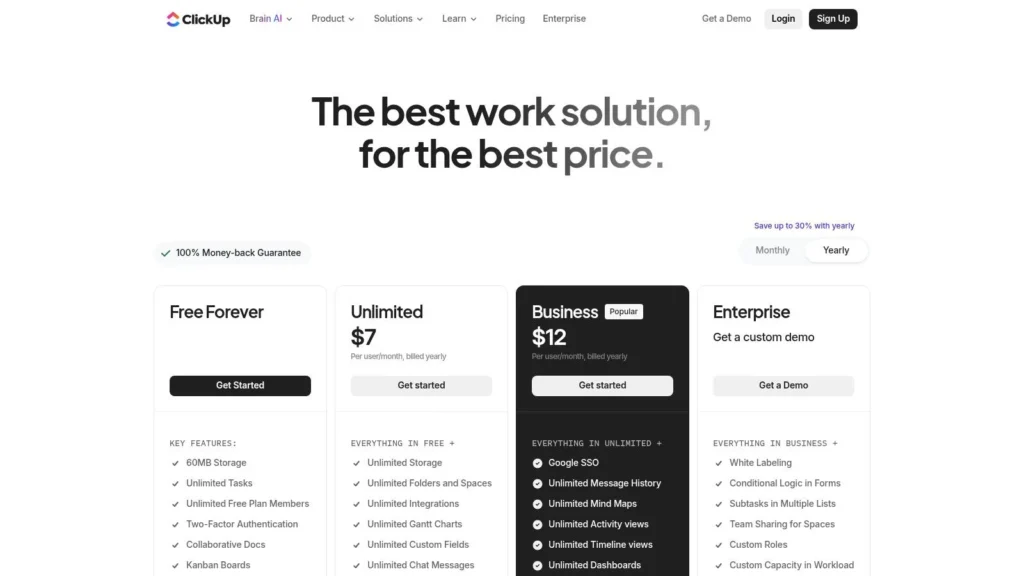
The platform is incredibly customizable, offering numerous views like List, Board, Gantt, and Mind Maps to visualize work in different ways. Startups can tailor workflows precisely to their unique processes. However, this wealth of features can be a double-edged sword. New teams without established processes might find the sheer number of options overwhelming. To use it effectively, it’s crucial to start simple, focusing only on the features you need immediately and gradually introducing more complexity as the team scales and processes mature.
Key Considerations
- Pricing Model: Paid plans start at a very competitive $7 per user/month (billed annually). The “Free Forever” plan is exceptionally generous, offering unlimited tasks and users, which is a major advantage for bootstrapping startups. Higher-tier plans (Business, Enterprise) add advanced time tracking, workload management, and security features.
- Limitations: The sheer volume of features and customization options can create a steep learning curve and may lead to a cluttered workspace if not managed properly. Some users report occasional performance issues or bugs, particularly as workspaces grow in size and complexity.
- Best For: Bootstrapped or early-stage startups that need a powerful, all-in-one solution without a hefty price tag. It’s ideal for teams willing to invest time in setup and customization to build a workspace that perfectly fits their needs.
3. Asana
Asana is a highly mature and widely adopted platform that excels at bringing clarity to complex projects. For startups moving from chaotic beginnings to more structured operations, Asana provides the framework needed for clear ownership, cross-functional visibility, and predictable execution. Its strength is in task and workflow management, ensuring every team member knows who is doing what, and by when. This focus on clarity makes it one of the most reliable project management tools for startups aiming to formalize their processes and scale their teams effectively.
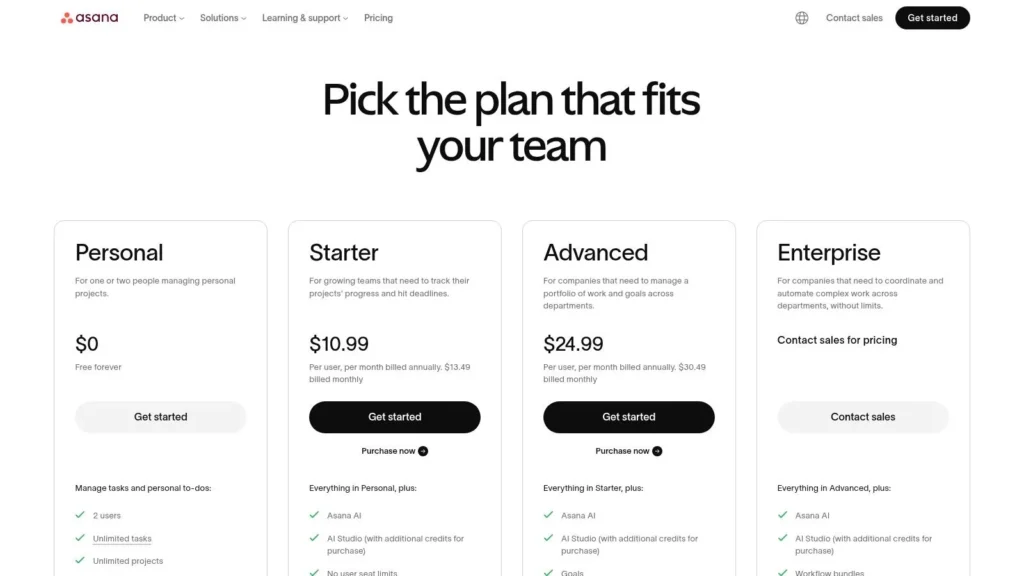
With a clean interface and multiple project views like List, Board, Timeline, and Calendar, Asana makes work accessible to everyone. Its robust automation builder and vast library of integrations (over 100) allow startups to connect it seamlessly into their existing tech stack, from Slack to Salesforce. While Asana manages internal communication flawlessly, remember that external outreach requires a different approach; for instance, many startups find it useful to learn how to build an email list for their marketing efforts. The recent addition of Asana Intelligence (AI) further helps teams summarize tasks and generate project plans.
Key Considerations
- Pricing Model: Paid plans start at $10.99 per user/month (billed annually). Higher-tier plans (Advanced, Enterprise) unlock features like Portfolios, Goals, and advanced reporting. A robust free plan supports up to 10 team members.
- Limitations: Key strategic features like Portfolios (for project overviews) and Goals (for OKRs) are locked behind the more expensive tiers. The per-seat pricing can become costly as the startup team grows larger.
- Best For: Startups that need to establish clear, repeatable processes and improve cross-functional coordination. It’s ideal for teams that prioritize task management clarity and require strong integration capabilities with other business tools.
4. Trello (Atlassian)
Trello is renowned for its simplicity, centering around the card-based Kanban system. For early-stage startups, its greatest asset is the near-zero learning curve, allowing teams to instantly organize tasks, track progress on an MVP, or manage a content calendar without complex setup. It excels at visually representing workflows, where cards move across lists like “To Do,” “In Progress,” and “Done.” This straightforward approach makes it one of the most accessible project management tools for startups that need to get organized quickly without a steep implementation period.
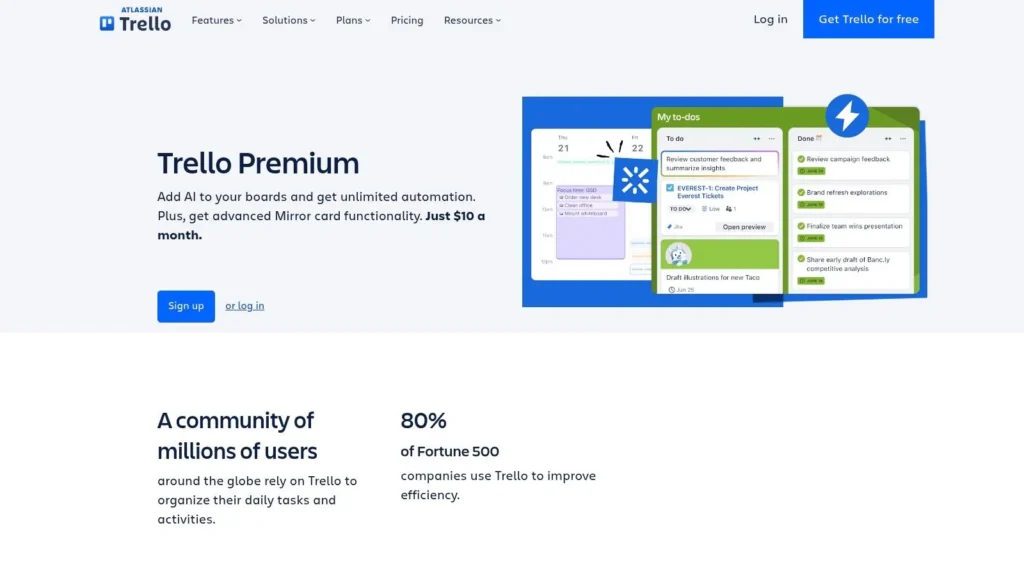
While the free version is robust for basic task management, its true power for a growing startup is unlocked with Power-Ups and its premium tiers. Power-Ups add functionality like Gantt charts, voting, and integrations with tools like Slack, Google Drive, and Jira. The introduction of Atlassian Intelligence also brings AI-powered assistance for summarizing tasks and generating ideas directly within cards, helping small teams work more efficiently. This ability to enhance a simple board with specific features makes Trello a highly adaptable, yet lightweight, choice.
Key Considerations
- Pricing Model: A generous free plan includes unlimited cards and up to 10 boards. Paid plans start with Standard ($5 per user/month, billed annually) for unlimited boards and advanced checklists. The Premium plan ($10 per user/month) adds multiple views (Calendar, Timeline, Dashboard) and advanced admin controls.
- Limitations: The core experience is Kanban-focused, and while other views are available on paid plans, they may feel less integrated than on platforms built around them. Reporting and analytics are minimal on lower tiers, which can be a drawback for data-driven teams.
- Best For: Very early-stage startups, non-technical teams, or departments managing specific workflows like content marketing or hiring pipelines. Its simplicity and fast adoption make it ideal for getting a project off the ground immediately.
5. Jira Software (Atlassian)
Jira Software is the industry-standard tool for software development teams, making it an indispensable choice for tech-centric startups. Its power lies in its deep integration with the agile methodology, providing robust frameworks for managing sprints, backlogs, issues, and complex release cycles. Unlike more generalized project management tools for startups, Jira is built with developers in mind, offering powerful integrations with code repositories like Bitbucket and GitHub, CI/CD tools, and a vast ecosystem of third-party apps via the Atlassian Marketplace.
This specialization means it comes with a steeper learning curve compared to simpler tools, and its interface can feel heavy for non-technical teams. However, for a startup building a software product, establishing development processes in Jira from day one provides a scalable foundation. Its advanced features, such as powerful automation rules, detailed reporting, and granular permissions, support the company as it grows from a small team into a larger engineering organization requiring enterprise-level governance.
Key Considerations
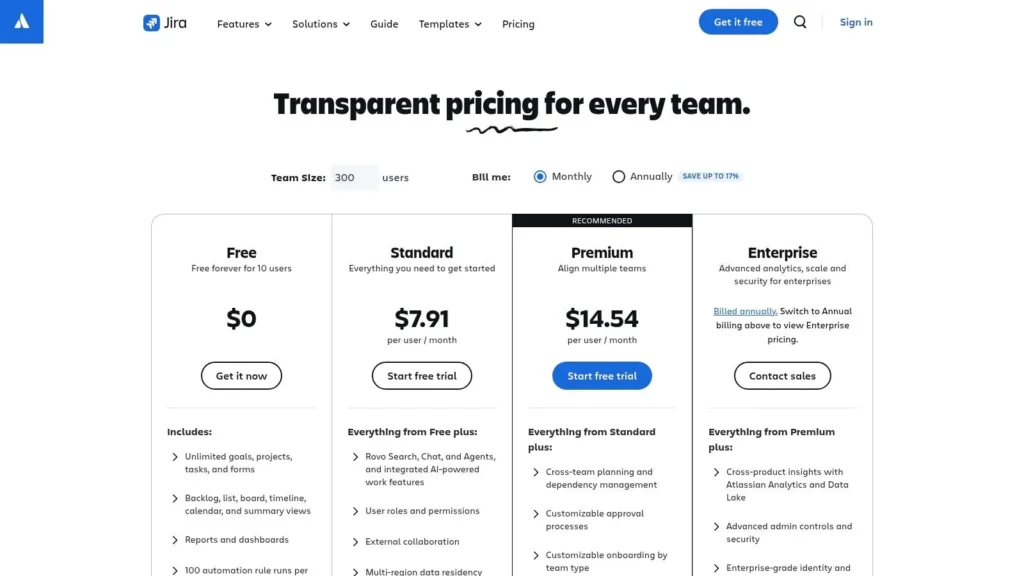
- Pricing Model: A “Free” plan is available for up to 10 users with core features. Paid plans start with the “Standard” tier at $8.15 per user/month, adding more features and user limits. The “Premium” tier ($16 per user/month) unlocks advanced roadmaps, project archiving, and unlimited storage.
- Limitations: The interface and terminology (e.g., epics, stories, sprints) can be intimidating for marketing, sales, or operations teams, potentially requiring a separate, simpler tool for their workflows. The full value is only realized when agile processes are well-defined.
- Best For: Tech startups with a software development focus that need a powerful, scalable platform for managing their engineering roadmap and sprints. It’s ideal for teams that plan to scale and require robust developer tool integrations and process control.
6. Notion
Notion is less a dedicated project management tool and more a highly flexible “all-in-one workspace” where project management happens. For startups, its main draw is unifying company wikis, documentation, and task management into a single, interconnected system. Teams can manage content calendars, track product specifications, and handle development tasks using relational databases that function as powerful, customizable task boards. This consolidation prevents knowledge from being siloed across different apps, creating a single source of truth from day one.
The platform’s incredible flexibility allows startups to build workflows that perfectly match their unique processes without administrative overhead. This is especially useful for content-driven teams, where a project might involve extensive documentation and planning. For example, a startup could use Notion to outline an entire content strategy, a process that shares principles with learning how to start a blog, and then link those strategy docs directly to a Kanban board of tasks for writers and designers. However, this freedom requires discipline; without established best practices, a workspace can quickly become a disorganized “page sprawl.”
Key Considerations
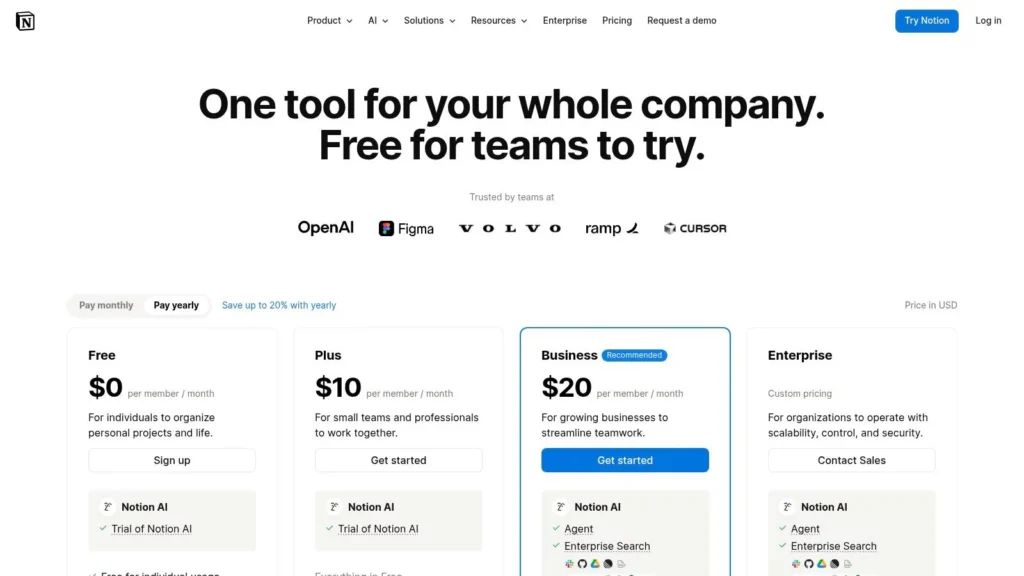
- Pricing Model: A generous Free plan is available for individuals. Paid plans start with Plus at $8 per user/month (billed annually), which adds more blocks and file uploads. The Business plan ($15 per user/month) introduces advanced features like SAML SSO and private teamspaces. Notion AI is available as an add-on.
- Limitations: Its project management capabilities, while robust for many use cases, lack the deep, portfolio-level reporting and resource management features found in dedicated PM-first tools like Jira or Asana. Complex, multi-layered project oversight can be challenging to implement.
- Best For: Content-heavy and product-focused startups that need a unified hub for documentation, knowledge management, and lightweight project tracking. It’s ideal for small, cross-functional teams that value extreme customizability over rigid, pre-built structures.
7. Basecamp
Basecamp offers an opinionated, all-in-one toolkit designed to combat the chaos of using multiple apps. For startups, its value lies in its simplicity and focus on core collaboration needs: to-dos, message boards, schedules, file storage, and real-time chat, all in one place. It deliberately avoids the feature bloat of more complex project management tools for startups, making it ideal for non-technical teams or those managing client work who need a low-overhead, easy-to-learn system. This “everything in one place” philosophy ensures that communication and context are never lost.
The platform consolidates communication, tasks, and project assets, minimizing tool sprawl and the mental fatigue that comes with it. Features like Automatic Check-ins help keep everyone aligned without constant meetings, a significant benefit for small, fast-moving teams. The Card Table view provides a simple Kanban-style board for visualizing workflow, but the platform’s core strength remains its integrated approach to project communication.
Key Considerations
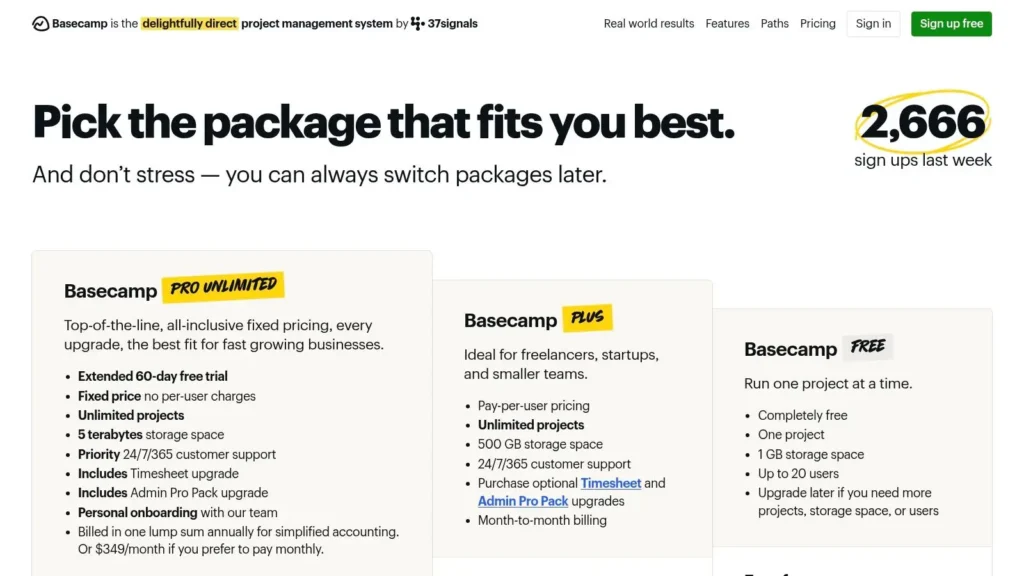
- Pricing Model: Basecamp offers a simple, two-tier pricing model. The standard Basecamp plan is $15 per user/month. The Basecamp Pro Unlimited plan is a flat $299/month (billed annually) for unlimited users, projects, and 5 TB of storage, which is highly cost-effective for scaling teams.
- Limitations: Its simplicity is also its main limitation. Basecamp lacks the advanced reporting, resource management, and deep customization options found in more modular platforms. Startups needing granular analytics or complex Gantt charts will find it insufficient.
- Best For: Startups prioritizing straightforward collaboration and communication over complex project management features. It’s particularly effective for remote teams, agencies managing client projects (clients can be added for free), and companies that want a predictable, flat-rate cost as they grow.
8. Linear
Linear is a modern, opinionated issue-tracking tool built for speed and efficiency, making it a favorite among high-performing product and engineering teams. Unlike all-in-one platforms, Linear focuses on perfecting the developer workflow with a keyboard-first interface, lightning-fast performance, and tightly integrated cycles, projects, and roadmaps. For startups that live and breathe product development, it removes friction from the process, allowing engineers to focus on building rather than navigating complex project management software.
Its clean design and native integrations with GitHub, GitLab, and Slack create a seamless ecosystem for technical teams. The platform’s philosophy is to provide a structured, yet flexible, framework for shipping products faster. This makes it one of the most effective project management tools for startups where engineering velocity is a critical competitive advantage. The focus on core product-building workflows means non-technical teams might find it less accommodating than more general-purpose tools.
Key Considerations
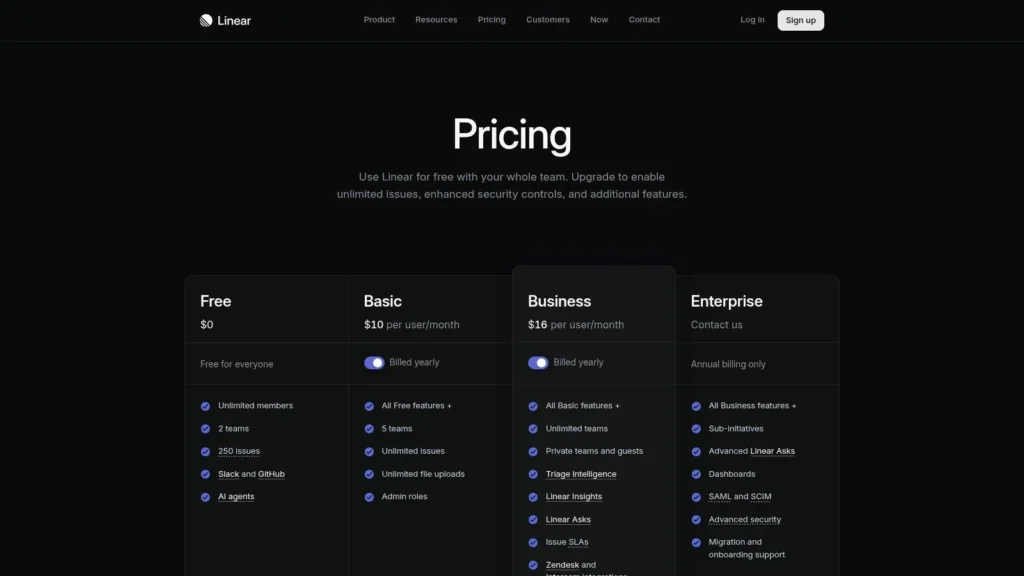
- Pricing Model: A generous “Free” plan is available with unlimited members and core features. The “Standard” plan starts at $10 per user/month, adding advanced features like private teams and larger file uploads. The “Plus” plan at $18 per user/month includes roadmaps, projects, and advanced insights.
- Limitations: Its specialization in product and engineering workflows means it lacks the broader, cross-departmental features found in platforms like monday.com or Asana. Reporting capabilities are focused on team velocity and cycle analytics rather than business-wide KPIs.
- Best For: Product-led startups and companies with strong engineering cultures that need a fast, elegant, and highly efficient tool for issue tracking and product development. It is ideal for teams that value a keyboard-driven user experience and deep Git integration.
9. Wrike
Wrike is a robust work management platform designed for structured, process-driven work, making it a strong contender among project management tools for startups with operational complexity. It excels in environments where projects are repeatable and require careful resource allocation, such as creative agencies, professional services firms, or hardware development teams. Its granular control over workflows, detailed reporting, and enterprise-grade security features allow startups to build scalable, predictable processes from the ground up, moving beyond simple task lists to comprehensive project execution.
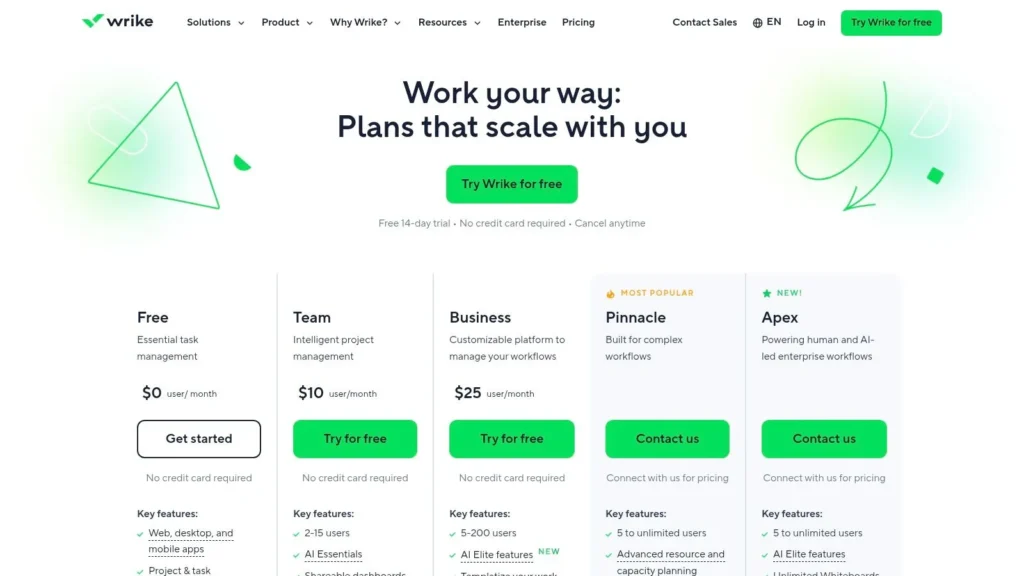
The platform offers multiple work views, including Gantt charts, Kanban boards, and tables, alongside powerful resource and capacity planning tools. This helps leaders ensure team members are not overallocated and that project timelines are realistic. While Wrike’s depth provides significant power, its complexity can introduce a steeper learning curve compared to more minimalist tools. The true value is unlocked when startups invest time in configuring custom workflows and dashboards tailored to their specific operational needs.
Key Considerations
- Pricing Model: Paid plans start with the “Team” tier at $9.80 per user/month. The “Business” plan, which adds resource management and automations, is $24.80 per user/month. Enterprise and Pinnacle tiers are available for larger teams, along with a limited free plan for basic task management.
- Limitations: The platform’s extensive feature set can be overwhelming for small teams looking for a simple plug-and-play solution. The most powerful features, like advanced analytics and add-ons (Wrike Integrate, Wrike Lock), are reserved for higher-tier plans, which can significantly increase the total cost.
- Best For: Operations-heavy startups and professional services teams that manage complex, client-facing projects. It is ideal for founders who need deep visibility into resource allocation, project profitability, and process efficiency from an early stage.
10. Smartsheet
Smartsheet offers a unique, spreadsheet-style approach to project management that resonates deeply with founders and teams already comfortable working in Excel or Google Sheets. It leverages the familiarity of a grid-based interface while layering on powerful project management capabilities like Gantt charts, automated workflows, and resource management. For startups transitioning from basic spreadsheets to a more formalized system, Smartsheet provides a gentle learning curve, allowing them to structure complex projects without abandoning a familiar paradigm. This makes it one of the most accessible project management tools for startups looking to add structure and automation to their existing processes.
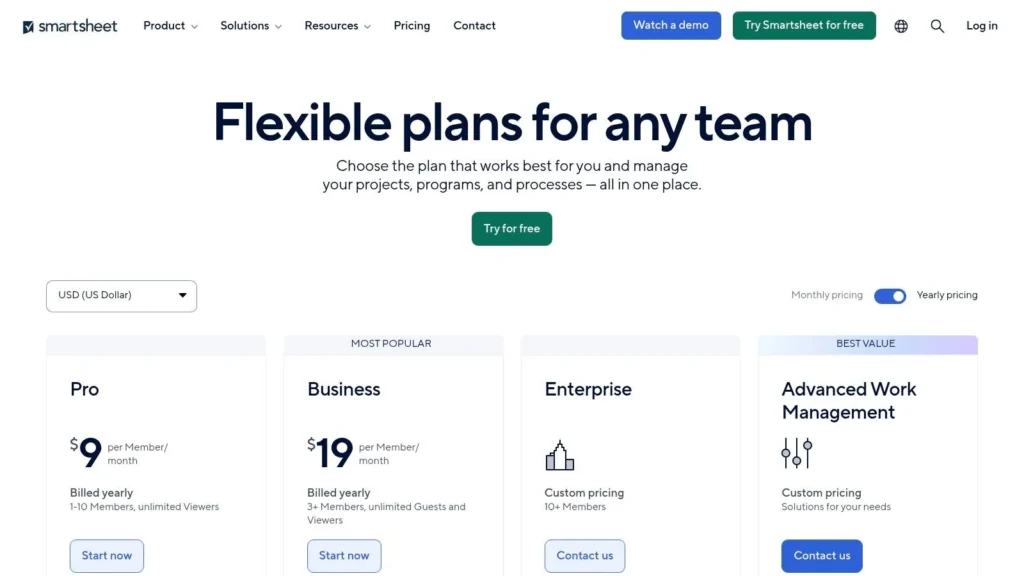
Its strength lies in its ability to handle data-heavy projects and portfolio management, especially with its powerful formulas and conditional formatting. Startups can use it to create sophisticated intake forms for new feature requests or client projects, automatically routing information into a master sheet for review. While it’s exceptionally versatile, its core functionality is less tailored to agile software development out-of-the-box compared to more dev-centric tools. The platform’s true power is often unlocked through its add-ons, which can significantly enhance capabilities but also add to the overall cost.
Key Considerations
- Pricing Model: Paid plans start with the Pro plan at $7 per user/month (billed annually), with a Business plan at $25 per user/month that adds more advanced features. An Enterprise plan offers premium capabilities and governance. A limited free plan is available for a single user and up to two editors.
- Limitations: Core agile functionalities are not as native as in other tools. The most powerful features, like WorkApps and advanced resource management, are often tied to the more expensive Business and Enterprise tiers or require separate add-on purchases, which can make the total cost of ownership higher.
- Best For: Data-driven startups and operations teams that think in spreadsheets but need robust project management features. It is ideal for formalizing processes like client intake, budget tracking, and portfolio-level reporting without a steep learning curve.
11. Airtable
Airtable blurs the line between a spreadsheet and a relational database, offering a uniquely powerful foundation for startups to build custom operational tools. Instead of forcing a predefined project management structure, it provides the building blocks (bases, tables, and views) to create bespoke systems for anything from content calendars and CRMs to bug tracking and inventory management. This makes it one of the most flexible project management tools for startups that have unique workflows and need a system that can model their specific business logic, not the other way around.
The platform’s “Interface Designer” allows non-technical users to build simple, focused apps on top of their data, creating user-friendly dashboards for team members to interact with complex information without getting overwhelmed. Its power lies in connecting different data sets, for example, linking a project task to a specific client in your CRM and the marketing assets associated with it. This creates a single source of truth that is difficult to achieve with more rigid project management tools.
Key Considerations
- Pricing Model: Paid plans start with the Team tier at $20 per seat/month (billed annually), which increases record limits and provides more automation runs. The Business tier unlocks advanced features like two-way sync and more powerful administrative controls. A generous free plan is available with core features but has limitations on records and storage.
- Limitations: The primary limitations are tied to scale. Record, attachment, and API call limits on lower tiers can become restrictive as a startup grows. The per-seat pricing model can also become costly for larger teams, and managing permissions and governance requires careful planning on higher-tier plans.
- Best For: Operationally-focused startups that need to build custom internal tools beyond standard project tracking. It’s ideal for teams that want to consolidate disparate spreadsheets into a single, connected system for managing projects, clients, and internal processes.
12. Teamwork.com (Projects)
Teamwork.com is designed for startups centered around client work, such as agencies, consultancies, or professional services firms. Its core strength lies in its deep integration of project management with financial tracking features like time tracking, budgeting, invoicing, and profitability reporting. This allows service-based startups to manage not just the project workflow but also the entire client lifecycle, from resource planning to final billing, within a single platform. Unlike more general-purpose tools, it is purpose-built to answer the critical question for any services business: “Is this project profitable?”
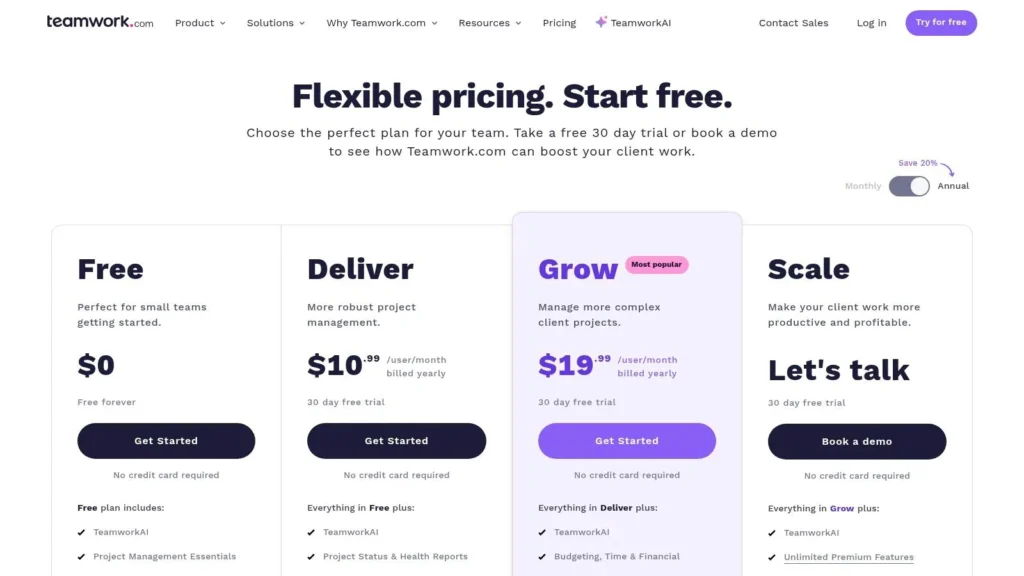
The platform offers multiple project views, including Boards, Gantt charts, and Lists, alongside powerful portfolio-level views to monitor the health of all client engagements simultaneously. For startups that need to manage billable hours and team utilization closely, Teamwork.com provides the robust reporting necessary to make informed business decisions. Its integrations with accounting software like QuickBooks and Xero, as well as CRMs like HubSpot, streamline the flow of financial and client data across the business.
Key Considerations
- Pricing Model: Paid plans start at $5.99 per user/month (billed annually) with a 3-user minimum. Higher tiers (Grow at $11.99 and Scale at $19.99) unlock more advanced features like project budgets, profitability reports, and advanced resource management. A “Free Forever” plan is available for up to 5 users with limited features.
- Limitations: The 3-user minimum on paid plans can be a hurdle for solo founders or very small teams. For internal-only projects without a billable component, some of its core financial features may feel like unnecessary overhead compared to lighter, more task-focused tools.
- Best For: Service-based startups that need to tightly manage billable hours, client budgets, and project profitability. It is an excellent choice for creative agencies, marketing firms, and consultancies looking for an all-in-one client work management solution.
Top 12 Startup Project Management Tools — Comparison
| Tool | Best fit | Core features | UX / Scalability | Unique selling point | Pricing / Value |
|---|---|---|---|---|---|
| monday.com | Scaling startups & cross-team ops | Work OS; automations; dashboards; Gantt | Easy onboarding; scales with seats | Flexible building blocks + strong integrations | Per-seat pricing; higher tiers unlock features |
| ClickUp | Lean teams wanting an all-in-one hub | Tasks, Docs, Goals, Whiteboards; many views | Highly customizable; can overwhelm without process | Broad feature set at aggressive price | Very cost-effective; generous free tier |
| Asana | Teams formalizing processes & reporting | Tasks, Timeline, Portfolios, Workload | Intuitive UI; enterprise-grade options | Strong coordination & reporting features | Per-seat model; advanced features on top tiers |
| Trello (Atlassian) | Very small teams & content workflows | Kanban cards, Power‑Ups, Butler automations | Extremely low learning curve; limited at scale | Fast adoption; simplest Kanban UX | Low-cost entry; Premium for multi-view/admin |
| Jira Software | Engineering/product teams | Scrum/Kanban, sprints, roadmaps, dev integrations | Powerful but steeper admin and learning curve | Industry standard for engineering workflows | Per-user pricing; best value with clear processes |
| Notion | Content teams & unified docs/tasks | Docs + relational DBs, teamspaces, AI | Flexible and low admin; risk of page sprawl | Unified wiki + task database | Affordable tiers; business plans add governance |
| Basecamp | Client-facing/non-technical teams | Messaging, to-dos, schedules, files | Predictable, low overhead; opinionated toolset | Flat-rate Pro Unlimited for many users | Flat-rate plan can be very cost-effective |
| Linear | Product-led engineering teams | Fast issue tracking, roadmaps, GitHub sync | Lightning-fast, keyboard-first; narrow scope | Speed and elegant developer workflows | Competitive pricing for focused teams |
| Wrike | Services/operations-heavy teams | Custom workflows, resource planning, integrations | Deep features; more complex to administer | Strong resource & portfolio management | Add-ons increase total cost of ownership |
| Smartsheet | Spreadsheet-first founders & PMs | Sheets/Gantt/Forms, formulas, automations | Familiar grid UX; good for portfolio views | Spreadsheet-style PM with rich formulas | Add-ons can raise cost; viewers included on Pro |
| Airtable | Custom CRMs, back-office apps & PM | Relational bases, Interfaces, automations, sync | Very flexible; governance/costs rise with scale | Rapid custom ‘apps’ via Interface Designer | Tier limits on records/storage; scalable cost |
| Teamwork.com | Agencies & billable-services firms | Time tracking, invoicing, budgets, reports | Purpose-built for billable work; heavier than light tools | Built-in billing/profitability reporting | Minimum seats; best value with annual plans |
Making Your Choice: A Framework for Selecting the Right Tool
Navigating the landscape of project management tools for startups can feel like a project in itself. We’ve explored a dozen powerful platforms, from the visual simplicity of Trello and the all-in-one power of ClickUp to the developer-centric focus of Jira and Linear. Each tool presents a unique philosophy on how work should be managed, but the ultimate goal is the same: to bring clarity, efficiency, and momentum to your growing venture.
The core takeaway is this: there is no single “best” tool. The ideal solution is deeply contextual, tied directly to your startup’s unique DNA. A tool that revolutionizes one team’s workflow could easily become a source of friction and administrative bloat for another. The key is to shift your mindset from feature-hunting to problem-solving.
A Practical Framework for Your Decision
Instead of getting lost in endless feature comparisons, use a structured approach to guide your selection. This framework will help you move from a long list of possibilities to a short list of viable candidates.
1. Diagnose Your Primary Pain Point:
Start by identifying the single biggest obstacle your team faces. Is it a lack of visibility into who is doing what? Are cross-functional handoffs constantly dropping the ball? Perhaps your development cycles are chaotic and unpredictable.
- For visibility issues: Consider tools with strong dashboarding and reporting like monday.com, Wrike, or Smartsheet.
- For collaboration chaos: Look at platforms that centralize communication and assets, such as Basecamp, Teamwork.com, or Notion.
- For inefficient dev ops: Tools like Jira Software or Linear are purpose-built to streamline software development workflows.
2. Match the Tool to Your Team’s Scale and Culture:
The right tool should feel like a natural extension of how your team already likes to work, not an alien system forced upon them. Consider your current and future needs.
- Early-Stage & Low-Process: For teams that thrive on flexibility and simplicity, Trello’s Kanban boards or the straightforward approach of Basecamp are excellent starting points.
- Scaling & Process-Driven: As your team grows and requires more structure, a platform like Asana or ClickUp provides the necessary scaffolding to manage complex, multi-stage projects without becoming overly rigid.
- Data-Centric & Customizable: If your startup runs on data and requires bespoke workflows, the database-like structures of Airtable or Notion offer unparalleled flexibility.
3. Run a Pilot Program Before Committing:
Never make a decision in a vacuum. Once you’ve narrowed your choices to two or three top contenders, initiate a small, real-world trial.
- Select a “Pilot Team”: Choose a small, cross-functional group of 3-5 team members.
- Choose a Real Project: Pick a short-term, low-risk project with a clear beginning and end. This provides a realistic test environment.
- Gather Concrete Feedback: At the end of the trial period, ask your pilot team specific questions. Was the tool intuitive? Did it save time or create more work? Did it solve the primary pain point you identified?
This trial period is the most crucial step. It moves the decision from a theoretical exercise to a practical evaluation. The best project management tools for startups are always the ones that teams willingly adopt and consistently use. By focusing on your specific needs, team culture, and budget, you can select a platform that not only organizes your tasks but actively accelerates your startup’s journey toward its next major milestone.
Once you’ve chosen your tool, the next step is building the habits and documentation that make it successful. For a streamlined, collaborative space to build your internal playbooks, document processes, and share knowledge, check out maxijournal.com. It’s the perfect complement to your new project management system, ensuring your team has a single source of truth to work from. Visit us at maxijournal.com to see how.
Discover more from Maxi Journal
Subscribe to get the latest posts sent to your email.