If you’ve ever looked at a photograph and felt like your eyes knew exactly where to go, that’s not an accident. That’s the power of good composition. It’s the invisible architecture that turns a quick snapshot into a compelling image.
Think of composition as the visual grammar of your photograph. Without it, even the most beautiful subject can look chaotic or flat. The goal is to move beyond just pointing and shooting and start intentionally arranging the elements in your frame to tell a story and create balance.
Mastering Composition to Guide the Viewer’s Eye
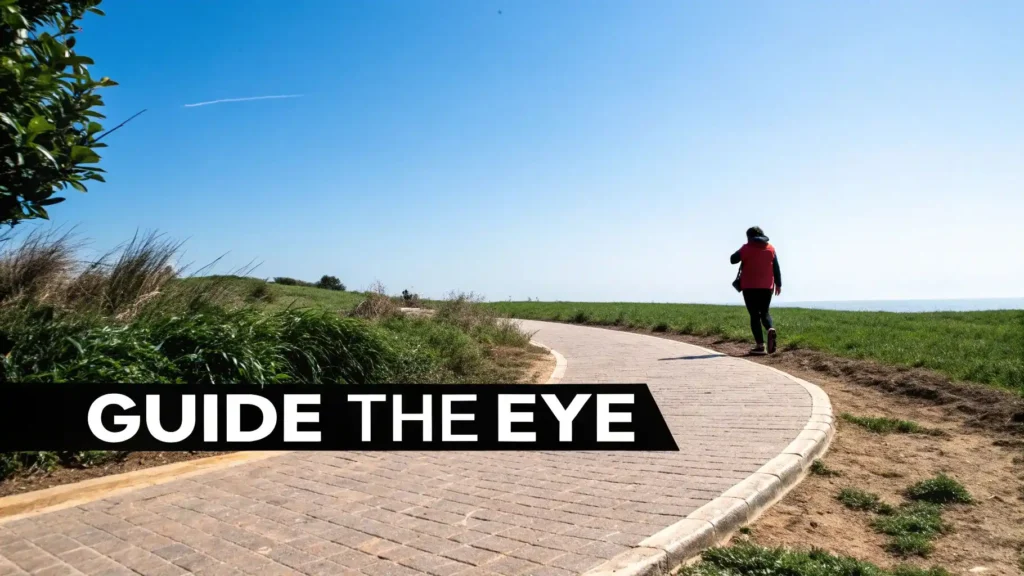
We’re going to break down how to place subjects, use lines, and create depth to make your photos feel more alive and professional. It’s all about learning to see the world not just for what it is, but for how you can frame it.
The Rule of Thirds: A Timeless Principle
One of the first and most useful tools you’ll learn is the rule of thirds. It’s simple but incredibly effective. Imagine your frame is divided by two horizontal and two vertical lines, creating a 3×3 grid like a tic-tac-toe board. The idea is to place your key subjects along these lines, or even better, where the lines intersect.
Instead of automatically centering your subject, try shifting it off to one side. If you’re shooting a landscape, align the horizon with the top or bottom third line instead of dead center. This one small change instantly creates more tension and visual interest.
Don’t just take my word for it. A landmark analysis of over 1 million images found that photos following the rule of thirds scored 38% higher in viewer engagement than centered ones. As you can read over at Behind The Mud, this isn’t just an artsy suggestion; it’s a proven method for grabbing attention.
The most important aspect of a well-composed image is balance. Just as you would balance weights on a scale, you need to balance visual elements like highlights, shadows, and negative space within your scene.
Using Lines to Direct Attention
Our eyes are hardwired to follow lines. In photography, we call these leading lines, and they’re one of the best ways to tell a viewer exactly where to look. They carve a path through the image, pulling the eye toward your main subject.
You can find these lines everywhere once you start looking:
- A winding road disappearing into the trees.
- The converging lines of a building’s architecture.
- A fence post slicing across a field.
- The gentle curve of a riverbank.
By positioning these lines strategically, you can add a powerful sense of depth and movement to a flat, two-dimensional photo. It’s the difference between a picture of a person on a pier and a picture where the pier itself guides you straight to them.
For a quick reference, here are a few of the core composition techniques we’ll be touching on.
Key Composition Techniques at a Glance
This table breaks down some essential techniques, what they do, and the best times to use them.
| Technique | Core Principle | Best For |
|---|---|---|
| Rule of Thirds | Placing key elements off-center at intersections of a 3×3 grid. | Creating dynamic, balanced images for portraits, landscapes, and general photography. |
| Leading Lines | Using natural lines (roads, fences, rivers) to guide the eye. | Adding depth and drawing attention to a specific subject in the frame. |
| Framing | Using elements in the foreground (doorways, branches) to frame the subject. | Creating a sense of intimacy, adding context, and isolating the subject. |
| Symmetry | Creating a perfectly balanced image, often centered. | Architectural shots, reflections, and scenes where balance and harmony are key. |
These are your foundational tools. Mastering them will give you the confidence to start experimenting and finding your own unique style.
Finding Natural Frames
Another fantastic technique is framing. This is where you use elements within the scene itself to create a “frame within a frame” around your subject. Doing this adds context, creates a real sense of depth, and helps your subject pop by separating them from a busy background.
Look for these natural frames out in the wild:
- Shooting through an open doorway or window.
- Using overhanging tree branches to frame a landscape view.
- Capturing a scene through an archway or down a tunnel.
This technique adds an almost voyeuristic layer to your photo. It’s like you’re giving the viewer a private peek into the scene, which makes the final image feel much more intimate and carefully crafted than a simple, straightforward shot.
Harnessing Light to Create Mood and Depth
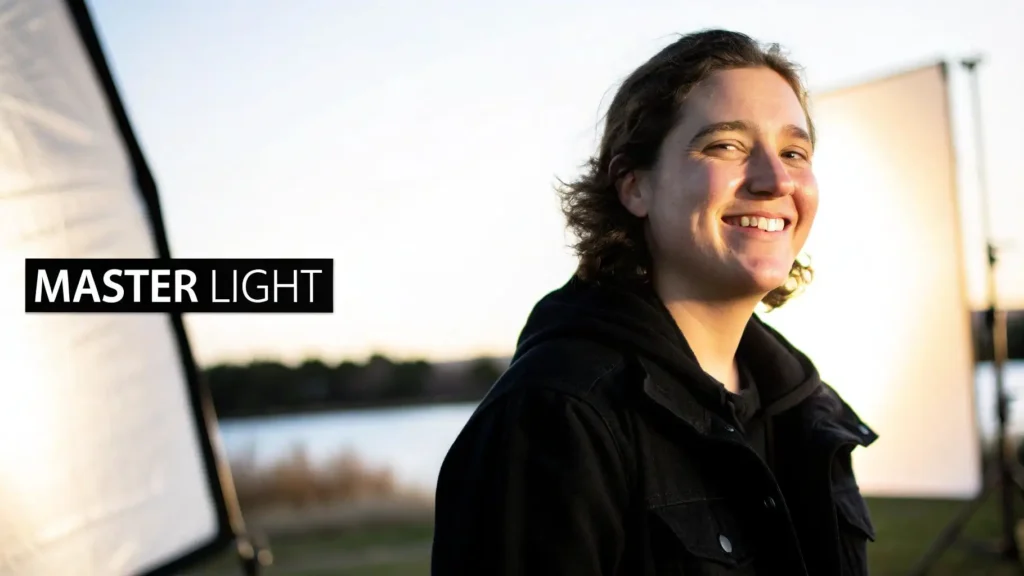
If composition is the skeleton of a great photograph, then light is its soul. It’s the one element that carves out shapes, paints a mood, and can turn a totally ordinary scene into something breathtaking. Honestly, learning how to see and use light is probably the single most impactful skill you can develop to improve your photos.
It’s all about shifting your mindset. Stop just reacting to whatever light you happen to be in, and start actively seeking out the good stuff. You have to understand that not all light is created equal. The harsh, high-noon sun creates a completely different feeling than the soft, angled light of a cloudy afternoon.
Understanding Light Quality
The first step is learning to spot the difference between “hard light” and “soft light.”
Think of it this way: hard light comes from a small, direct source like the midday sun or a bare bulb. It creates sharp, clearly defined shadows. It’s intense, dramatic, and full of contrast.
Soft light, on the other hand, comes from a big, diffused source—think of an overcast sky or a large window that isn’t getting direct sun. It just seems to wrap gently around your subject, creating soft, gradual shadows. This is why it’s so flattering for portraits; it minimizes skin texture and blemishes.
Here’s a dead-simple way to remember it:
- Hard Light: Creates sharp, dark shadows. Think dramatic and edgy.
- Soft Light: Creates gentle, faint shadows. Think soft and flattering.
Golden Hour: The Photographer’s Best Friend
You’ve probably heard photographers rave about the golden hour, and for good reason. It’s that magical period shortly after sunrise and just before sunset. The sun is low in the sky, casting this incredible warm, golden glow over everything.
The light during this time is both soft and directional, which creates long, beautiful shadows that give your images incredible depth and dimension.
Shooting in this window almost feels like cheating because it makes everything look amazing. Landscapes take on a painterly quality, and portraits just feel warm and inviting. If you want to instantly level up your outdoor photos, start planning your shoots around these hours.
“Lighting is one of the most important aspects of photography. Light can make or break your image, so knowing how to work with it is a must.”
One of my favorite tricks is to shoot into the light during golden hour. This technique, called backlighting, creates a beautiful rim of light around your subject. It perfectly separates them from the background and adds a seriously professional polish to your images.
Working with Challenging Midday Sun
Okay, so what do you do when you’re stuck shooting in the middle of the day? The midday sun is notoriously difficult, creating those harsh, downward shadows that are super unflattering for people (ever heard of “raccoon eyes”?). But you can definitely still get great shots.
The key is to find open shade. Move your subject under the shade of a big tree, a building, or even an awning. You get all the benefits of that bright day, but the direct sunlight is blocked, creating a huge area of soft, even light. It’s like having a giant, free softbox.
Another simple trick is to just position your subject with their back to the sun. This stops them from squinting and avoids those harsh facial shadows. You might need to bump up your exposure a bit to properly light their face, but modern smartphone cameras handle this scenario really well, especially with HDR mode turned on.
Mastering Indoor and Artificial Light
Great photos aren’t just for the outdoors. When you’re shooting inside, your best friend is almost always a window. A window acts as a beautiful, large light source, giving you soft, directional light that’s perfect for just about anything, from portraits to product shots.
For the best results, turn off all the other lights in the room. Mixing light sources—like the cool daylight from the window and the warm, yellow light from a lamp—can create weird color casts that are a pain to fix later. Whenever you can, just rely on the pure, clean light from the window.
And if you absolutely must use a flash, avoid the on-camera flash at all costs. It just blasts a harsh, direct light straight at your subject, which creates a flat, sterile, and unflattering look. If you have an external flash, learn how to bounce it off a nearby wall or ceiling. This instantly turns that tiny flash into a huge, soft light source and will completely change your indoor photos for the better.
Moving Beyond Auto Mode with Your Camera
If you’re ready to really start making creative decisions and dictating how your photos look and feel, it’s time to venture beyond the ‘Auto’ setting. I know, making the jump to manual controls can seem like a huge leap, but it’s genuinely the most important step you can take to gain full control over your camera.
Think of it less as memorizing technical jargon and more like learning the language your camera speaks. The three main “words” in that language are Aperture, Shutter Speed, and ISO. Once you get a feel for what each one does and how they play off each other, you can tell your camera exactly what you want it to do—from creating those creamy, blurred backgrounds to freezing a splash of water in mid-air.
Understanding Aperture for Creative Depth
Aperture is easily one of the most powerful creative tools in your entire camera bag. The simplest way to think about it is as the pupil of your camera’s lens. Just like your own eye, it can open wide to let in more light in the dark, or shrink down to a pinpoint in bright sun.
We measure aperture in “f-stops”—you’ll see them written as f/1.8, f/4, or f/11. Here’s the one slightly counterintuitive part you need to remember: a low f-number (like f/1.8) means the opening is wide open, letting in a ton of light. A high f-number (like f/11) means the opening is tiny, letting in much less light.
But aperture isn’t just about brightness. It also directly controls your depth of field, which is just a fancy way of saying how much of your photo is in sharp focus from front to back.
- Low f-number (e.g., f/1.8): This gives you a shallow depth of field. It throws the background and foreground into a beautiful blur, creating that “bokeh” effect that makes your subject pop. It’s the secret sauce for incredible portraits.
- High f-number (e.g., f/16): This gives you a deep depth of field, keeping everything sharp from the flowers right in front of you to the mountains way off in the distance. This is your go-to for sweeping landscape shots.
Taking control of your aperture is your first real step toward intentional photography. It’s how you tell the viewer, “Pay attention to this,” by guiding their eyes exactly where you want them to go.
Freezing or Blurring Motion with Shutter Speed
Next up is shutter speed. This one’s pretty straightforward: it’s the length of time your camera’s shutter stays open, exposing the sensor to light. You’ll see it measured in seconds or, more often, fractions of a second, like 1/1000s or 5″.
A fast shutter speed (like 1/1000s) is all about freezing action. This is what you need to capture a tack-sharp shot of a dog catching a frisbee, a bird in flight, or an athlete mid-stride. The shutter snaps open and closed so quickly that it stops any movement dead in its tracks.
On the flip side, a slow shutter speed (like 1/15s or longer) introduces motion blur. You can use this creatively to make waterfalls look silky smooth, paint with light trails from cars at night, or just convey a dynamic sense of speed. The catch? With a slow shutter, you absolutely need a steady hand or, even better, a tripod to keep the non-moving parts of your scene perfectly sharp.
Mastering Your Focus Modes
Finally, let’s talk about focus. Your camera probably has a few different autofocus (AF) modes, and picking the right one is crucial. The two you’ll use 99% of the time are Single AF and Continuous AF.
- Single AF (AF-S or One-Shot AF): In this mode, the camera locks focus on your subject once and holds it. It’s perfect for things that aren’t moving—portraits, still life, or landscapes. You just press the shutter button halfway down, the camera beeps to confirm focus, and you’re free to recompose your shot before taking the picture.
- Continuous AF (AF-C or AI Servo): This mode is for everything that moves. It constantly tracks your subject, readjusting focus as long as you keep the shutter button halfway pressed. This is your best friend for shooting kids playing, pets running around, or any kind of sports.
When shooting portraits, I always switch to Single AF and choose a single focus point myself. You want to place that tiny square directly over your subject’s eye. This isn’t just a pro-tip; it’s backed by data. Eye-tracking studies show that sharp eyes can boost a portrait’s impact by a staggering 62%. Plus, social media photo analysis reveals that sharp eyes correlate with 3x longer dwell time from viewers, according to industry research you can dig into at AnythingResearch.com. It’s a tiny action that makes a world of difference in creating a portrait that truly connects.
Unlocking Your Smartphone Camera’s Potential
Let’s be honest, the best camera is the one you actually have with you. For most of us, that’s our phone. Today’s smartphone cameras are packing some serious tech into a tiny package, often giving dedicated cameras a run for their money in good light. Learning how to take better photos really starts right here, in your pocket.
To get the most out of it, you’ve got to move beyond just opening the camera app and mashing the shutter button. A few simple, deliberate actions can totally transform your shots, no fancy equipment needed.
Take Manual Control of Focus and Exposure
Your phone’s camera is incredibly smart, but it can’t read your mind. It doesn’t always know what you think is the most important part of the scene. By default, it tries to average everything out, creating a balanced exposure for the whole frame. The problem? This often leaves your actual subject looking too dark or completely washed out.
You can easily take back control. On just about any camera app, tapping on your subject on the screen does two critical things: it sets the focus point and adjusts the exposure for that specific spot. You’ll usually see a little sun icon pop up next to the focus box. Just drag this up or down to manually brighten or darken the shot before you take it.
This one move is the key to creating more dynamic, professional-looking images. It lets you properly expose for a face in a backlit portrait or stop a beautiful sunset from turning into a white blob, giving you total creative control.
Know When to Use HDR Mode
Ever tried to capture a stunning sunset, only for your photo to show either a perfectly exposed sky with a black silhouette for the landscape, or a visible landscape with a completely blown-out white sky? That’s a classic high-contrast scene, and it’s exactly what High Dynamic Range (HDR) mode is for.
HDR works some behind-the-scenes magic. It quickly snaps multiple pictures at different exposures—one dark, one bright, one in the middle—and then intelligently blends them. The final product is a single photo that magically holds onto the details in both the brightest highlights and the darkest shadows.
- Turn it on for: Landscapes with a bright sky, portraits where your subject has light behind them, or any scene with a huge difference between light and dark areas.
- Turn it off for: Anything with a lot of movement. Because it’s taking multiple shots, fast-moving subjects can look blurry or create a “ghosting” effect.
The infographic below shows how the core camera settings—the very things HDR mode is automating for you—all work together.
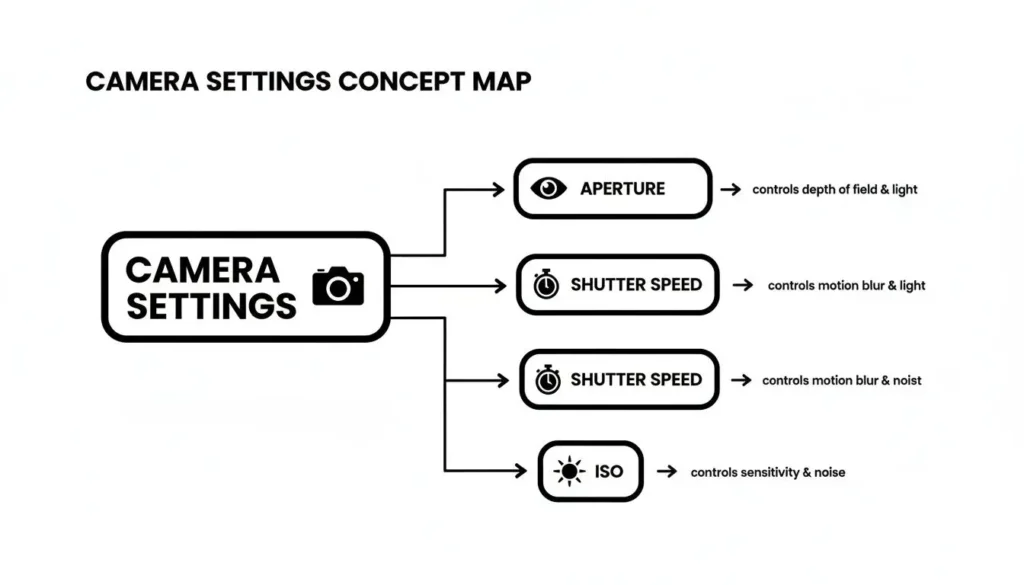
Getting a feel for this balance helps you appreciate what your phone is doing under the hood to get a better-exposed picture.
Avoid Digital Zoom at All Costs
If you learn one thing about phone photography, let it be this. When you pinch to zoom on your screen, you’re not using an optical lens to get closer like a real camera. You’re using digital zoom, which is just a fancy term for cropping the image and blowing up the pixels.
This absolutely tanks your image quality, leaving you with a photo that’s blurry, grainy, and just plain bad. The solution is simple: zoom with your feet. Walk closer to your subject. If you physically can’t get any closer, just take the photo from where you are and crop it later. You will always get a higher-quality result this way.
And if you’re documenting your adventures with high-quality images, our guide on how to start a travel blog can be a great next step for sharing those awesome shots.
Bringing Your Vision to Life with Editing
The moment you click the shutter is just the start. Editing is where the real magic happens—it’s where you sharpen your vision, dial in the mood, and make the photograph truly yours. A few simple, thoughtful tweaks can take a good photo and make it absolutely unforgettable.
Think of post-processing less as “fixing mistakes” and more as the final brushstroke on your canvas. The idea isn’t to create something fake. It’s about using the tools at your disposal to bring the final image closer to what you saw and felt in that moment. All you need is a basic, repeatable workflow to add that professional polish.
Start with a Strong Foundation
Before you even think about touching those color or brightness sliders, there are two crucial steps that set the stage for everything else: cropping and straightening. These are all about locking in the composition and balance of your shot.
Straighten Your Horizon: A crooked horizon is one of the quickest ways to make a great photo feel “off.” It’s a subtle distraction that pulls the viewer’s attention. Use the straightening tool in your app to get those lines perfectly level. This is non-negotiable for landscapes and architecture, and many apps have an “auto” feature that does a surprisingly solid job.
Crop with Intention: Cropping isn’t just for cutting things out; it’s a powerful compositional tool. You can use it to slice away distracting elements cluttering the edges of your frame or to fine-tune your composition after the fact. Maybe you want to re-apply the rule of thirds or bring the viewer a little closer to your subject—a quick crop can make all the difference.
The best edits are the ones you don’t even notice. Your goal is to enhance, not overwhelm. A light touch that strengthens the photo’s existing qualities will always look better than heavy-handed effects.
Correcting Exposure and Color
Once your composition is solid, it’s time to work on the light and color. This is where you can really make your subject pop and ensure the tones feel natural and true to life.
These are your primary tools for the job:
- Exposure: Your master brightness control. If the whole photo is a touch too dark or bright, this is your first stop. Pro tip: It’s always better to slightly underexpose when you’re shooting. It’s far easier to pull details out of the shadows than it is to recover them from completely blown-out, pure white highlights.
- Contrast: This slider adds punch by making the brights brighter and the darks darker. It’s great for adding depth, but be careful not to push it too far, or you’ll start losing all the subtle details in your shadows.
- Highlights & Shadows: These give you much more precise control. If a bright sky is looking washed out, pull the highlights slider down. If your subject’s face is a little too dark, lift the shadows slider up.
With the light dialed in, you can move on to color. The white balance tool is your best friend for making colors look natural. If your photo has a weird blue or yellow cast, just use the temperature slider to correct it until the whites in your image look genuinely white.
The Nuance of Color Enhancement
Last but not least, let’s add a bit of life to the colors. This is where a lot of beginners go wrong by cranking the saturation to 100 and ending up with a radioactive-looking photo. There’s a much smarter way to do it.
- Vibrance: Think of this as the “smart” saturation tool. It focuses on boosting the less-saturated colors in your photo while mostly leaving the already-saturated ones (like skin tones) alone. It’s perfect for adding a gentle pop without making everything look fake.
- Saturation: This tool boosts every single color in your image equally. A tiny nudge can sometimes work, but you have to use it with extreme caution.
By following this simple sequence—crop, adjust light, correct color, and enhance color—you’ll start to develop a consistent and effective editing style. Sharing these polished images is where the fun really begins. If you’re looking to get more eyes on your work, our guide on how to increase engagement on Instagram is a great next step, because killer visuals are everything on that platform.
Answering Your Biggest Photography Questions
As you get deeper into photography, you’ll find yourself asking more questions. That’s a great sign—it means you’re starting to think like a photographer. Let’s tackle some of the most common hurdles I see new photographers face, with straightforward answers to get you back to shooting.
What’s the Best Camera for a Beginner?
This is, without a doubt, the question I hear most often. The answer is simple: the best camera to start with is the one you already have.
Seriously. Whether that’s your smartphone or an old DSLR collecting dust, the gear is secondary. Mastering the core principles of light and composition will improve your photos far more than a new, expensive camera ever could.
Don’t get caught up in gear envy. Your phone is an incredibly powerful tool for learning. Use it to practice the rule of thirds, to see how the light changes throughout the day, and to figure out what makes a photo truly pop. Once you feel like your gear is genuinely holding you back, you’ll have a much clearer idea of what you actually need in your next camera.
How Do I Get That Blurry Background Look?
Ah, that creamy, dreamy background blur. In the photo world, we call that “bokeh.” It’s a classic technique for making your subject stand out, and it’s one of the hallmarks of a professional-looking shot. It’s all about creating a shallow depth of field.
There are three main ways to pull this off:
- Use a wide aperture. This is the big one. Set your camera to the lowest f-number it can go (like f/1.8 or f/2.8). This narrows the sliver of the world that’s in focus, turning the background into a beautiful blur.
- Create distance. Put as much space as you can between your subject and whatever is behind them. The further the background is, the more out of focus it will be.
- Get closer. Physically move closer to your subject. The shorter the distance between your lens and your subject, the shallower your depth of field becomes.
If you’re on a smartphone, your secret weapon is Portrait Mode. It uses software to mimic this effect, and modern phones are getting scarily good at it.
Why Are My Photos Blurry?
There’s nothing more frustrating than a photo that looks soft or out of focus. It almost always boils down to one of three things.
First up is motion blur. This happens when either your subject moves or the camera itself moves while the shutter is open. The fix? Use a faster shutter speed to freeze the motion. If you’re in low light and have to use a slow shutter, you must stabilize your camera. A tripod is ideal, but even propping your camera on a wall or holding your phone with two hands makes a huge difference.
Next is missed focus. This is when your camera decides the tree behind your friend is more interesting than their face. Don’t let your camera make the decisions for you. Tap the screen or use your camera’s single-point focus to tell it exactly where you want the sharpest point to be.
Finally, the simplest culprit of all: a dirty lens. Our phone lenses are magnets for fingerprints, dust, and pocket lint. Before you even think about taking a picture, give your lens a quick wipe with a soft cloth. It’s a tiny habit that pays off big time in clarity.
The most crucial step to improving your photography isn’t buying new gear; it’s putting in the hours. There’s no shortcut to experience. The more you shoot, the more you’ll develop an intuitive feel for what works.
How Can I Take Good Pictures When It’s Dark?
Shooting in low light can feel like a real challenge, but it’s where you can capture some incredibly moody and atmospheric images. The trick is to help your camera’s sensor gather as much light as possible.
Start by opening your aperture as wide as it will go (that means using the lowest f-number). This lets the maximum amount of light hit the sensor.
Often, that’s still not enough, which means you’ll need a slower shutter speed. This is where stability becomes non-negotiable. The slightest shake will ruin the shot with blur, making a tripod your best friend for night photography. No tripod? Get creative. Use a wall, a table, a beanbag—anything solid to brace your camera or phone. Using your camera’s self-timer is another pro move; it prevents the shake caused by you pressing the shutter button.
Once you start nailing these techniques and sharing your work, you’ll probably want to build a community around your photography. For some great tips on that, check out our guide on how to build an email list.
At maxijournal.com, we’re dedicated to bringing you clear, insightful articles on a wide array of topics, from technology and the arts to business and travel. We believe in the power of well-crafted stories and practical guidance. Find your next great read and join our community of curious minds at https://maxijournal.com.
Discover more from Maxi Journal
Subscribe to get the latest posts sent to your email.