You open three tabs after dinner. One offers a university certificate, another promises job-ready skills in weeks, and a third looks fun but vague. An hour later, the main question still is not which platform looks best. It is which one fits the outcome you truly want.
That distinction matters for adult learners because the category is broad, and the platforms are not interchangeable. A service built around academic credentials solves a different problem than one focused on creative practice or short-form professional training. Choosing by popularity alone often leads to a mismatch between your goal, your schedule, and the way the material is taught.
A better way to compare online learning platforms for adults is by primary use case. Some platforms are stronger for recognized credentials and career transition. Others are better for technical skill building, creative hobbies, or workplace upskilling that fits into short study sessions. The right choice depends less on catalog size than on signal value, learning format, and whether the platform matches how adults typically complete courses.
Completion is the overlooked variable. Adults rarely fail because they lack access to content. They stop because the workload, pacing, or reward structure does not fit their week. That is why platform design matters almost as much as subject matter. Features like guided paths, shorter lessons, mobile access, and visible milestones can make the difference between enrolling and finishing. If consistency is your weak point, stronger study habits for independent learners matter as much as the platform itself.
This guide uses that framework throughout. Instead of treating every platform as a general solution, it groups them by what they do best so you can choose based on your goal, constraints, and expected return on time and money.
1. Coursera
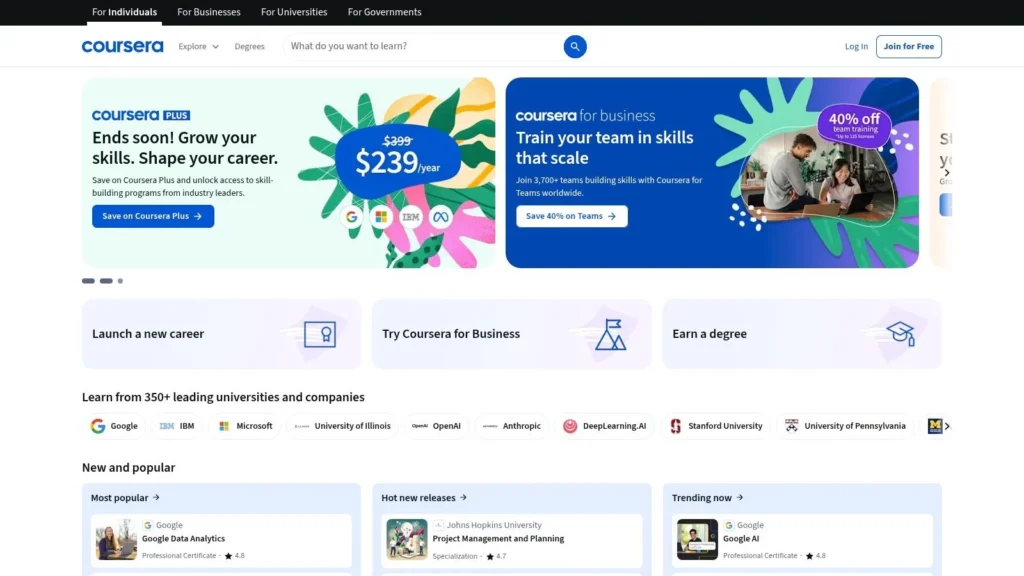
Coursera is the safest recommendation for adults who want credibility without committing immediately to a full degree. Its mix of university courses, professional certificates, guided projects, and online degrees makes it one of the few platforms that can serve both cautious explorers and career switchers.
The platform’s biggest strength is signal quality. When an adult learner finishes a course from a recognized university or a certificate tied to a known employer brand, the outcome is easier to explain to a manager, recruiter, or client. That matters more than sheer catalog size.
Best for academic credibility with career relevance
Coursera works well if you want a middle ground between informal learning and formal education. Many courses can be audited before you decide whether a certificate is worth paying for. That lowers the risk of buying a program before you know whether the teaching style fits your schedule.
Its mobile access also matters. Mobile-first design isn’t a minor convenience in adult education. The strongest platforms increasingly lean that way because busy learners study in short blocks, not ideal blocks.
- Best use case: Career changers who want recognized credentials in tech, business, health, or management
- Main advantage: University and employer partnerships give completed coursework more external weight
- Main limitation: Inclusion rules vary, so not every course or partner sits inside the same subscription model
Practical rule: Choose Coursera when you need your learning to look legible on a resume, not just useful in private.
If you pick this platform, your success will depend less on motivation and more on routine. A simple system for planning sessions, deadlines, and review cycles helps, especially in courses with provider-set pacing. In such instances, stronger study habits for adults and students matter more than platform features alone.
You can explore the platform directly at Coursera.
2. edX
A working adult signs up for a course on machine learning or public policy, only to realize two weeks later that the core question was never subject interest. It was tolerance for academic structure. edX is one of the clearest tests of that fit because it offers a university-style learning experience without requiring an immediate paid commitment.
Its strongest feature is not just course quality. It is the ability to audit many courses before paying for a certificate. For adults comparing platforms by use case, that matters most in the academic-credential category. You can inspect the reading load, assignment style, and instructor expectations before deciding whether a single course, a Professional Certificate, or a longer sequence is worth the time and money.
Best for adults who want academic rigor without immediate enrollment risk
edX makes the most sense for learners who are considering a more formal path in computer science, data analysis, business, healthcare, or social-impact fields. The platform works well for people who want substance first and credential value second, rather than quick tutorials built around one narrow task.
The tradeoff is clear. edX asks for more consistency than casual learning platforms. Weekly deadlines, graded assessments, and denser material can be productive for adults who want structure, but frustrating for those who study in irregular bursts. If your schedule is fragmented, pairing the platform with productivity apps that help learners plan short study blocks and deadlines can reduce drop-off.
- Best use case: Adults testing whether they want a university-style program before paying for certification
- Main advantage: Audit options reduce purchase risk and make it easier to judge course difficulty in advance
- Main limitation: Multi-course pathways can demand more time and money than learners initially expect
edX is a better fit for goal-driven learners than for browsers. Choose it if your decision framework prioritizes academic format, structured progression, and recognizable institutional backing. Skip it if you need fast, informal training on a specific tool.
Visit edX.
3. Udemy
Udemy is the most practical option when your goal is narrow, immediate skill acquisition. If you need to learn Excel shortcuts, a design tool, a coding framework, video editing, or a marketing workflow this month, Udemy often gets you there faster than an academic platform.
Its marketplace model changes the learning experience. You’re not buying institutional prestige. You’re buying a specific instructor’s ability to teach a specific task clearly. That makes course selection more important here than on more standardized platforms.
Best for targeted, self-paced skill building
Udemy is strongest when you already know the problem you need to solve. Adults who perform well on the platform usually search with a concrete intention, such as building a dashboard, passing a certification topic, or learning a software tool for freelance work.
The risk is variance. Some instructors are excellent and practical. Others are less polished, less current, or less structured. That’s the tradeoff for an enormous catalog and frequent promotions.
- Best use case: Learners who want practical job skills without committing to a subscription-heavy academic path
- Main advantage: Individual purchases and lifetime access make it easy to build a personal reference library
- Main limitation: Quality control depends heavily on the instructor
A useful way to think about Udemy is as a problem-solving shelf, not a school. It pairs well with systems that help you apply what you watch immediately, especially if distraction is the bottleneck. If that sounds familiar, these productivity apps for students and self-directed learners can help turn purchased courses into finished ones.
You can browse Udemy.
4. LinkedIn Learning
A common adult-learning scenario looks like this. You are already employed, your calendar is full, and the goal is not a career reset. You need to get better at giving feedback, building reports in Excel, managing projects, or using a new workplace tool without committing to a long program.
LinkedIn Learning fits that use case better than platforms built around academic credentials or major portfolio projects.
Best for professional polish and continuous upskilling
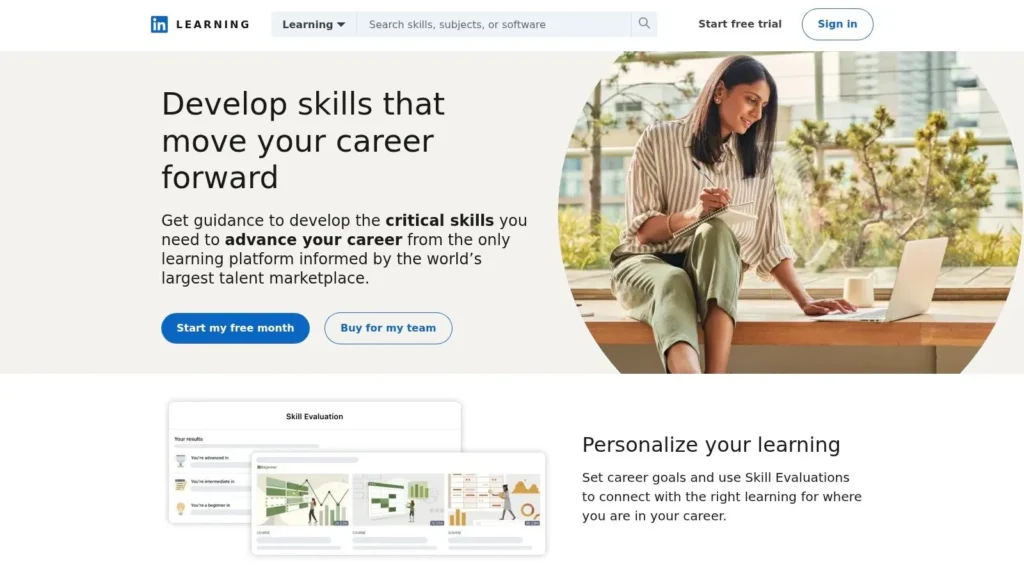
Its value comes from format and context. Courses are usually short, organized around practical workplace topics, and tied to a professional profile many learners already use. That combination lowers the effort required to start a course and makes completed learning more visible to managers, recruiters, or clients.
This matters most for adults in established career lanes. If your objective is stronger communication, better spreadsheet skills, more confident people management, or faster adoption of common business software, LinkedIn Learning is often a more efficient choice than a university-style platform. The tradeoff is depth. It is less convincing for learners who need rigorous theory, formal assessment, or a credential with independent weight.
The platform is strongest in business, leadership, communication, productivity, and mainstream creative or office software. It is weaker for learners making a high-stakes transition into fields that expect substantial projects, technical screening, or accredited proof of competence.
- Best use case: Working professionals improving performance in their current role or preparing for incremental advancement
- Main advantage: Completed courses can be displayed directly on a public professional profile
- Main limitation: Limited depth for learners who need academic rigor, intensive practice, or employer-recognized credentials
Within a use-case framework, LinkedIn Learning belongs in the “career maintenance and professional visibility” category. It works best for adults who need fast, practical instruction and a clear signal of continued development, not for those choosing a platform to anchor a full career change.
See LinkedIn Learning.
5. MasterClass
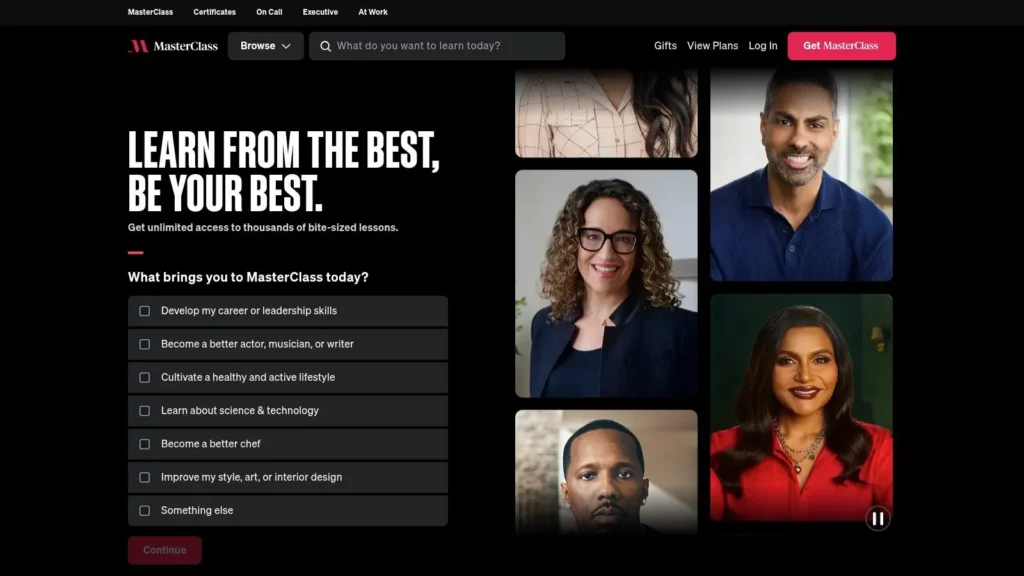
MasterClass is easiest to misjudge. People often compare it to skill-building platforms and conclude it lacks rigor. That misses the point. MasterClass is strongest when your goal is perspective, creative stimulation, and high-quality exposure to how accomplished people think.
For adults who feel burnt out by transactional upskilling, that has real value. Not every learning decision needs to end in a certificate. Sometimes the right platform is the one that gets you reading, writing, cooking, making, or practicing again.
Best for inspiration-led learning
MasterClass fits creative hobbies, leadership reflection, lifestyle interests, and general intellectual curiosity. Its production quality lowers the friction to start, and that’s more important than it sounds for adults who’ve lost learning momentum.
The limitation is clear. It isn’t built for formal assessment, portfolio review, or employer-facing credentials. If your target is a job transition with evidence attached, this isn’t the platform to lead with.
- Best use case: Adults pursuing enrichment, creative renewal, or broad personal development
- Main advantage: Engaging presentation that makes habit formation easier
- Main limitation: Limited interactivity and no real emphasis on certification
MasterClass is less about proving competence and more about reactivating curiosity. For some adults, that’s the missing first step.
Visit MasterClass.
6. Skillshare
You finish work, open a two-hour course, and close it 15 minutes later. Skillshare serves a different use case. It works best for adults who want to start a project quickly and improve through repetition rather than commit to a long, linear curriculum.
That makes it a strong fit in the creative-skills category of this list. Its catalog is centered on areas where visible output matters, such as illustration, design, photography, video, writing, and small-business branding. For adults testing a freelance path or rebuilding a creative habit, that focus is practical. The gap between lesson and application is short.
Best for creative practice and portfolio-building habits
Skillshare is strongest when your goal is consistent practice. Many classes are short, project-based, and easy to stack, which helps adults build momentum without treating learning like a second degree. That matters for learners who need usable progress in evenings or weekends, not a credential track.
The weakness is just as clear. Quality and depth vary by instructor, and employer signaling is limited. If your priority is an academic credential, a formal certificate, or tightly sequenced career preparation, other platforms in this article are better aligned.
- Best use case: Adults building creative skills, freelance services, or side projects through regular practice
- Main advantage: Short classes with project output make it easier to apply ideas quickly
- Main limitation: Course depth, assessment, and credential value are inconsistent
Skillshare is a better choice for exploration than for proof. If you want to develop a creative discipline, test a niche, or produce work samples over time, it fits well. If you need a platform tied closely to hiring signals, it usually works better as a supplement than a primary path.
Explore Skillshare.
7. Udacity
A common adult-learning scenario looks like this: the goal is not general exposure to tech, but a credible path into a defined role. In that situation, Udacity is more useful than broad course marketplaces because it organizes learning around job-relevant outputs rather than isolated lessons.
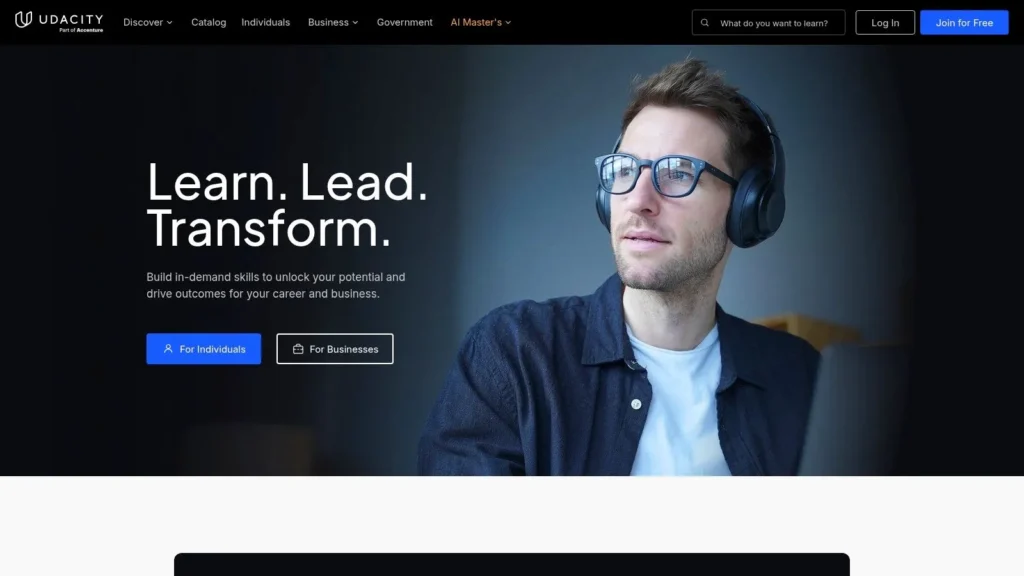
Udacity fits the use-case grouping in this article under tech career transition. Its strongest programs are aimed at learners pursuing fields such as data, AI, programming, cloud, and cybersecurity, where employers often care less about course completion and more about whether a candidate can show applied work. That makes the platform a better match for adults with a target role already in mind than for learners who are still exploring options.
Best for guided tech career transitions
Udacity’s main strength is structure. Many adult learners do not lack content. They lack a clear sequence, meaningful projects, and a standard for judging whether they are improving. Udacity addresses that problem with career-focused paths, project work, and a model that asks for more sustained effort than low-cost video libraries.
That design creates a clear tradeoff. The platform can reduce decision fatigue and produce portfolio material, but it also asks for commitment in time, attention, and budget. For adults testing whether they even like technical work, that may be too much too soon. For adults who have already chosen a direction and want a guided build path, the higher commitment can make the experience more efficient.
- Best use case: Adults preparing for a specific tech role and needing guided project-based learning
- Main advantage: Structured programs and portfolio projects create stronger evidence of applied skill than passive course completion
- Main limitation: The platform is less suitable for casual exploration and usually costs more than broad course marketplaces
Udacity is a strong option if your decision framework starts with a specific outcome: build job-ready work samples in a technical field. If your goal is broader, such as sampling subjects cheaply or earning an academic credential, other platforms in this list are better aligned.
See Udacity.
8. Pluralsight
A common adult-learning scenario looks like this: you already work in tech, your job is changing faster than your title, and a general course marketplace gives you too many choices with too little signal. In that case, breadth is less useful than precision. Pluralsight is strongest when the goal is to close a defined technical skills gap in areas such as software development, cloud infrastructure, IT operations, or cybersecurity.
That makes it a different category from platforms built for broad exploration or career-switcher onboarding. Pluralsight is better understood as a skill-development tool for people who already have context. Its value comes from role-based paths, skill assessments, and hands-on labs that help learners identify what they know, what they do not, and what to study next.
Best for targeted upskilling in technical roles
Pluralsight fits adults who need a decision framework based on job function rather than topic curiosity. A cloud administrator preparing for a certification, a developer filling gaps in system design, or an IT professional building security knowledge will usually get more relevant guidance here than on a general-interest platform. Learners exploring adjacent topics such as the basics of machine learning concepts for technical beginners may also benefit from its focused, skills-first structure.
The tradeoff is straightforward. Pluralsight usually works best after you have already chosen a technical direction. If you are still deciding between design, business, coding, data, and personal enrichment, a broader platform will often be more efficient because it supports comparison across fields.
- Best use case: Adults in software, IT, cloud, and cybersecurity who need focused, job-relevant upskilling
- Main advantage: Skill assessments, role paths, and labs create a clearer progression than large marketplaces with uneven course quality
- Main limitation: Limited relevance for non-technical learners or adults in early-stage career exploration
Pluralsight is a strong match for one specific use case in this article’s broader framework: professional technical depth. If your goal is an academic credential, a creative hobby, or low-cost subject sampling, another platform on this list will fit better. Visit Pluralsight.
9. DataCamp
A common adult-learning scenario looks like this. You want to learn SQL for reporting, Python for analysis, or the basics of machine learning for work, but the first hour disappears into installations, package errors, and mismatched tutorials. DataCamp addresses that problem directly with browser-based practice built around data tasks rather than course-marketplace browsing.
Best for applied data skills and fast skill testing
Within this article’s use-case framework, DataCamp fits adults pursuing data literacy, analytics, and entry-to-midlevel data work. Its strongest audience is not every tech learner. It is the professional who needs job-relevant progress in SQL, Python, R, dashboards, statistics, or model-building workflows without spending the first week configuring tools.
That design choice matters because data learning often breaks down at the handoff between theory and execution. DataCamp reduces that gap with guided exercises, short practice cycles, and a narrower catalog centered on analytics. For working adults, that usually means less decision fatigue and more time spent writing queries, cleaning data, and interpreting outputs.
The limitation is just as clear. DataCamp is better at building operational fluency than academic depth. Learners who want university-style theory, broader computer science coverage, or credential-driven study may find it too specialized.
- Best use case: Adults building analytics, data science, SQL, Python, R, or business intelligence skills
- Main advantage: Interactive, browser-based practice lowers setup friction and gets learners into applied work quickly
- Main limitation: Limited value outside the data and AI category, with less emphasis on deep theory
DataCamp is a strong match if your goal is specific and practical: become more competent with data tools you can use on the job. If you are still deciding whether this field suits you, a short primer on machine learning concepts for beginners can help you assess the topic before paying for a specialized platform.
You can explore DataCamp.
10. Codecademy
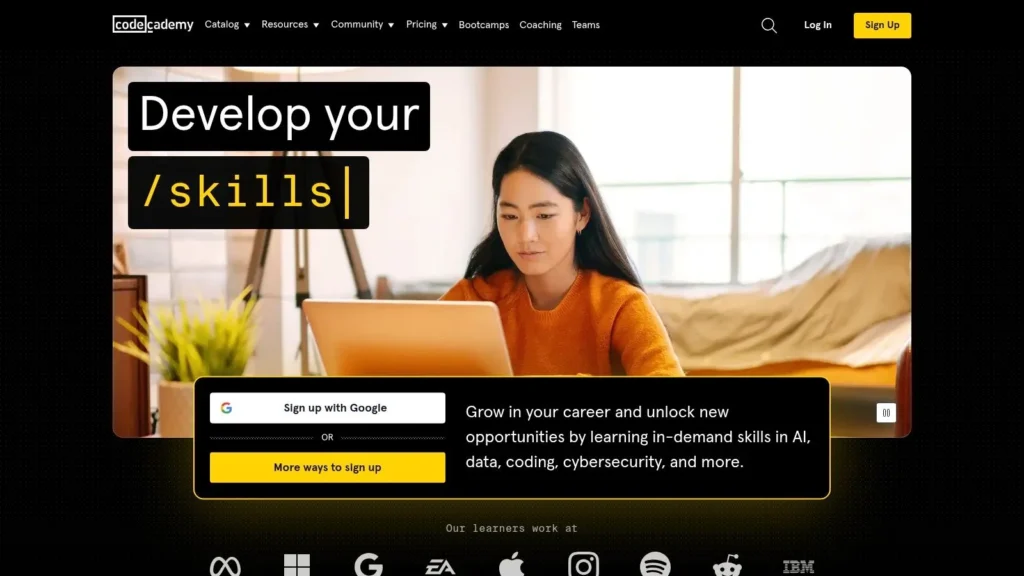
A common adult-learning scenario looks like this: you want to learn Python or web development after work, but a lecture-heavy course turns the first hour into passive watching. Codecademy addresses that problem by putting the learner into a browser-based editor almost immediately, which makes it a practical option for adults whose main risk is losing momentum early.
Its value is less about credentials and more about conversion from interest to practice. The platform is built around short interactive exercises, guided paths, and instant feedback, so beginners can spend more time writing code than configuring tools or sitting through theory. For adults testing whether coding fits their goals, that design lowers the cost of getting started.
Best for beginners learning to code consistently
Codecademy fits the “tech career exploration” use case better than the “formal credential” use case. If your goal is to build a study habit, learn syntax, and get comfortable with programming logic, it performs well. If your goal is a university-backed certificate, advanced computer science depth, or highly specialized professional preparation, other platforms in this list are stronger.
There is a tradeoff. Interactive drills are effective for early skill formation, but they do not always produce the depth that comes from larger projects, system design, or theory-heavy study. That makes Codecademy a strong starting point and a weaker long-term choice for experienced learners.
- Best use case: Adults starting coding from scratch, especially in web development, Python, JavaScript, or entry-level technical skills
- Main advantage: Immediate hands-on practice makes it easier to build consistency and early confidence
- Main limitation: Limited depth for advanced learners who need complex projects, stronger specialization, or recognized academic credentials
The ideal user profile is specific: an adult learner who wants structure, fast feedback, and a low-friction way to find out whether coding is worth pursuing seriously. Learners who already know the basics may use Codecademy as a refresher, but they will often need a more demanding platform once foundational fluency is in place.
Top 10 Adult Online Learning Platforms Comparison
| Platform | Core focus / Content | Learning experience & features | Target audience | Value / Price model | Unique advantage |
|---|---|---|---|---|---|
| Coursera | University MOOCs, certificates, online degrees | Video lectures, graded assignments, audit option, guided projects | Learners seeking academic credentials or job-ready certificates | Per-course fees, Coursera Plus subscription, paid verified certificates, degree pricing | University-backed credentials and broad industry partners |
| edX | University MOOCs, MicroMasters, Professional Certificates | Audit track free, verified paid track, structured multi-course programs | Academically oriented learners and upskillers | Audit free, pay for verified certificates; financial assistance available | Strong academic rigor and MicroMasters/creditable programs |
| Udemy | Marketplace of self-paced video courses across many topics | Lifetime access to purchased courses, mobile apps, instructor-led content | Hobbyists, practical learners, bargain-seekers | Per-course purchases (frequent discounts); Personal Plan in select regions | Massive topic variety and deep catalog with low-price sales |
| LinkedIn Learning | Short professional courses in business, tech, creative | Short modules, learning paths, completion badges integrated with LinkedIn | Working professionals and corporate upskilling | Subscription (monthly/annual); often bundled with LinkedIn Premium | Seamless LinkedIn profile integration and career visibility |
| MasterClass | Cinematic, expert-led classes in arts, food, writing, leadership | High-production video lessons, inspirational format, no formal assessments | Creatives, fans of celebrity instructors, lifelong learners | Annual membership only (30-day guarantee) | Celebrity instructors and premium production values |
| Skillshare | Creative and entrepreneurial short, project-based classes | Project-focused lessons, community projects, mobile/TV apps | Creatives, freelancers, hobbyists wanting hands-on practice | Annual membership (region-dependent pricing) | Strong community projects and bite-sized creative classes |
| Udacity | Career-focused Nanodegrees in AI, data, cloud, programming | Real projects, mentor support, career services, capstones | Job-oriented learners seeking portfolio-ready outcomes | Higher-cost Nanodegrees; monthly or multi-month bundles; scholarships | Project-heavy Nanodegrees with mentor and career support |
| Pluralsight | In-depth software, cloud, IT and cybersecurity training | Role-based learning paths, skill assessments, hands-on labs | Technical professionals and engineering teams | Subscription tiers; add-ons for labs/enterprise features | Skill analytics (Role IQ) and practical sandbox labs |
| DataCamp | Interactive data science and analytics (Python, R, SQL) | Browser-based coding exercises, projects, career tracks | Aspiring data analysts, scientists, business analysts | Free basic tier; subscription for full tracks and projects | Low-friction, interactive practice focused on data skills |
| Codecademy | Interactive coding lessons and career paths | Instant feedback, projects, Pro paths, optional bootcamps | Beginner to intermediate coders seeking structured practice | Free basic access; Pro subscription and paid bootcamps | Highly interactive, hands-on coding practice for beginners |
The Future of Learning Is in Your Hands
It’s 9:30 p.m. You’ve finished work, answered messages, and finally have an hour to invest in yourself. At that point, the main question is rarely “Which platform is best?” It is “Which platform fits what I need this hour, this month, and this year?”
That distinction matters because these platforms are built for different adult learning goals. Coursera and edX are strongest for learners who want university affiliation, certificates, or a clearer path toward formal credentials. Udemy and LinkedIn Learning fit short-term skill gaps better, especially when the goal is to solve a practical work problem quickly. MasterClass and Skillshare serve a different use case. They are better for creative renewal, personal interest, and low-pressure habit building. Udacity, Pluralsight, DataCamp, and Codecademy are more targeted still, with stronger value for adults pursuing technical skill development, portfolio work, or career transitions in data and software.
A useful way to choose is to start with the outcome and work backward.
If you need proof that carries weight on a resume or in an academic setting, prioritize recognized partners, verified certificates, and structured sequences. If you need immediate job relevance, look for narrow courses, practical examples, and self-paced access. If your challenge is consistency rather than ambition, choose the platform with the lowest friction to getting started again tomorrow.
Many adult learners make the wrong choice. They compare platforms by course volume or brand recognition, even though completion often depends more on format than on catalog size. A learner with irregular time may do better with short, modular lessons than with a demanding multi-course pathway. A learner changing careers may need projects, mentor feedback, or career services, not just video lessons. A learner returning after years away from formal study may need gentle structure and visible progress markers more than prestige.
Support matters too.
Duke’s discussion of MOOCs reaching underserved learners shows that online education can serve older adults and other groups who are often overlooked in standard career-focused advice. Class’s discussion of underserved populations in online learning also points out that access alone does not guarantee results. Gaps in guidance, accountability, and technical support can still limit outcomes for low-income and first-generation learners. In practice, that means the right platform is only part of the decision. The surrounding conditions, time, support, confidence, and internet access, shape whether learning continues.
The broader direction is clear, as noted earlier. Online learning is no longer a side option for adults. It is part of how people reskill, test interests, maintain professional relevance, and stay mentally engaged across different life stages.
Choose with precision. Match the platform to your purpose, your schedule, and the type of result you need at the end. A modest course you finish on the right platform is usually more valuable than an ambitious program you abandon on the wrong one.
Your next step does not depend on perfect timing. It depends on choosing a platform that fits the life you already have.
If you want more practical, no-hype guides like this one, explore maxijournal.com for approachable analysis across education, technology, business, science, health, arts, and more. If you’re the kind of reader who likes clear comparisons and useful commentary, it’s worth bookmarking.
Discover more from Maxi Journal
Subscribe to get the latest posts sent to your email.