Fallout 76 does not support full cross-platform play between PlayStation, Xbox, and PC, so friends on those different ecosystems can’t freely squad up together. What does exist is much narrower: limited cross-play within the PC side of the game, including Steam and Game Pass PC, which is where a lot of the confusion starts.
If you’re here, you’re probably in a familiar spot. You installed Fallout 76, or you’re thinking about jumping back in, then somebody in your group asks the question that always derails the plan: “Wait, are you on Xbox, PlayStation, or PC?”
That one detail decides whether your night in Appalachia becomes a smooth co-op session or a disappointing round of “maybe next time.” Fallout 76’s multiplayer rules aren’t explained clearly in-game, and plenty of players mix up cross-play, cross-save, and cross-progression as if they mean the same thing. They don’t.
The short version is simple. The full answer is messy. That’s because the problem isn’t just policy or preference. It’s also about how Fallout 76 was built back on November 14, 2018, and why Bethesda still talks about cross-play as a hard technical problem instead of an easy switch to flip.
Can You Explore Appalachia with Friends on Other Systems
You and your friend both want to roam West Virginia, run events, clear out a Daily Op, and maybe get sidetracked building camps for two hours. Then the question lands. You’re on PC. They’re on PS5. Another friend is on Xbox Series X. Everybody assumes a modern online game should just work.
In Fallout 76, that’s where reality hits.
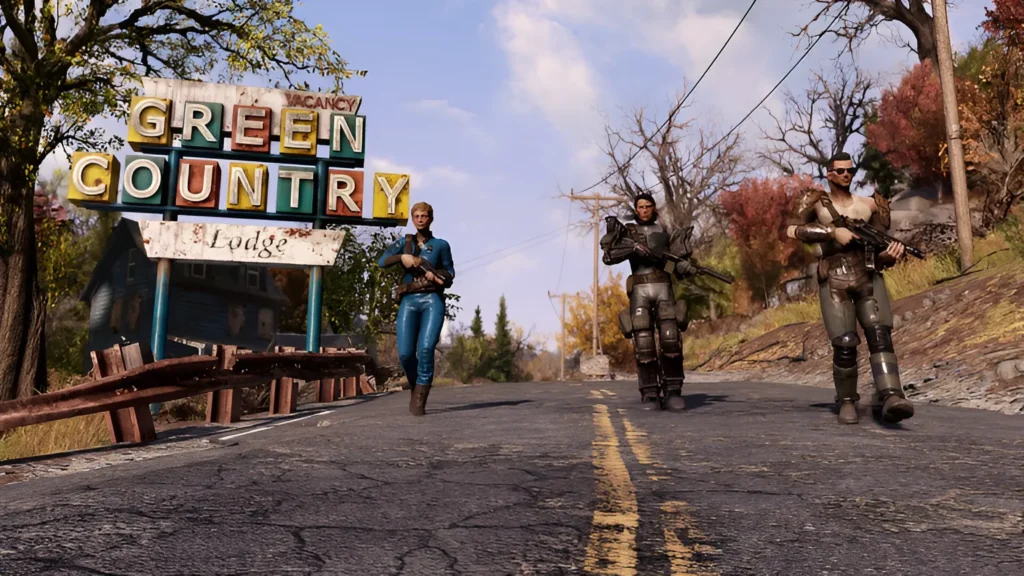
The game has a reputation for being easier to understand once you’re inside it than when you’re trying to decode store pages, platform listings, and half-remembered forum posts. Fallout 76 cross platform questions usually come from one of three situations:
- A returning player is switching hardware and wants to know if their old character can come with them.
- A friend group owns different systems and assumes co-op works across all of them.
- A PC player sees multiple launchers and isn’t sure whether Steam and Game Pass are treated as separate worlds.
Those are reasonable questions. Fallout 76 isn’t the only game that makes this messy, but it is one of the games where the answer changes depending on exactly which platforms you’re comparing.
Most confusion comes from players asking one broad question when there are really three separate ones underneath it: can we play together, can I keep my character, and can my progress move with me?
That’s why a simple yes or no doesn’t help much. You need the exact boundaries. If you read gaming explainers regularly on a broader gaming category page, you’ve probably seen how often multiplayer terms get bundled together. Fallout 76 is a strong example of why that causes trouble.
The Definitive Answer on Fallout 76 Cross-Play
Here’s the clean answer.
Fallout 76 is not fully cross-platform. PlayStation, Xbox, and PC do not all share one unified player pool.
If your group is split between PlayStation and Xbox, you can’t play together. If one of you is on PlayStation and the other is on PC, you can’t play together. If you’re trying to move freely across all major platforms with the same character and the same access, Fallout 76 doesn’t offer that.
Cross-play means playing together
Cross-play is the simplest term. It means players on different hardware can join the same multiplayer world.
For Fallout 76, the line is drawn: the game doesn’t support full cross-platform play between the major ecosystems. That’s the main answer most players need.
Cross-progression means your progress follows you
Cross-progression means your character progress, gear, earned content, and similar account-bound progress move with you when you switch platforms.
That is where a lot of myths begin. People often assume a Bethesda account solves everything. It doesn’t. A shared account doesn’t mean your Fallout 76 character can travel freely between PlayStation and Xbox or between console and PC.
Cross-save means shared save access
Cross-save usually means your game data is stored in a way that lets you resume on another supported platform without starting over.
In Fallout 76, that broad version of cross-save isn’t available across the major platform ecosystems either. The game keeps progress tied to the platform environment you’re playing in, with only limited exceptions inside the PC side.
Why people keep mixing them up
Some games blur these lines because they support all three. Fallout 76 doesn’t. That’s why one player can say “it works on PC” while another says “no, it doesn’t,” and both can sound right depending on what they’re talking about.
A good rule is this:
- Playing together: limited
- Moving your character everywhere: no
- Treating all versions as one shared account world: no
Once you separate those ideas, the rest of the Fallout 76 cross platform situation gets much easier to understand.
Understanding Platform Families and Their Limits
The easiest way to think about Fallout 76 is by platform family. The game doesn’t treat every version as one big shared network. It treats them as separate neighborhoods, with only a narrow amount of overlap.
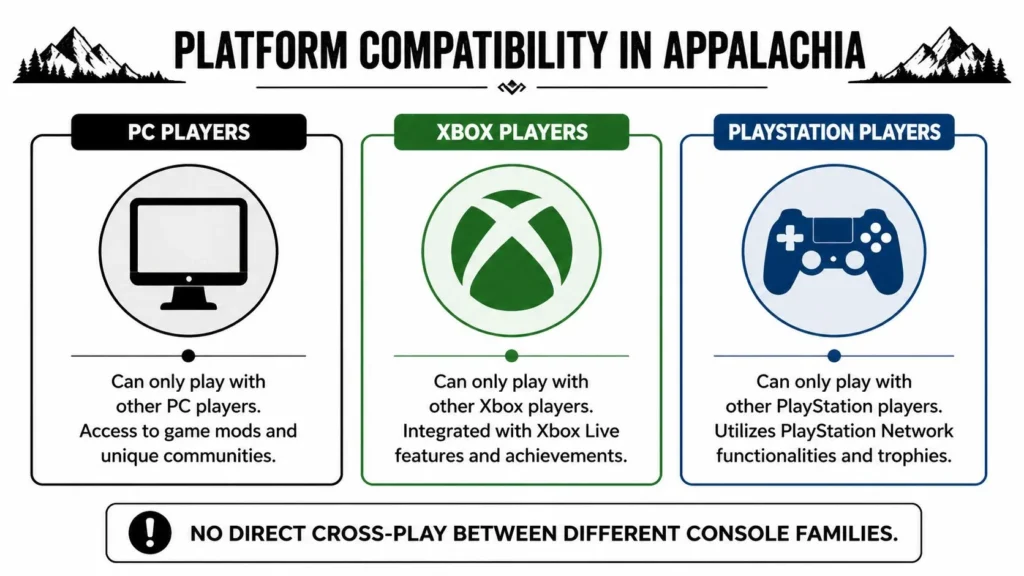
What connects and what doesn’t
| Your Platform | Can Play With PC (Steam) | Can Play With PC (Game Pass) | Can Play With Xbox (One/Series X|S) | Can Play With PlayStation (PS4/PS5) |
|---|---|---|---|---|
| PC (Steam) | Yes | Yes | No | No |
| PC (Game Pass) | Yes | Yes | No | No |
| Xbox One / Series X|S | No | No | Yes | No |
| PlayStation 4 / PlayStation 5 | No | No | No | Yes |
That table clears up the first big misunderstanding. PC storefronts can overlap with each other, while console families stay within their own lane.
There is also cross-generation support within a console family. So PS4 and PS5 players can play together, and Xbox One and Xbox Series X/S players can play together. That’s helpful, but it isn’t the same thing as broad cross-platform play.
The PC exception that confuses everyone
The biggest exception is on PC. Fallout 76 allows limited connectivity inside the PC ecosystem, which is why people sometimes say the game has cross-play and sometimes say it doesn’t. They’re usually talking past each other.
A Steam player and a Game Pass PC player can still be part of the same broader PC side because those versions share Bethesda account infrastructure and server pools. That is a real exception, but it’s much smaller than full cross-platform support.
Practical rule: If the group is entirely inside one family, you’re usually fine. Once PlayStation enters the conversation, the answer gets much more restrictive.
Why the silos matter in practice
These separations don’t just affect who can join whom. They also affect the shape of each player pool. According to ExitLag’s Fallout 76 cross-platform breakdown, the unified Xbox-PC player pool is approximately 20-30% larger than PlayStation-only servers during peak hours, with Adventure Mode queues under 30 seconds versus 60+ seconds on PlayStation, plus more stable 24-player server instances.
That doesn’t mean one side is automatically better for every player. It does mean your platform choice changes the social experience. If you usually play in pickup groups, want easier teaming, or care about a busier matchmaking environment, those boundaries matter.
If you like comparing how games split players into distinct systems and sub-systems, even outside multiplayer shooters and RPGs, odd platform logic shows up in unexpected places, including niche guides like this one on Animal Crossing flowers.
How to Connect with Friends in the Same Ecosystem
Once you know your group is in a compatible lane, the good news is that joining up is much less dramatic than the platform question itself. Fallout 76 uses its social tools well enough when everybody is in the same supported ecosystem.
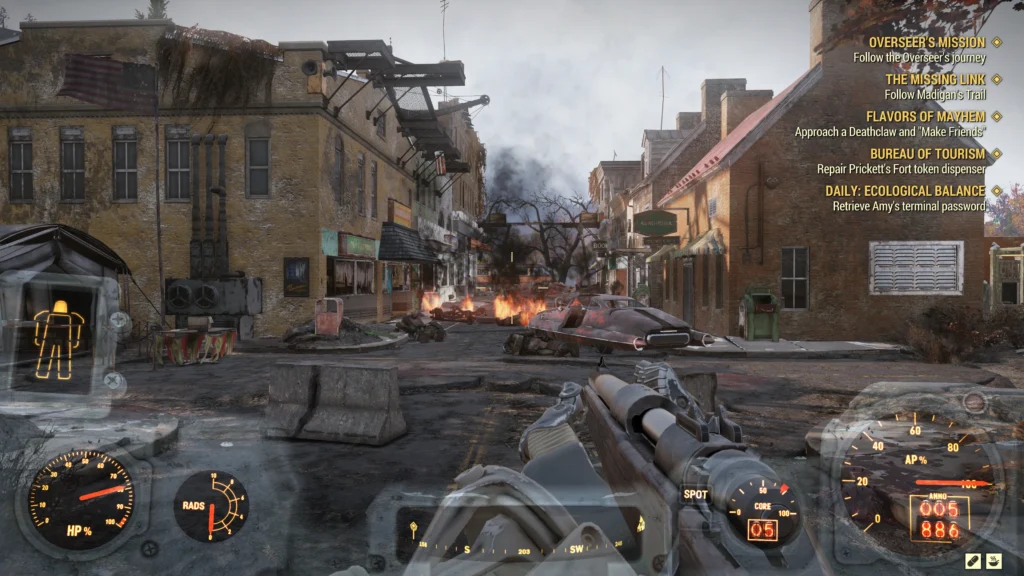
If you’re on PC
For PC players, the key is confirming that both people are using versions that can see each other through the game’s backend. Steam and Game Pass PC are the most common examples players ask about.
Use this flow:
Log into the correct account first.
Make sure you’re signed into the Bethesda-linked account the game expects. If you’ve changed launchers or reinstalled, double-check before inviting anyone.Open the Social menu in-game.
Look for your friends list there instead of relying only on the launcher overlay.Add your friend using their in-game identity.
This avoids a lot of confusion when launcher names and account names don’t match.Invite them to a team, not just your session.
A team invite makes your intent clearer and usually avoids the “I can see you online but can’t join” kind of confusion.Check the world state if the invite fails.
If one of you is in a private world or a different server state, try backing out to the main menu and inviting again.
If you’re on Xbox
Xbox players have a simpler setup because you’re staying inside one console family. That includes players across generations inside Xbox.
A practical routine looks like this:
- Use the Xbox friends list first, then confirm the player also appears in Fallout 76’s social panel.
- Join from the main menu when possible, because it can be cleaner than trying to sync after one person is already deep into an active session.
- Create a public or private team once inside, especially if you’re planning events, Expeditions, or a longer session.
If you’re still deciding where to play, broader platform guides like this roundup of the best games to play on PC right now can help you think about where your main friend group already lives.
A quick visual walkthrough can also help if menus are giving you trouble:
What to check before blaming cross-play
Players often say “cross-play isn’t working” when the actual issue is something smaller.
Try these checks first:
- Match the platform family: A PS5 player and an Xbox player won’t connect no matter how many invites you send.
- Confirm world type: Public and private sessions can create confusion if one player is expecting a direct join.
- Restart the invite chain: One fresh invite after both players return to menu often clears up social menu weirdness.
Fallout 76 can feel clunky here, but inside supported ecosystems it usually works once everyone is lined up properly.
The Technical Hurdles Preventing Full Cross-Play
A lot of players hear “technical hurdles” and assume that’s just corporate shorthand for “we don’t want to do it.” In Fallout 76’s case, there appears to be a real engineering problem underneath the vague language.
The game wasn’t built for this from day one
According to Eneba’s summary of Fallout 76 cross-platform support, Fallout 76 launched on November 14, 2018, and its Creation Engine architecture was not built for multi-platform integration, which led to segregated servers. The same report notes that Bethesda’s Bill LaCoste described retrofitting cross-play in 2025 as a “huge technical lift” because of the game’s foundational server technology.
That matters more than it sounds.
A game built around shared account systems and common matchmaking from the beginning can treat platforms like different doors into the same building. Fallout 76 seems closer to a building with separate wings, separate plumbing, and separate electrical wiring that were connected later only where absolutely necessary.
A simple analogy that actually fits
Picture it as trying to connect three houses that were built by different crews using different pipe layouts. Water still flows in each house. The sinks work. The showers work. But if you decide years later that all three homes should run through one shared system, you don’t just add one new pipe and call it done.
You have to inspect the old layout, replace connectors, test pressure, and make sure one change doesn’t break everything else.
That’s the basic problem here. Fallout 76 wasn’t originally designed as a clean cross-platform service. It was adapted into one over time, and those older structural choices still matter.
Bethesda’s own language points to retrofitting, not flipping a switch. That should tell players a lot about the scale of the job.
Why players feel the consequences
When a game has separated server logic, platform-specific account handling, and old backend assumptions, every new feature gets harder. Cross-play isn’t just a matchmaking checkbox. It touches friends lists, identity systems, progression rules, support tools, and how the game verifies who you are.
For players, that technical debt shows up as practical friction:
- Your platform choice becomes permanent in ways people don’t expect
- A shared franchise community stays split into smaller groups
- Bethesda has to choose between building new content and rebuilding old foundations
That’s why Fallout 76 cross platform support has remained limited even after years of updates. The issue isn’t just demand. It’s that the game’s original architecture still shapes what Bethesda can reasonably add now.
Will Fallout 76 Ever Get Full Cross-Play
The most honest answer is maybe, but not soon enough to plan around.
That isn’t cynicism. It’s just the position Bethesda’s own comments point toward. In a GamesRadar report on Jon Rush’s February 2026 comments, Fallout 76’s creative director said the team is only “scoping” the work for cross-play, not actively implementing it, and the timeline is “not immediate.”
What that wording really means
“Scoping” is not the same as building. It usually means the team is still figuring out the shape of the task, the dependencies, the cost, and the risks. That’s important because players often hear “they’re looking into it” and assume a feature is on the roadmap.
This statement doesn’t say that.
It says Bethesda knows players want cross-play and is evaluating the work. That’s progress in the sense that the door isn’t shut. It is not progress in the sense of “expect an update soon.”
Why other games don’t make a perfect comparison
Players often bring up games that added cross-play later in life. That’s fair. Some games have done it successfully after launch.
But those examples don’t automatically map onto Fallout 76. Each game starts from different backend assumptions, different account systems, and different multiplayer structures. A post-launch retrofit can be manageable in one game and significantly disruptive in another.
If you’re deciding which version to buy today, buy based on where your friends already play, not on the hope that full cross-play is right around the corner.
A realistic expectation for 2026
The practical outlook is simple:
- Bethesda hasn’t announced full cross-play
- The work is being scoped, not implemented
- There is no immediate timeline
So yes, full unification is still possible in theory. No, there isn’t enough here to treat it as likely in the near term. If it happens, it will probably come after substantial backend work rather than as a surprise quality-of-life patch.
For now, the smart move is to choose your platform as if today’s rules will remain in place for a while.
Fallout 76 Cross-Platform FAQ
Most of the stubborn confusion lives not in the yes-or-no answer, but in the edge cases people run into after buying the game, switching hardware, or trying to recover an old account.
Can I move my character from PlayStation to Xbox or PC
No. That’s one of the biggest myths around Fallout 76.
According to Radio Times’ guide to Fallout 76 cross-platform support, a single Bethesda.net account does not enable broad cross-progression. Characters and most progress are server-bound, and progress cannot be transferred between the PlayStation and Xbox/PC ecosystems.
If you started on PlayStation and now want to play on Xbox or PC, you should expect to start fresh.
Does a Bethesda.net account mean cross-progression works
Not in the way many players hope.
A Bethesda account helps with identity and account linkage, but it doesn’t magically erase the boundaries between platform ecosystems. Players often assume account unification equals character unification. In Fallout 76, those are different things.
The useful mindset is this: your account can identify you, but your character still lives where it was created.
Can Steam and Game Pass PC players play together
Yes, this is one of the few places where the answer is more favorable. The PC side has limited overlap, which is why some players report success while others insist Fallout 76 has no cross-play at all.
Both views come from seeing only part of the picture. Fallout 76 cross platform support is limited, and the PC ecosystem is the clearest exception.
Can I buy on one PC storefront and keep everything everywhere else
Don’t assume that. Even within PC, it’s smarter to verify exactly what carries over in your own setup before spending money or time.
If your real goal is flexibility across all hardware, Fallout 76 is not built around that kind of freedom. Treat storefront overlap and true platform-wide progression as separate things.
Do private worlds bypass cross-platform restrictions
No. Private worlds don’t override platform boundaries.
They can change who joins your session, but they don’t turn PlayStation, Xbox, and PC into one shared network. If two players are separated by platform rules in the main game, a private world won’t fix that.
What’s the best platform to choose if I’m starting now
Choose based on your existing friend group first. That’s still the best filter.
After that, think about where you want your social options to live long term. In Fallout 76, your platform decision has more weight than in games with full account portability, so it pays to make that choice carefully before you invest heavily in a character.
If you like clear gaming explainers without the usual jargon, explore more approachable guides and commentary at maxijournal.com.
Discover more from Maxi Journal
Subscribe to get the latest posts sent to your email.