You’re probably in one of three situations right now. You want to check whether a Cancún hotel really sits on a swimmable beach, you need a clean aerial view for a school or GIS project, or you’re trying to compare tourist polish with what’s happening outside the Hotel Zone.
An aerial map of Cancun solves all three, but only if you use the right tool for the job. A casual traveler doesn’t need raw satellite bands. A researcher shouldn’t rely on a screenshot from a consumer map app. And anyone trying to understand Cancún from above needs to read its features, not just admire it.
From Fishing Village to Mega-Resort A Story Told by Satellite
Cancún makes more sense from the air than it does from the road. On the ground, you notice resorts, beaches, traffic circles, marina entrances, and shopping clusters. From above, you see the full geometry. A thin coastal strip lined with development, a lagoon behind it, and a mainland city that kept pushing outward.
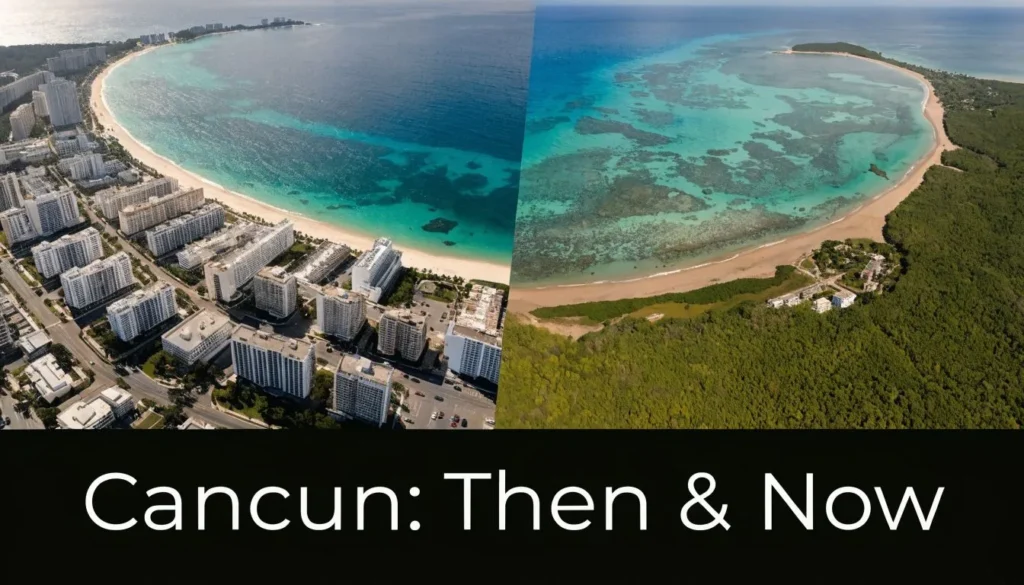
The scale of change is the first reason aerial imagery matters here. In 1970, the area now known as Cancún had just 120 residents. By 2010, its population surged to over 600,000. Time-lapse aerial maps from NASA document the conversion of 17 square kilometers of wetlands and jungle into urban infrastructure between 1984 and 2020, a direct result of tourism that now generates over $14.5 billion USD in annual revenue, according to NASA’s Cancún imagery and background notes.
What you can see from above that ground photos miss
Aerial views answer practical questions fast:
- Beach form: You can spot narrow versus broad beach sections without relying on marketing photos.
- Resort density: The Hotel Zone reads as a continuous urban strip when viewed from above.
- Lagoon relationships: Water on both sides explains why some properties feel open and breezy while others feel boxed in.
- Urban edge: You can trace where planned tourism infrastructure gives way to ordinary city growth.
That’s why travelers browsing lists of the most beautiful beaches in the world often end up needing a map, not another gallery. Beauty is only part of the decision. Orientation matters too.
Aerial imagery turns Cancún from a postcard into a landscape system. You stop asking “Is this resort nice?” and start asking “What exactly surrounds it?”
Why Cancún is such a strong aerial-map case
Some destinations look messy from above. Cancún is unusually legible. The coast, lagoon, barrier strip, airport access, and mainland neighborhoods create a layout that even non-specialists can read quickly.
That readability makes it useful for very different users. A tourist can scout a shoreline. A student can study planned urbanization. A planner or analyst can compare formal resort growth with the environmental and infrastructural footprint around it.
Instant Aerial Views Your Best Online Map Platforms
A fast visual answer is the primary requirement, not specialized GIS software. Which beach is widest? How far is the hotel from restaurants? Does the property face open sea or lagoon? Free web platforms handle those questions well, but each one is better at a different task.
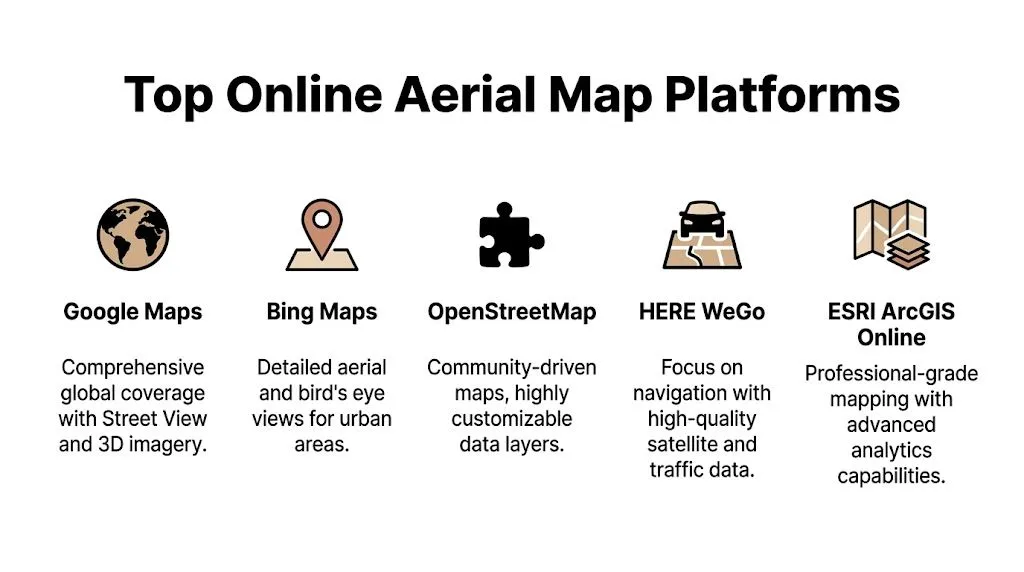
Online Aerial Map Platform Comparison
| Platform | Best For | Key Feature |
|---|---|---|
| Google Maps | Quick hotel and beach scouting | Street View and familiar interface |
| Google Earth | Broader spatial understanding | 3D fly-through and historical context |
| Bing Maps | Visual inspection of urban form | Bird’s-eye style perspectives where available |
| OpenStreetMap | Context layers and local detail | Community-mapped features |
| ArcGIS Online | Layered analysis and sharing | Professional web map tools |
Which platform to open first
If you’re planning a trip, start with Google Maps. It’s the fastest way to match a hotel listing with its actual footprint. Switch to satellite mode, zoom out until you can see the full parcel, then zoom back in to inspect beach access, pool placement, road frontage, and nearby businesses. Street View helps confirm whether a road is pedestrian-friendly or just looks close on the map.
Google Earth is better when you need spatial understanding, not just navigation. Cancún’s shape becomes obvious in Earth because you can tilt the view and follow the coastline in one continuous sweep. If someone says a resort is “close to everything,” Earth helps you test what “close” means in the Hotel Zone.
Bing Maps is worth checking when you want a different image treatment. Sometimes one platform has cleaner color, less haze, or a more readable angle for built-up areas.
What works and what doesn’t
Here’s the trade-off most users discover quickly:
- Google Maps works well for checking amenities around a hotel, beach orientation, and likely walking routes.
- Google Earth works well for understanding the whole resort corridor and the relationship between lagoon, coast, and city.
- OpenStreetMap works well when you care about mapped paths, bus stops, or niche points of interest.
- ArcGIS Online works well if you want to add your own layers or share a map with others.
What doesn’t work is treating any single platform as complete. Consumer platforms are strongest when you compare at least two views: one for imagery, one for street-level or label detail.
Practical rule: Use one map to admire, another to verify. The second pass catches bad assumptions.
A fast decision framework
Use this if you want an answer in under a minute:
- Booking a hotel? Open Google Maps satellite view.
- Checking beach shape and coast layout? Open Google Earth.
- Looking for mapped local features beyond tourist labels? Open OpenStreetMap.
- Building a shareable project or custom layer set? Open ArcGIS Online.
That’s the simplest way to choose the right aerial map of Cancun instead of wandering through tools that solve the wrong problem.
Creating Custom Maps and Analytical Overlays
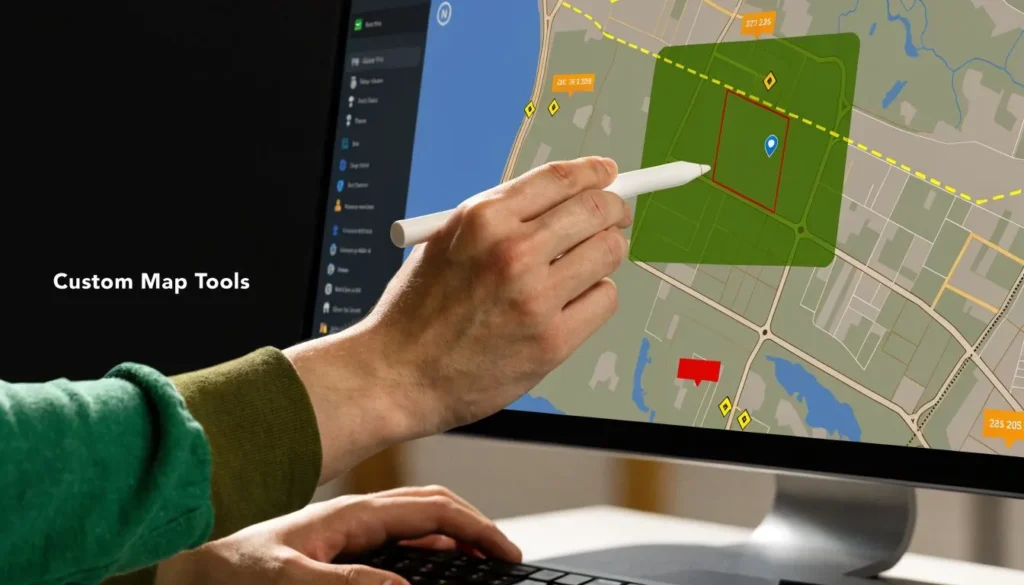
Viewing imagery is passive. Useful map work starts when you add your own information. That can be as simple as marking favorite taco stops near a hotel, or as technical as outlining shoreline change, resort parcels, or sensitive habitat.
The easiest tools for custom work
For most readers, Google Earth Pro is the best starting point. It lets you drop pins, draw lines, trace polygons, save place folders, and export simple map outputs without a steep learning curve. If you want a cleaner web presentation, Mapbox Studio is useful, but it takes more setup. ArcGIS Online sits between the two if you want hosted layers and better sharing controls.
A good beginner workflow in Google Earth Pro looks like this:
- Save key places such as hotels, ferry points, beaches, dive shops, and grocery stores.
- Draw a path for a walking route or jogging loop.
- Trace a polygon around a resort footprint or beach section you want to compare.
- Group those layers into folders, such as “trip logistics,” “food,” or “coastal study.”
A practical overlay example
Environmental overlays are where a custom aerial map becomes more than a travel aid. NASA Earthdata reveals a 22% mangrove loss near Cancún due to unregulated construction, a stark contrast to official claims of 5%. This kind of data can be overlaid on an aerial map to analyze the actual impact of urban expansion beyond the main tourist zones, as summarized in this reference on Cancún aerial mapping context.
That kind of comparison is useful even if you aren’t doing formal research. You can create one layer for visible resort concentration, another for water access points, and another for environmentally sensitive edges. The result is a much clearer picture of where tourism pressure sits in the environment.
If you can draw it as a polygon, you can compare it later. That’s the habit that separates casual browsing from actual map use.
What to map for travel versus analysis
For a trip, map things you’ll act on:
- Arrival logistics: Hotel, airport route, bus stop, grocery stop.
- Daily movement: Walks to restaurants, beach clubs, ferry terminals.
- Decision points: Quiet beach sections, public access points, backup swimming spots.
For analysis, build layers that answer a single question well. Don’t dump everything into one map.
| Goal | Best Overlay Type | Recommended Tool |
|---|---|---|
| Resort comparison | Pins and polygons | Google Earth Pro |
| Walking route planning | Paths and labels | Google Earth Pro |
| Environmental review | Raster plus vector overlays | ArcGIS Online |
| Presentation map | Styled layers | Mapbox Studio |
Common mistakes
Most custom maps fail because the layer list gets messy. People import data without naming conventions, trace too much detail, or mix trip planning with research layers in the same file.
Keep one map per purpose. One for travel, one for coastal inspection, one for environmental notes. The cleaner your structure, the more useful your aerial map of Cancun becomes after the first day.
Acquiring Professional High-Resolution Imagery
If you need more than a pretty view, skip screenshots. Professional work calls for downloadable imagery with geographic reference, metadata, and enough integrity for measurement. That usually means formats like GeoTIFF, not clipped images from a browser tab.
What makes professional imagery different
Consumer maps are designed for viewing. Research imagery is designed for analysis. You can align it with other layers, inspect band data, classify surfaces, and compare scenes across time with much more control.
The technical side matters here. Generating a high-resolution aerial map of Cancún from NASA’s ASTER instrument involves processing 14 spectral bands to achieve a geometric accuracy of <10m RMSE. For professional use, integrating this with LiDAR data can boost change detection success to 98%, vital for monitoring reef-adjacent developments, according to the referenced topographic and processing summary for Cancún.
Where to get the imagery
For serious work, start with platforms that distribute raw or analysis-ready satellite data:
- USGS EarthExplorer for satellite scene search and download
- NASA Earthdata portals for broader earth observation access
- Copernicus data hubs if you want European mission coverage and analysis workflows
- Commercial providers when you need sharper imagery or specific licensing terms
The tool choice depends on the task. If you’re studying urban form over time, free satellite archives can be enough. If you’re checking individual structures or parcel-level site details, you may need commercial imagery or local survey data.
A clean workflow for GIS users
A practical sequence looks like this:
- Search by location around Cancún and define your area of interest.
- Filter by cloud conditions and acquisition date.
- Download imagery with metadata intact.
- Load it into QGIS or ArcGIS Pro.
- Reproject if needed, then clip to your study boundary.
- Add vector layers such as roads, coastlines, resort parcels, or habitat outlines.
If that sounds like photography rather than GIS, the mindset is similar. You’re still working with angle, coverage, clarity, and post-processing. The difference is that map imagery must remain spatially trustworthy. Readers learning the visual side first may find a useful bridge in this guide to digital photography for beginners.
Terms that matter in practice
Here are the technical concepts that affect your outcome:
- Spatial resolution: How much ground each pixel covers.
- Spectral bands: Different slices of the electromagnetic spectrum that reveal surface differences.
- Orthorectification: Correction that makes the image line up properly with the earth’s surface.
- RMSE: A standard way to describe positional accuracy.
Raw imagery is only useful if it stays aligned. A beautiful image that doesn’t register cleanly to your other layers is a visualization, not evidence.
For most non-specialists, the right stopping point is Google Earth Pro. For researchers, consultants, and advanced students, that’s where the actual work starts.
Travel Planning and On-the-Ground Navigation
Aerial maps are at their best before you leave home. They let you check whether the resort photo matches reality, whether the beach in front of the property is broad or pinched, and whether “walkable” means an actual sidewalk or just a road shoulder.
Hotel scouting that goes beyond brochure photos
Say you’re comparing two resorts in the Hotel Zone. One claims beachfront access, the other highlights views. An aerial view can show whether the first has direct sand frontage or sits behind a seawall, and whether the second faces the sea, the lagoon, or a mixed frontage. That changes the feel of the stay before you book.
Use satellite view for layout, then switch to labels and street view for context. Look for beach access paths, public roads, nearby convenience stops, and the spacing between neighboring properties. In Cancún, those details shape the day more than star ratings do.
Accessibility and route checking
Accessibility is where aerial pre-scouting becomes unusually valuable. A 2025 study by the Mexican Tourism Board reported only 12% of Cancun hotels are fully accessible. With searches for ‘Cancun wheelchair accessible beaches’ up 35% YoY, travelers can use aerial maps to pre-scout potential routes, identify ramp locations visible from above, and verify proximity to accessible transport hubs, compensating for the lack of official integrated accessibility maps, as noted in this accessibility-focused reference.
That doesn’t mean aerial imagery replaces direct confirmation. It means you can ask smarter questions before reserving a room.
Try this checklist:
- Check the approach: Is there a visible drop-off area close to the entrance?
- Inspect the grounds: Do paths look continuous or broken by stairs, bridges, or narrow chokepoints?
- Verify beach access: Is there any visible ramp structure or hard-surface route toward the sand?
- Assess surroundings: Are pharmacies, restaurants, or transit points close enough to reach without a car?
What travelers should save offline
Once you’ve built a useful view, save the essentials. Don’t rely on roaming data at every turn.
A practical trip folder should include:
- Your hotel and nearest landmark
- A backup grocery or pharmacy
- One indoor option for bad weather
- Beach access points you’ve already checked
- Airport route and arrival notes
If you want to pair aerial planning with reservations, packing lists, and itinerary tools, it helps to combine maps with the best travel apps for planning.
A good aerial map of Cancun won’t make the decision for you. It will help you avoid the wrong one.
Drone Mapping Local Rules and Considerations
Flying your own drone in Cancún sounds simple until you factor in airport proximity, resort density, beach crowds, and privacy. The map you want may be legal to view online but not legal to capture yourself.
The real risks
Cancún’s geography creates obvious drone complications. The airport is a major operational zone. The Hotel Zone is full of private properties, dense guest areas, and beachgoers who didn’t consent to being filmed. Even when local conditions look open from the sand, the airspace and privacy context may say otherwise.
Before flying, check current Mexican aviation rules, local restrictions, and your drone app’s geofencing alerts. Don’t rely on memory from another destination. Resort corridors near airports demand extra caution.
A sensible checklist before takeoff
Use this as a pre-flight screen:
- Airspace first: Confirm whether the location sits near restricted airport operations.
- Property boundaries: Hotels may prohibit launches or overflight from their grounds.
- Crowds and privacy: Avoid filming people in pools, balconies, or tightly packed beach areas.
- Weather and wind: Coastal gusts can turn an easy shot into a recovery problem.
- Purpose: Personal souvenir footage is one thing. Mapping for publication or commercial use may trigger different permission and licensing issues.
One useful visual primer is below, but treat videos as orientation, not legal clearance.
What works better than a risky drone flight
In many parts of Cancún, existing satellite imagery is the smarter choice. It’s safer, legally simpler, and often good enough for trip planning, site context, or broad spatial analysis.
If you still plan to fly, pick low-conflict locations, avoid crowds, and keep your mission narrow. The goal isn’t just getting footage. It’s getting it responsibly.
Frequently Asked Questions About Cancun Aerial Maps
How do I find historical imagery of Cancún
Use Google Earth Pro first. It’s the easiest way for most users to inspect older imagery in the same place without setting up a GIS workflow. For more formal historical analysis, move to satellite archives from major earth observation portals and compare dated scenes inside QGIS or ArcGIS Pro.
What counts as high resolution in practical terms
For travelers, “high resolution” usually means clear enough to distinguish beach width, resort layout, access roads, piers, and major structures. For GIS users, the question is different. You care whether the imagery supports reliable interpretation, alignment with other layers, and the scale of the features you need to measure.
Can I use an aerial map of Cancun for commercial work
Sometimes, but only if the license allows it. That applies to screenshots, downloaded basemaps, stock aerial images, and raw satellite products. Always check the platform’s usage terms before using imagery in marketing, client reports, print products, or monetized content.
Licensing is part of the map workflow, not an afterthought. Check usage rights before the image ends up in a deck, brochure, or listing page.
Which tool is best for choosing a hotel
For most travelers, start with Google Maps in satellite view, then confirm details in Google Street View if available. Use Google Earth when you want to understand the larger shape of the Hotel Zone and how isolated or connected a property really is.
Which tool is best for environmental analysis
Use a GIS workflow with downloadable imagery, not consumer basemaps alone. A screenshot can illustrate a point, but it won’t support the same kind of layered review, measurement, or repeatable comparison as properly referenced imagery.
Can aerial imagery help me avoid noisy areas
Yes, indirectly. It won’t measure nightlife volume, but it can show road concentration, proximity to club districts, marina traffic areas, and resort clustering. Pair that with recent guest reviews for a more realistic read.
Is OpenStreetMap useful if I mainly care about imagery
Yes, but not as your primary image source. OpenStreetMap is often best as a context layer. It can reveal paths, local labels, and community-mapped features that a satellite-only view doesn’t explain well.
Should I use my phone or desktop
Use your phone for quick checks. Use a desktop when the decision matters. Larger screens make it much easier to compare parcels, inspect access patterns, draw custom markers, and switch between tools without missing detail.
If you like practical guides that connect mapping, travel, and real-world decision-making, visit maxijournal.com. It’s a strong place to find approachable writing across science, technology, tourism, and the tools people use.
Discover more from Maxi Journal
Subscribe to get the latest posts sent to your email.