You’ve probably had this moment already. You open a game, the menu is packed with options, the camera feels slippery, the buttons seem to do everything except what you meant, and within ten minutes you’re wondering whether gaming just isn’t for you.
It is for you.
Most beginners don’t quit because games are boring. They quit because the first stretch feels awkward, and awkwardness feels personal when you don’t yet know it’s normal. Your hands are learning new patterns. Your eyes are learning to track motion and objectives at the same time. Your brain is trying to turn unfamiliar inputs into smooth action. That clumsy phase isn’t proof that you’re bad at games. It’s the doorway into them.
Gaming for beginners gets much easier when you stop treating the hobby like a test and start treating it like learning to ride a bike, type on a keyboard, or drive in a new city. You don’t need instant confidence. You need a small starting point, a forgiving setup, and enough patience to let your coordination catch up.
Welcome to the World of Gaming You’re Already a Part of
A lot of people still picture gaming as a narrow hobby for teenagers in dark rooms. The actual picture is much wider. The average age of a U.S. video game player is 32, and the player base is close to evenly split, with 53% male and 46% female according to gaming statistics compiled by TruList. That matters because it clears away one of the biggest beginner myths. There isn’t one “type” of gamer you need to become.
You also don’t need to arrive fully committed. Some people play story-heavy games after work. Some dip into puzzle games on a phone. Some use games as a social space with friends. Some like competition. Others just want something cozy and low-pressure. That range is part of why the hobby feels so big from the outside.
Why the hobby feels intimidating at first
Games combine a few different kinds of learning all at once:
- Physical learning means handling a controller, keyboard, or touchscreen without looking down every second.
- Visual learning means noticing maps, menus, enemies, and objectives at the same time.
- Rule learning means figuring out what the game rewards, what it punishes, and what counts as progress.
That’s a lot for anyone on day one.
Practical rule: Feeling overwhelmed in your first few sessions doesn’t mean you picked the wrong hobby. It usually means you’re still in the setup phase of learning.
There’s another helpful way to think about this. Gaming doesn’t have to replace everything else you enjoy. If you already like books, movies, puzzles, sports, or tabletop play, you’re not starting from zero. You’re just adding an interactive form of entertainment to the mix. If you also like unplugged ways to relax, Pathbind Games has a thoughtful collection of resources for screen-off entertainment that can pair nicely with gaming instead of competing with it.
What beginners actually need
Not elite reflexes. Not expensive gear. Not encyclopedic knowledge of genres, consoles, or internet slang.
You need three things:
- A platform that feels manageable
- One beginner-friendly game
- Permission to be clumsy while you learn
That last one is the part often skipped. Don’t skip it.
Choose Your Platform PC Console or Mobile
Your first practical decision is where you’ll play. For gaming for beginners, the best platform isn’t the one with the loudest fans online. It’s the one that fits your budget, space, patience, and preferred way to relax.
A useful starting comparison is below.
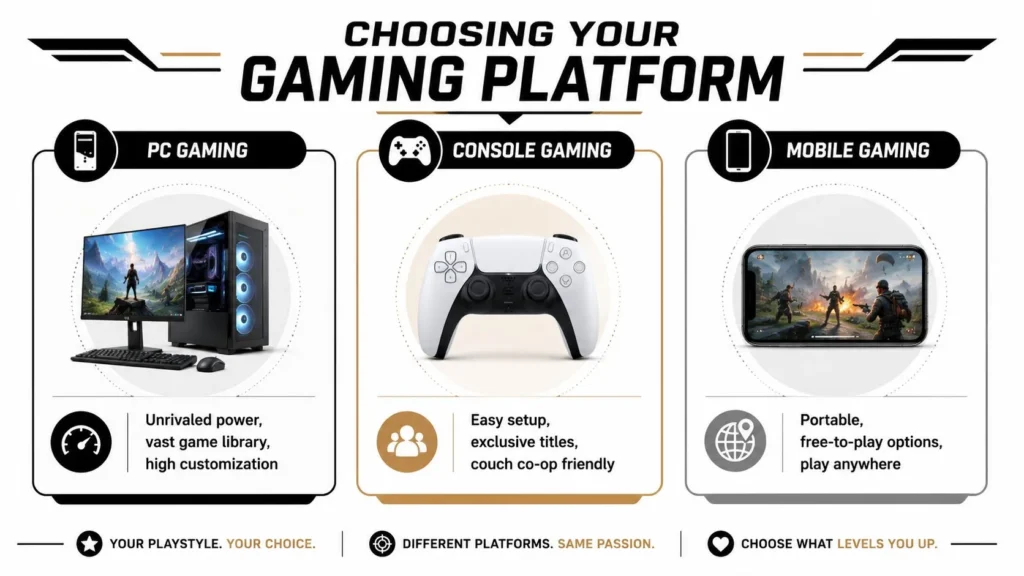
Console is usually the smoothest first step
If you want the least friction, a console is often the friendliest entry point. You plug it into a TV or monitor, sign in, download a game, and start playing. That simplicity is why consoles work well for people who don’t want to troubleshoot settings before they’ve even learned the controls.
Consoles also make local play easy. Passing a controller to a friend or playing side by side on a couch lowers the pressure. You can learn in a social setting instead of alone with a wall of menus.
Good fit for you if:
- You want simplicity and don’t care much about tweaking graphics or hardware.
- You like living room gaming on a TV.
- You want a controller-first experience from the beginning.
PC gives you range and flexibility
PC gaming is broad. You can play strategy games, indie games, shooters, simulations, role-playing games, and many genres that feel especially natural with mouse and keyboard. You also get flexibility in stores, settings, mods, and accessories.
The tradeoff is that PC asks a bit more from you. You may need to learn launchers, graphics settings, storage management, and the basics of how your machine handles games. None of that is impossible, but it can feel like extra homework if your goal is to play.
If you’re deciding between portable and stationary hardware, this breakdown from Steel City IT on Steel City IT’s laptop vs desktop review is useful because it explains the practical tradeoffs in plain language.
For inspiration after you’re set up, browsing a curated list of great PC games to try can help you avoid the “too many choices” trap.
Mobile is the easiest door in, but think ahead
Mobile deserves more respect than it gets. It’s the easiest platform to access, the cheapest way to sample lots of styles, and the one many people already have in their pocket. For short sessions, travel, or trying games without major commitment, it’s excellent.
There is one catch beginners should know early. 64% of new gamers globally begin on mobile devices, but touch controls don’t build the same finger dexterity as physical hardware, which can make later transitions to console or PC tougher according to this analysis of beginner platform transition challenges.
That doesn’t mean mobile is a bad start. It means you should treat it as either a home base or a stepping stone, not both by accident.
| Platform | Best for | Watch out for |
|---|---|---|
| Console | Easy setup, controller play, TV gaming | Smaller hardware flexibility |
| PC | Variety, customization, broad genre access | More setup and settings |
| Mobile | Fast access, portability, low-commitment trying | Harder transition to controller or keyboard later |
A quick visual walkthrough can also help if you’re still comparing styles of play.
A simple decision shortcut
Choose console if you want the fewest technical hurdles.
Choose PC if you enjoy flexibility and don’t mind a learning curve outside the games themselves.
Choose mobile if convenience matters most and you want to explore before investing more.
The best beginner platform is the one that gets you playing this week, not the one strangers argue about online.
Your Starter Kit Essential Hardware and Software
New players often overspend before they’ve even learned what they like. You don’t need to do that. A beginner setup should feel comfortable and reliable, not impressive.
The gear that actually matters
Start with the tool you’ll touch the most. On console, that’s your controller. On PC, it’s your mouse and keyboard or a controller if the game supports one well. Comfort matters more than flashy features because discomfort shows up fast when you’re still learning basic coordination.
A simple starter checklist looks like this:
- A comfortable input device. If your hands tense up after twenty minutes, the problem may be the fit, not your skill.
- A decent headset or earbuds. You want clear game audio and a microphone if you plan to play online.
- A screen you can sit in front of comfortably. Don’t underestimate distance, glare, or posture.
- Stable internet for downloads and multiplayer. Lag and disconnects can feel like personal failure when you’re new, even when they aren’t.
If your connection is inconsistent, this practical flawless online experience guide gives a solid non-technical overview of what helps gaming feel smoother.
The software side is simpler than it looks
Most modern gaming starts in a digital storefront. On PC, that might be Steam. On console, it’s the built-in store tied to your account. On mobile, it’s the app store you already use.
Your first job isn’t to understand every menu. It’s to do four boring but important things well:
- Create your account carefully
- Turn on security settings
- Add a payment method only if you want one
- Download one game, not five
That last point matters. Beginners often install a pile of games, bounce between them, and conclude they “can’t get into gaming.” In reality, they never stayed with one game long enough to get comfortable.
The smoothest beginner experience usually comes from reducing decisions, not adding options.
Spend cautiously at the start
It’s smart to begin with free-to-play games, demos, subscription libraries if your platform offers them, or low-cost titles on sale. You’re learning your taste as much as your skills.
If you do plan to buy hardware, accessories, or games during seasonal sales, keeping an eye on video game deal coverage can help you compare options without panic-buying.
Your first setup should answer one question only: can I play comfortably and consistently? If yes, you’re ready.
Learn the Moves and Speak the Language
The hardest early hurdle isn’t choosing a game. It’s feeling physically awkward while playing it. That’s where many beginners get discouraged.
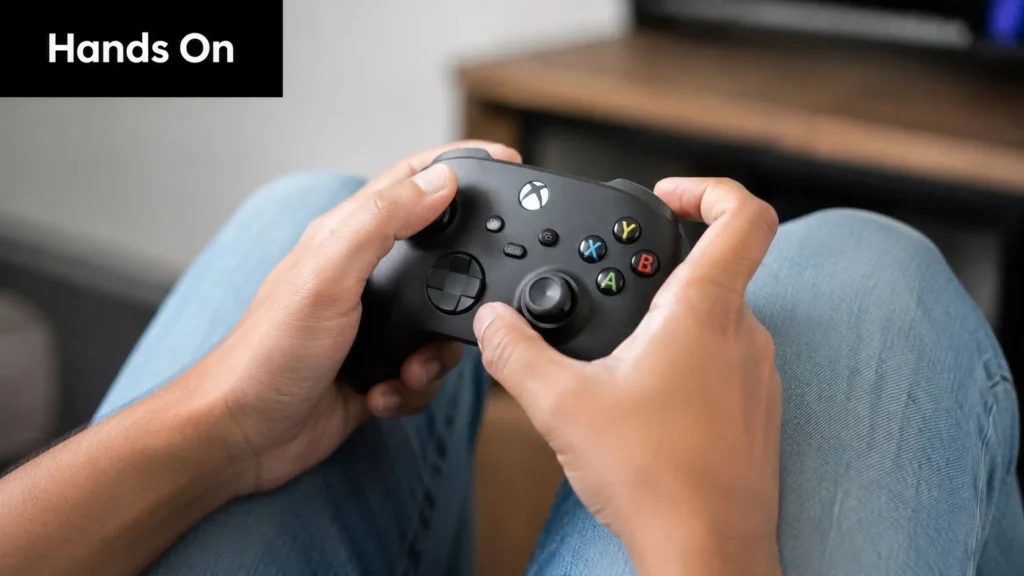
A key fact helps here. 78% of beginners quit a new game within the first month due to frustration with hand-eye coordination, not lack of interest, according to this beginner gaming guide focused on coordination frustration. If your hands feel slow or your camera control is messy, you’re in very normal territory.
Why your hands feel behind your brain
When experienced players move through a level smoothly, it can look effortless. It isn’t effortless. It’s automated. Their fingers no longer need conscious thought for each action.
As a beginner, you’re doing everything manually:
- looking at the screen
- finding the right button
- remembering what that button does
- deciding whether it’s the right time to press it
That delay is normal. Muscle memory takes repetition. Your awkward phase is not evidence of failure. It’s evidence that the learning process has started.
Don’t judge your potential by your first week of coordination.
The basic control schemes
On PC, many games use WASD for movement. That means:
- W moves forward
- A moves left
- S moves backward
- D moves right
The mouse usually controls the camera, aiming, or selecting objects.
On a controller, the left thumbstick usually moves your character while the right thumbstick controls the camera. Face buttons often handle jumping, interacting, or attacking. Shoulder buttons and triggers usually manage aiming, blocking, or extra actions.
The camera is where many beginners struggle most. If turning feels wild, lower the sensitivity in the settings. That small change can make your first week dramatically more manageable.
Let the tutorial do its job
Beginners often skip tutorials because they seem boring or obvious. That’s a mistake. Expert guidance indicates that players who give the first two hours of gameplay uninterrupted attention, including all tutorials and explanations, reach a much better starting point and are less likely to quit early, based on this expert discussion on beginner success habits.
Treat the tutorial like driving lessons, not a delay before the “real” game. It teaches:
- Movement basics
- Combat rhythm
- Menu navigation
- Objective tracking
- What success looks like in this specific game
A few words you’ll see everywhere
Gaming language gets easier when you translate it into ordinary speech.
| Term | Plain meaning |
|---|---|
| HUD | The on-screen info, like health, maps, ammo, or quest markers |
| HP | Health points. How much damage you can take |
| XP | Experience points. Progress toward leveling up |
| DPS | Damage per second. How much damage you deal over time |
| GG | “Good game.” A common sign-off after a match |
If you want a low-stakes example of how game systems explain goals, rewards, and progression, even reading about Minecraft achievements and how they guide play can make game language feel less mysterious.
The short version is simple. If you feel slow, confused, and a bit physically clumsy, you’re not doing gaming wrong. You’re doing beginner gaming exactly right.
Find Your First Adventure Starter Games by Genre
The question “what should I play first?” trips up almost every new player. Don’t start by chasing the most famous game. Start by matching the feeling you want.
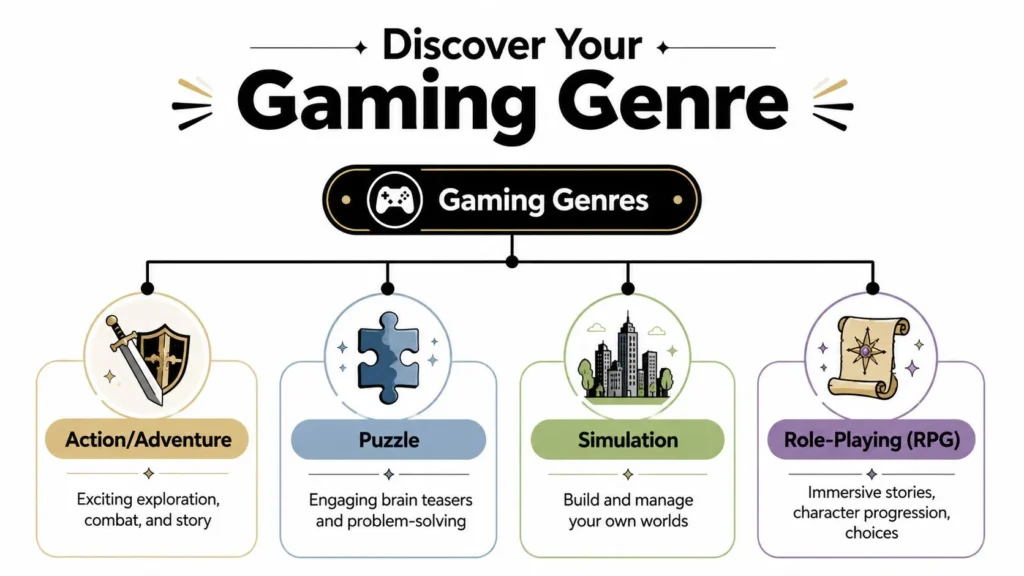
If you want calm and routine
Try a simulation or life-management game.
These games feel like tending, organizing, building, and slowly improving a space or a schedule. They’re good for beginners because they usually reward patience more than twitch speed.
Stardew Valley is a strong example. You plant crops, meet townspeople, fish, mine, and gradually shape your farm. The game gives you plenty to do, but rarely pressures you into fast reaction times. That makes it perfect if camera control and button confidence are still developing.
Other beginners also enjoy games in the broader “cozy” category because they let you learn movement and menus in a low-stress setting.
If you want clever problem-solving
Try a puzzle game.
Puzzle games are satisfying when you like short bursts of thinking, testing, and figuring things out. They help beginners because they teach interaction clearly. You do something, the game responds, and you learn the rule.
Portal 2 is one of the best examples of game teaching done well. It introduces mechanics one at a time, then asks you to combine them in smarter ways. You’re learning how games communicate ideas, not just how to press buttons.
A good first game doesn’t just entertain you. It teaches you how to learn games.
If you want story and exploration
Try an action-adventure game.
This genre is often the easiest bridge into gaming for people who like movies, TV, or novels. You move through a world, follow a story, solve light problems, and handle manageable combat.
Look for games known for clear objectives and forgiving pacing. You want moments of action, but also room to wander and understand the world. Games with map markers, hint systems, and adjustable difficulty settings tend to work well here.
If you want to become a character
Try an RPG, short for role-playing game.
RPGs are about growth. You build a character, improve abilities, collect gear, make choices, and watch your numbers and options expand. They appeal to beginners who enjoy long-term progress and don’t mind learning systems piece by piece.
The catch is that some RPGs throw a lot of menus at you early. If you start here, pick one with a gentle opening and clear quest guidance. You want your first RPG to feel inviting, not like tax paperwork in fantasy clothing.
A simple genre matching guide
- You want relaxation after work. Start with simulation.
- You enjoy brain teasers. Start with puzzle.
- You want a strong narrative. Start with action-adventure.
- You love character growth and loot. Start with an RPG.
You do not need to pick the “best” first game. You need a game whose pace matches your current confidence. That’s what keeps the learning curve enjoyable instead of exhausting.
The Unwritten Rules of Playing Online
Multiplayer gaming can be exciting, funny, chaotic, and occasionally exhausting. The good news is that online play gets much easier when you know the social basics before you jump in.
Good manners matter more than perfect skill
Most players don’t expect beginners to be amazing. They do notice whether you’re respectful.
A few habits go a long way:
- Say hello if voice or text chat is active. A simple greeting makes you seem cooperative.
- Play the objective. If the mode asks your team to capture, defend, escort, or survive together, do that.
- Own mistakes lightly. “My bad” works better than excuses.
- Say GG at the end if the mood fits.
You don’t need nonstop chatter. Clear, brief communication beats nervous rambling.
Protect your space
Online games are social spaces, but they don’t deserve unlimited access to your attention or personal life.
Keep these rules firm:
- Don’t share personal details like your address, school, workplace, or daily routine.
- Use privacy settings before you need them.
- Mute early if someone is abusive, disruptive, or making the match worse.
- Block and report when needed. Those tools exist to be used.
Your online experience improves fast when you treat mute, block, and report as normal housekeeping instead of dramatic last resorts.
Start online the smart way
Your first online sessions should not be your first exposure to the game. The smoother approach is to learn the basics first, then add other people. Earlier, I mentioned the expert advice about giving a game’s opening tutorial your full attention. That matters even more before multiplayer, because other players won’t slow down while you search for the reload button.
A good progression looks like this:
- Finish the tutorial
- Play a few solo or practice matches
- Enter casual modes before ranked ones
- Queue with a friend if possible
- Leave voice chat on mute until you feel ready
Find communities, not just matches
The healthiest gaming spaces often form around shared interest rather than raw competition. Look for beginner-friendly Discord servers, subreddit communities for a specific game, or casual groups that welcome questions. You’ll learn faster from people who enjoy helping than from random teammates who expect instant competence.
The unwritten rule underneath all the others is simple. You’re allowed to curate your online experience. Being new does not mean accepting bad behavior.
How to Actually Get Better Without Grinding for Hours
Improvement feels mysterious until you make it smaller. Most beginners don’t need more hours. They need better structure.
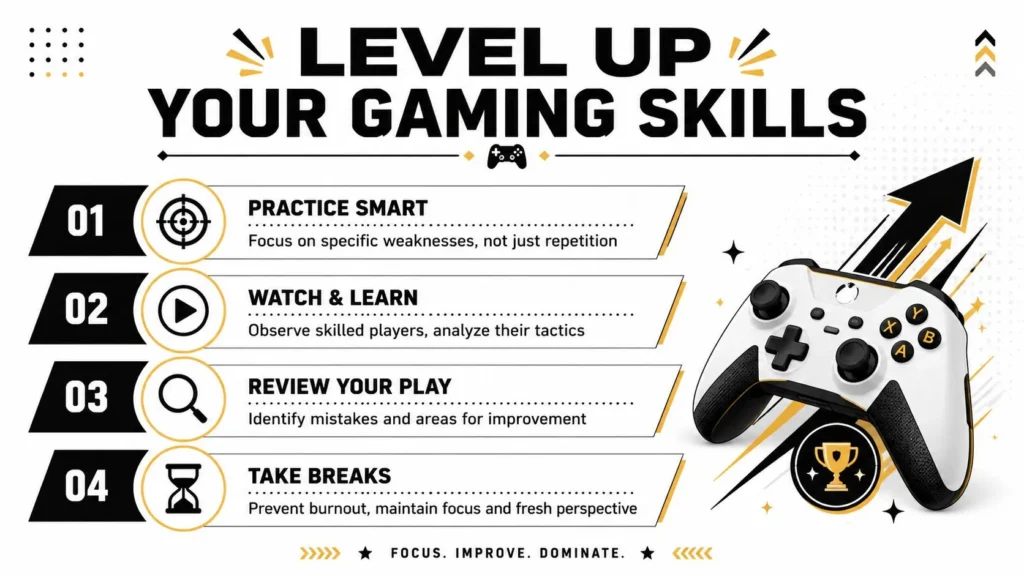
A proven method for skill growth is a 25-minute micro-routine: 5 minutes of movement drills, 10 minutes of core mechanic repetition, 5 minutes of scenario practice, and 5 minutes of a live run focused on one goal. Repeating that for 3 to 5 hours weekly supports steady improvement, according to this cross-genre beginner practice method.
What that looks like in real life
Try this in almost any game:
- Movement drills for 5 minutes. Move, turn the camera, jump, dodge, or strafe in an empty or low-pressure area.
- Core mechanic practice for 10 minutes. If it’s a shooter, practice aiming and reloading. If it’s a fighting game, repeat one combo. If it’s an action game, work on blocking or timing.
- Scenario practice for 5 minutes. Focus on one boss move, one map corner, or one repeated challenge.
- A live run for 5 minutes with one goal. Not “win.” Something smaller, like “don’t panic when enemies rush” or “keep the camera steady.”
This works because it reduces overload. Instead of trying to improve everything at once, you teach one layer at a time.
Small, repeatable practice beats long frustrated sessions almost every time.
If you remember one thing from this guide, remember this. Gaming for beginners gets easier when you stop asking, “Am I naturally good at this?” and start asking, “What tiny part can I practice today?”
If you enjoy approachable guides like this one, maxijournal.com publishes fresh writing across games, technology, entertainment, education, science, and more. It’s a good place to keep reading if you want practical, readable articles without the usual jargon wall.
Discover more from Maxi Journal
Subscribe to get the latest posts sent to your email.