It’s 10:15 a.m. You’ve answered six Slack messages, joined a “quick” call that ran 20 minutes long, and commented on a doc you barely had time to read. The work that moves the project forward is still waiting. I’ve seen this pattern across remote teams of every size. The problem usually isn’t effort. It’s the lack of clear operating rules.
Remote work is now standard practice for a large share of the workforce, as noted earlier. At that scale, remote work best practices are not personal productivity tips. They are team systems that decide how work gets done, where decisions live, and how people protect focused time without slowing down collaboration.
Strong remote teams make those choices on purpose. They set rules for response times. They define when chat is acceptable and when a project board or document is the better tool. They document decisions so progress does not depend on who happened to be online. They measure output and reliability instead of screen time.
This guide is built for that level of execution. Alongside the core practices, you’ll get working tools you can adapt right away: a sample Communication Charter, an Asynchronous Workflow Template, and a Daily Time-Blocking Schedule. These frameworks solve a specific problem. They turn vague advice into repeatable habits a team can use this week.
The goal is simple: build a remote operation that stays clear under pressure, supports real concentration, and remains fair to the people doing the work.
1. Establish a Dedicated Workspace
A dedicated workspace solves two problems at once. It improves concentration during work hours, and it gives your brain a clearer off-switch when the day ends.
If you have a spare room, use it. If you don’t, carve out a repeatable zone. A corner desk, a folding screen, a bookshelf divider, or even a lighting change can create enough separation to signal, “work takes place here.”
A simple setup goes a long way.

Writers often need one kind of environment. Quiet, notes within reach, a chair that won’t punish them after a long edit. Product managers or analysts may need a second monitor, a better webcam, and fast switching between documents and calls. The exact equipment varies, but the principle doesn’t. Don’t make your body and attention re-negotiate the workspace every morning.
What a workable setup includes
- A real chair: Back pain becomes a performance issue fast. A dining chair is fine for a week, not for a quarter.
- Visual separation: A room divider, plant, or shelf helps when the workspace sits inside a shared room.
- Reachable essentials: Keep notebooks, chargers, headphones, and frequently used documents nearby.
- Light and order: Natural light helps. So does a desk you can reset in two minutes.
Practical rule: Optimize for repeatability, not Instagram. The best workspace is the one you’ll reliably use and reliably leave.
One more point gets ignored too often. Home environments aren’t equal. Some people have quiet rooms and stable broadband. Others are working around caregiving, noise, and weak connectivity. Recent guidance on remote work best practices points to practical fixes like internet checks, central knowledge bases, and response-time norms, but it also highlights how often home access gaps get overlooked in policy design, as noted in this remote work best-practices discussion. Good teams design around that reality instead of pretending every home office looks the same.
If you want a quick setup walkthrough, this short video is a useful visual reference.
2. Implement Structured Communication Protocols
Most remote communication problems aren’t caused by bad intent. They come from channel confusion. A project update lands in chat, feedback sits in email, a deadline change happens on a call, and nobody knows which version is final.
That’s why structured communication beats “communicate more.” One practical benchmark from Quantum Workplace’s remote work guidance is to standardize channels by work type, define response-time expectations, and hold monthly or more frequent one-on-ones. That sounds basic. In practice, it removes a huge amount of drift.

A good remote team usually has a pattern like this: Slack or Microsoft Teams for quick coordination, email for formal communication, Google Docs for collaborative editing, and Asana, ClickUp, or Trello for task status. The mistake is letting all four become interchangeable.
Sample communication charter
Use this as a starting point and adjust it to fit your team:
- Project updates: Post them in the project management tool, not in chat.
- Quick questions: Use Slack or Teams, and write messages so they can be answered asynchronously.
- Feedback on work: Leave comments in the working document so the discussion stays attached to the artifact.
- Decisions: Summarize them in a shared doc or public channel with owner and due date.
- Urgent issues: Define what counts as urgent and which channel overrides normal async rules.
Put the rule where people work: “If it affects scope, deadline, or owner, document it in the project system.”
Editorial teams do this well when they organize channels by beat or desk, keep pitch discussion in one place, and reserve meetings for decisions that call for live debate. Teams do it badly when they use meetings to repeat what could’ve been a written update.
3. Set Clear Boundaries and Working Hours
It’s 6:42 p.m. A designer sends one “quick” Slack message, a manager replies from the couch, and by 8:00 the rest of the team is reading that exchange as the new normal. That is how remote teams drift into always-on work. The problem usually is not bad intent. It is missing rules.
Clear working hours give people two things at once: predictability for the team and breathing room for focused work. Teams across time zones do best when they define a small window for live collaboration, then treat the rest of the day as protected production time. As noted earlier, strong hybrid and remote teams want flexibility with structure, not vague availability.
A simple rule set works better than a long policy doc. I’ve seen teams reduce after-hours chatter fast once they write down who is online when, what counts as urgent, and how handoffs happen when shifts conclude. This section should connect directly to your communication rules and task system, especially if you already use a project management tool setup for startups to track owners and deadlines.
A boundary framework teams can actually use
Add these rules to your communication charter or employee handbook:
- Publish your working hours: Put them in your calendar, chat status, and team directory.
- Set core collaboration hours: Choose a shared window for meetings, approvals, and quick decisions.
- Define response expectations: For example, chat during core hours, project comments by next business day, email within 24 hours.
- Use a shutdown ritual: Update task status, note blockers, and write tomorrow’s first priority before logging off.
- Mute after-hours notifications: Use device settings so boundaries do not depend on self-control.
- Mark personal commitments visibly: School pickup, caregiving, exercise, and appointments should be blocked on the calendar and treated as real constraints.
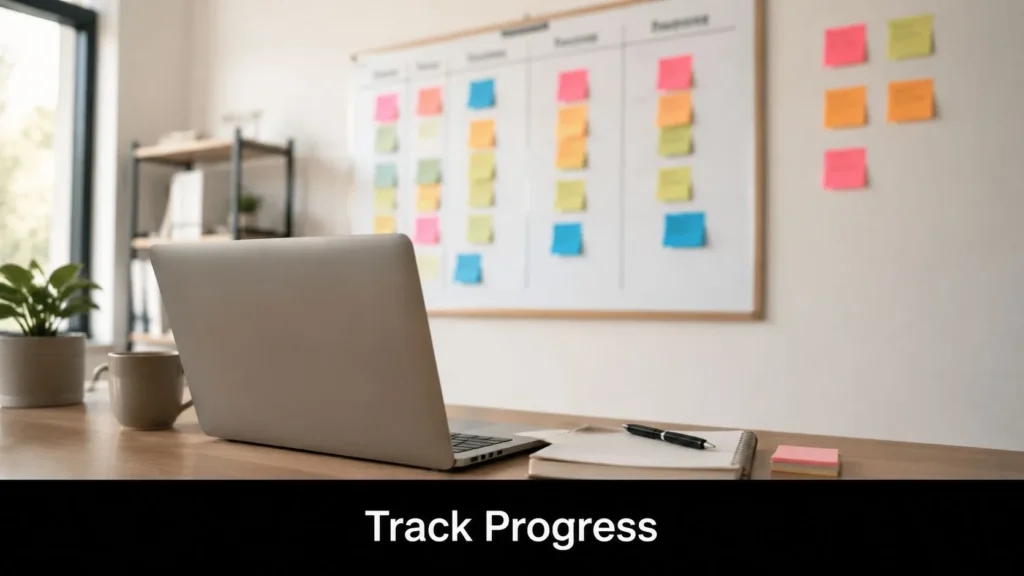
The trade-off is real. Flexibility helps people do better work around real life, but too much fragmentation creates slow handoffs, missed context, and shallow focus. Core hours solve part of that. Documented async expectations solve the rest.
A practical template looks like this: “Available for collaboration from 11 a.m. to 3 p.m. Eastern. Deep work from 9 a.m. to 11 a.m. and 3 p.m. to 5 p.m. Urgent issues by phone. Non-urgent requests go in the task system or team chat.” That level of specificity removes guesswork.
The same principle applies to tools. If your stack includes chat, calendars, and remote work apps for productivity, each one should support the boundary instead of eroding it. Status indicators, scheduled send, focus mode, and notification controls are small features that prevent large culture problems.
Good managers do not reward late replies. They reward clean handoffs, visible availability, and work delivered on schedule.
4. Leverage Project Management Tools
Remote teams need visibility, but not the fake kind. Activity feeds, status lights, and endless check-ins create motion without clarity. A project management tool gives everyone a shared view of work only if the board reflects reality.
For editorial and knowledge teams, the cleanest workflow is usually simple: pitch, assigned, in progress, draft submitted, editing, approved, scheduled, published. That single chain already removes a lot of “where does this stand?” noise. If you’re comparing systems, this guide to project management tools for startups is a useful starting point.
Build the workflow, then choose the tool
Different tools fit different teams. Asana works well when ownership and dependencies matter. Notion is flexible when your team wants docs and task tracking in one place. Trello is easy to adopt for smaller teams. Airtable is useful when content operations need structured fields and sortable views.
What matters more than brand choice is rule clarity:
- One item, one owner: Shared ownership usually means no ownership.
- Every task has a next state: Work shouldn’t sit in “in progress” because nobody defined what done means.
- Deadlines live in the board: Don’t keep real due dates trapped in chat.
- Comments stay attached to the task: Context dies when it’s scattered.

If your current stack feels bloated, a curated list of remote work apps for productivity can help you spot overlap. In my experience, remote teams don’t usually fail because they picked the wrong app. They fail because nobody agreed what information belongs in it.
5. Invest in Quality Technology and Internet Infrastructure
The missed client call usually starts with something small. A weak Wi-Fi signal. A laptop fan screaming under six open apps. A microphone that turns every sentence into static. By the time the meeting ends, nobody is talking about strategy. They are talking about whether the team can be trusted to execute remotely.
Remote work fails in very ordinary ways.
The fix is to treat home-office tech like part of your operating model, not a personal preference. Analysts at Statista show how widely video conferencing tools are used in the market through their video conferencing software market data. On a practical level, that means the tool itself is rarely the problem. The weak point is usually setup quality, backup planning, or inconsistent standards across the team.
Set a minimum equipment standard
Start with a baseline every team member can meet.
- Primary device: A laptop that can run video calls, docs, your project tools, and a full browser workload without lag.
- Audio: A reliable headset or external microphone. Clear audio matters more than camera quality in most meetings.
- Backup internet: A mobile hotspot or secondary connection for outages.
- Cloud storage: Google Drive, Dropbox, or OneDrive so files are accessible, versioned, and recoverable.
- Security: A password manager, multi-factor authentication, and automatic device updates.
If budget is tight, spend on audio first. Bad audio slows decisions, creates rework, and makes people sound less prepared than they are.
I have seen teams overspend on software and underinvest in the basics that keep work moving. A second monitor often improves output more than another subscription. A hotspot saves more important meetings than a premium webcam. Those are boring purchases. They also prevent avoidable failure.
Build for uneven conditions
Some employees have fiber internet and a quiet office. Others are working from shared spaces, unstable connections, or regions with weaker infrastructure. Good remote systems account for that difference upfront.
Your templates are essential. Your Communication Charter should define when video is expected, when audio-only is acceptable, and when a written update is the better format. Your Asynchronous Workflow Template should include recorded walkthroughs, written decisions, and file locations so work can continue even when someone misses a live call. Your Daily Time-Blocking Schedule should leave room for tech checks before high-stakes meetings, not just task time.
Clear standards beat heroic improvisation.
Before interviews, presentations, or client meetings, require a five-minute preflight check: camera, microphone, screen share, battery, and connection backup. That small checklist prevents the kind of preventable friction people often blame on remote work as a whole.
6. Schedule Regular Check-Ins and Feedback Sessions
It is Tuesday morning. A deadline is slipping, one teammate has gone quiet, and another is making the same decision twice because no one clarified ownership. That is what weak management cadence looks like in remote teams.
Regular check-ins prevent small issues from turning into missed handoffs, avoidable rework, and disengagement. They give managers a predictable place to spot risk early, coach performance, and hear what people will not post in a public channel.
This matters even more on teams splitting time between home and office. Gallup’s reporting on employee work preferences shows many remote-capable workers still prefer either hybrid or fully remote arrangements, which means managers are often leading across different working conditions, not one shared environment. See Gallup’s workplace preference reporting for the underlying data.
Make one-on-ones useful
A strong one-on-one covers the work behind the status update. Project tools already track tasks. Use the meeting to surface judgment calls, friction, and development needs.
A practical agenda:
- Top priority: What has to move this week?
- Blockers: What is stuck, unclear, or taking too long?
- Feedback: What should the employee keep doing, change, or stop?
- Support: What decision, resource, or introduction would help?
- Growth: What skill or responsibility should expand over the next month?
I have found one simple question gets better answers than a generic request for updates: What feels harder than it should be right now?
That question works because it gets past performance theater. People will often say they are “fine” while a handoff is failing, a stakeholder is creating churn, or a workload has subtly become unrealistic.
Use your templates here too. Add a one-on-one section to the Communication Charter so managers use the same cadence and agenda across the team. Add recurring blockers and decisions to the Asynchronous Workflow Template so issues raised in conversation do not disappear into private notes. If you include manager check-ins in the Daily Time-Blocking Schedule, they stop getting pushed aside by reactive work.
Keep the rhythm simple. Weekly works well for new hires, high-change projects, and employees carrying heavy cross-functional work. Every two weeks is often enough for stable roles with clear ownership. Skip the habit of dropping feedback into random direct messages. Important feedback needs context, a documented next step, and room for discussion.
7. Create Asynchronous Work Documentation
The biggest remote work upgrade for teams is documentation. Not more documents. Better ones.
When teams document decisions, process steps, ownership, and definitions of done, they stop depending on memory and meeting attendance. That’s what lets people work across time zones without being punished for not being online at the same moment.
A lot of public advice still stops at generic reminders to communicate clearly. More useful guidance goes further and argues that managers should replace activity tracking with outcome tracking, use clear deliverables, and evaluate work by output quality rather than presence signals, as discussed in Reclaim’s remote work best-practices analysis. That only works when the expected output is documented.
Asynchronous workflow template
Use this template for recurring work, whether it’s a content piece, product task, or client deliverable.
- Objective: What result is needed?
- Owner: Who is directly responsible?
- Inputs: What files, links, context, or prior decisions matter?
- Deliverable: What does finished work look like?
- Deadline: When is it due, and in which time zone?
- Review method: Who reviews it, where, and by when?
- Decision log: Where is the final call recorded?
Basecamp, Notion, Confluence, and GitBook all work for this if the team commits to using one central source of truth. The exact tool matters less than whether people trust it enough to check it before asking.
Documentation also reduces inequality inside hybrid teams. When decisions live in writing, the people who missed the hallway conversation or the live call aren’t working from stale information.
8. Foster Social Connection and Team Culture
Remote culture doesn’t emerge by accident. In an office, people pick up context through overheard conversations, lunch breaks, and small rituals. In distributed teams, leaders have to create those touchpoints on purpose.
That doesn’t mean forcing fun. People can smell mandatory cheerfulness immediately. It means building light, repeatable ways for teammates to know each other and recognize good work.
If you’re shaping this at the team level, these employee engagement strategies are worth adapting to remote settings rather than copying office-first habits.
What works better than forced bonding
- Interest channels: Pets, music, sports, books, games, or local-city threads give people low-pressure ways to connect.
- Public recognition: Celebrate launches, strong edits, smooth handoffs, and behind-the-scenes work.
- Optional coffee chats: Pair people across functions who wouldn’t normally collaborate.
- Skill-sharing sessions: Short internal workshops often feel more useful than generic social events.
A separate perspective on engagement comes from HubEngage’s remote workforce advice. The main lesson I’d underline is simple: culture becomes visible through repeated behaviors, not value statements.
One practical trade-off shows up here. Social connection is important, but it can become another layer of obligation if every team event eats into focus time. Keep most rituals short, optional when appropriate, and clearly distinct from performance expectations.
9. Implement Time-Blocking and Distraction Management Techniques
At 9:12, a teammate pings for a quick answer. At 9:18, email pulls you into an approval request. By 9:40, the work you planned to finish before lunch has turned into three partial starts and no real progress. That pattern is one of the fastest ways remote teams lose output without noticing it.
Time-blocking fixes a specific problem. It gives focused work a place on the calendar before meetings, chat, and inbox traffic consume the day. I’ve seen teams improve delivery speed with no new tools at all, just by agreeing on protected focus windows and making response expectations explicit in their communication charter.
A daily time-blocking schedule
Use this as a starting template, then adjust it to your role, energy pattern, and team coverage hours:
- 8:30 to 9:00: Planning, inbox triage, project board review
- 9:00 to 11:00: Deep work block for drafting, analysis, coding, or research
- 11:00 to 11:30: Messages and lightweight coordination
- 11:30 to 12:30: Second focus block
- 1:30 to 3:00: Meetings, reviews, collaborative work
- 3:00 to 4:00: Admin, follow-ups, documentation
- 4:00 to 4:20: Daily wrap-up and next-day setup
The exact hours matter less than the design. Put high-concentration work where your energy is strongest. Batch communication into defined windows. Reserve meetings for decisions, conflict resolution, and work that benefits from live discussion.
Remote and hybrid workers consistently say they want flexibility, but flexibility without structure usually turns into constant partial attention. The practical answer is not stricter surveillance. It is a clear operating system for the day.
A simple team rule helps: during focus blocks, responses can wait unless something is blocking another person’s work.
That only works if people know what “blocking” means. Add it to your async workflow template. For example: “Use chat for urgent issues that stop progress today. Use comments in the project tool for everything else. Expect replies to non-urgent messages in the next scheduled communication window.” Teams that write these rules down avoid the quiet pressure to be always available.
Individual habits matter too:
- Silence notifications during focus blocks
- Turn on Do Not Disturb with a visible status
- Keep only the documents needed for the current task open
- Batch email and chat instead of checking continuously
- End the day by setting the first task for tomorrow
Distraction management is not about squeezing every minute for output. It is about reducing unnecessary context switching so good work finishes faster and with fewer errors. If your team is also seeing attention fatigue or blurred workdays, these mental health self-care tips for remote workers pair well with a time-blocked schedule.
10. Prioritize Mental Health and Wellness Support
It is 6:30 p.m., Slack is still active, and a team member sends “quick question” messages because they do not want to lose momentum before tomorrow. That pattern looks harmless in isolation. Repeated across a week, it turns remote flexibility into low-grade exhaustion.
The fix starts in the operating system, not in a wellness slogan. Teams do better when mental health support is built into the way work is assigned, reviewed, and paused. That includes realistic deadlines, clear backup coverage, fewer unnecessary meetings, and manager habits that catch strain early.
I have seen the same failure point on many remote teams. A high performer becomes the default responder, covers gaps, and keeps saying yes because nobody has defined capacity clearly. By the time the issue is visible, the person is already depleted and the rest of the team has learned the wrong lesson about availability.
Support that shows up in daily work
Start with a few policies people can follow:
- Review workload in 1:1s: Ask what can be removed, delayed, or reassigned, not just what is on track.
- Track capacity openly: Use your project board to show who is at full load before assigning more work.
- Make time off easy to use: Set coverage plans in advance so vacations do not create a backlog penalty.
- Name recovery time as part of good performance: Breaks, lunch away from the screen, and meeting-free focus time protect output quality.
- Train managers to spot behavior changes: Slower decisions, unusual irritability, or constant after-hours replies often signal overload before someone says it directly.
Remote work is now standard enough that wellness cannot sit outside team operations. It belongs inside your communication charter, your async workflow template, and your staffing decisions. If your charter defines response windows and your workflow template clarifies what is urgent, people spend less time in a constant state of alert.
For individual routines, practical habits still matter. These mental health self-care tips for remote workers work best when the team environment supports them, instead of undermining them.
One more point matters here. Burnout on remote teams often comes from ambiguity as much as workload. People stay mentally on when priorities shift without warning, ownership is unclear, or every message feels urgent. Cleaner systems reduce that strain. That makes mental health support a management practice, not an optional perk.
Top 10 Remote Work Best Practices Comparison
A comparison table helps when a team needs to choose what to implement first, not just collect ideas. I use this kind of view to make trade-offs visible: what takes a week to set up, what needs budget approval, and what will change daily execution fastest. It also pairs well with the practical assets in this article, including the Communication Charter, the Asynchronous Workflow Template, and the Daily Time-Blocking Schedule.
| Item | Implementation complexity | Resource requirements | Expected outcomes | Ideal use cases | Key advantages |
|---|---|---|---|---|---|
| Establish a Dedicated Workspace | Low to medium: physical setup, ergonomic adjustments, and a few routine changes | Desk, chair, lighting, headset, minor equipment spend | Better focus, cleaner separation between work and home, fewer preventable interruptions | Writers, editors, analysts, video calls, focused individual work | Improves concentration and call quality |
| Implement Structured Communication Protocols | Medium: policy drafting, team rollout, and reinforcement by managers | Chat and video tools, shared documentation, training time | Clearer handoffs, fewer missed updates, less channel confusion | Distributed teams, cross-functional work, time zone overlap challenges | Reduces noise and clarifies accountability |
| Set Clear Boundaries and Working Hours | Low: requires calendar discipline and team agreement | Shared calendars, status settings, response-time norms | More predictable availability, less after-hours spillover, steadier workload pacing | Flexible teams, global teams, roles with uneven meeting demand | Protects focus time and makes scheduling easier |
| Use Project Management Tools | Medium: tool selection, onboarding, board setup, and template design | Project management software, integrations, admin ownership, training | Centralized task tracking, clearer priorities, fewer status-chasing messages | Editorial calendars, marketing teams, product and operations workflows | Creates visibility and standardizes execution |
| Invest in Quality Technology and Internet Infrastructure | Medium: purchasing, setup, testing, and ongoing maintenance | Reliable internet, backup connection, current hardware, webcam, microphone | Fewer technical failures, better meeting experience, stronger output quality | Video-heavy roles, customer-facing work, live collaboration, media production | Cuts avoidable downtime and supports professional delivery |
| Schedule Regular Check-Ins and Feedback Sessions | Low to medium: recurring cadence, agendas, and manager follow-through | Meeting time, notes, manager preparation | Faster issue detection, better alignment, stronger coaching | New hires, mentorship, performance management, fast-moving teams | Surfaces blockers early and improves development |
| Create Asynchronous Work Documentation | High: front-loaded effort to document decisions, workflows, and standards | Documentation platform, contributor time, review ownership | Smoother onboarding, more consistent output, less dependence on meetings | Distributed teams, repeated processes, teams with limited overlap hours | Preserves knowledge and supports independent work |
| Foster Social Connection and Team Culture | Medium: ongoing planning and active participation from managers and team leads | Time, facilitation, small event budget, intentional rituals | Higher trust, better morale, stronger retention | Fully remote teams, creative teams, teams that rarely meet in person | Strengthens working relationships and collaboration |
| Implement Time-Blocking and Distraction Management Techniques | Low: individual habit change plus support from team norms | Calendar tools, notification settings, focus routines | More deep work, better output quality, fewer context switches | Research, drafting, analysis, design, any role needing uninterrupted blocks | Protects concentration and improves throughput |
| Prioritize Mental Health and Wellness Support | Medium: policy design, manager training, and budget decisions | Counseling access, leave policies, wellness support, manager enablement | Lower burnout risk, steadier performance, better retention | High-pressure teams, emotionally demanding work, sustained deadline environments | Supports long-term productivity and staff stability |
This table is most useful as a sequencing tool. A small team might start with structured communication, time-blocking, and async documentation because those three changes improve execution without much spend. A larger team dealing with missed handoffs or tool sprawl may get better returns by standardizing project management and formalizing a communication charter first.
Building Your Remote Work Playbook
Monday starts with a missed handoff. Product left feedback in chat, design updated the file without noting the change, and engineering joined standup with three different versions of the same decision. By noon, the team has worked hard and still lost time. That is the point where remote work needs a playbook, not another reminder to “communicate better.”
A workable playbook turns good intentions into repeatable team behavior. Start with the problem that creates friction every week. If decisions disappear, write a communication charter. If people spend the day answering pings and still miss deadlines, set response windows and protect focus blocks. If work stalls when one person logs off, document the workflow, the handoff point, and the expected output.
Treat this as operating design. As noted earlier, remote work is established enough to reward disciplined management, but productivity gains come from systems, not from distance alone. Teams get better results when they define where work happens, how updates are shared, who approves what, and where final decisions are stored.
I have seen the same pattern across strong remote teams. They stop rewarding visibility and start rewarding clarity. A teammate should not need to stay active in chat to prove progress. The standard should be simple: clear owner, clear deadline, clear artifact, clear next step. That helps experienced staff move faster and gives new hires a reliable map from day one. It also makes life easier for HR teams onboarding remote staff, because expectations live in documents instead of in manager memory.
Build the playbook around three documents your team can start using this week.
First, a communication charter. Map each channel to a purpose, define expected response times, and state what belongs in chat versus a project tool versus a meeting. For example, urgent blockers go to chat, project updates go in the task system, and decisions go in a shared document with an owner and date.
Second, an asynchronous workflow template. Include the task owner, deliverable, deadline, dependencies, review method, and handoff rule. Here, the article’s templates prove their value. A good async template removes guesswork and cuts status meetings because the work already explains itself.
Third, a daily or weekly time-blocking schedule. Reserve focus time before the calendar fills up, protect overlap hours for collaboration, and leave space for admin work that otherwise spreads across the whole day. The goal is not a perfect calendar. The goal is a schedule people can keep.
A remote playbook should be short enough to use and specific enough to settle common disputes. If a rule does not change behavior, rewrite it. If a template saves time, make it the default.
Remote work succeeds when the operating system is visible. The teams that handle distance well do not copy the office onto a screen. They document decisions, reduce avoidable interruptions, and give people a clear way to execute without waiting for permission.
If you want more practical guides on work, productivity, technology, health, and modern team habits, explore maxijournal.com. It’s a smart place to find approachable commentary, fresh daily writing, and useful ideas you can apply right away, whether you’re leading a distributed team or contributing as a remote professional.
Discover more from Maxi Journal
Subscribe to get the latest posts sent to your email.