If you want to improve your operational efficiency, you need a simple game plan: diagnose your processes, define clear goals, and hunt down waste. It’s about ditching guesswork for a methodical approach to find and fix the hidden costs, delays, and extra steps holding your business back.
A Practical Blueprint for Smarter Operations
Stale processes and hidden costs are silent killers of both productivity and profit. Most leaders feel the pain of inefficiency—blown deadlines, bloated budgets, and frustrated teams—but they get stuck on where to even start.
The good news? The path to a leaner, more effective operation doesn’t begin with a massive software investment or a complete organizational teardown. It starts with one simple thing: measurement.
Before you can improve anything, you have to define what “efficient” actually looks like for your business. Vague goals like “work faster” or “cut costs” are basically useless. You need to lock in specific Key Performance Indicators (KPIs) to be your guide.
Setting Your Performance Benchmarks
Think of KPIs as a diagnostic tool for your company’s operational health. They turn abstract feelings like “things feel slow” into concrete, measurable problems you can actually solve. For instance, instead of a vague goal to “improve customer service,” you’d track a specific KPI like Average Ticket Resolution Time.
When you’re starting out, try focusing your KPIs on these three core areas:
- Cost Efficiency: Look at metrics like Cost Per Unit, Cost of Goods Sold (COGS), or departmental budget variance. This is how you find exactly where your money is going.
- Time Efficiency: Track things like Order Fulfillment Time, Production Cycle Time, or Time-to-Market for new products. These metrics shine a bright light on bottlenecks and delays.
- Quality & Error Reduction: Monitor your Defect Rate, Customer Complaint Frequency, or Rework Percentage. Poor quality is a massive resource drain, as fixing mistakes always costs more time and money.
To get started, it’s helpful to organize these initial actions into a clear table. This framework ensures you’re moving from high-level goals to concrete, measurable actions right from the beginning.
Initial Steps to Operational Efficiency
| Action | Objective | Example Metric |
|---|---|---|
| Define Business Goals | Align efficiency efforts with strategic priorities. | Increase profit margin by 5% this year. |
| Select Key KPIs | Translate goals into measurable performance indicators. | Reduce Cost of Goods Sold (COGS). |
| Establish Baselines | Create a “before” picture to measure progress against. | Current COGS is 45% of revenue. |
| Set Improvement Targets | Define what success looks like in a specific, measurable way. | Target COGS of 42% within six months. |
This table serves as your starting point. By working through these steps, you build a solid foundation for all the process improvements that follow.
Establishing these benchmarks gives you a clear “before” picture to measure against. It’s a critical first step. A 2017 study found that improving efficiency is a top priority for companies in competitive markets, with 74% of professionals seeing the automation of manual tasks as their biggest opportunity.
The real goal here is to automate and clean up routine tasks. This frees up your team to focus on high-value work instead of getting bogged down in administrative chores that kill momentum and drive up costs.
Once you have your KPIs, the next step is to examine your processes using proven ideas from methodologies like Lean and Six Sigma. You don’t need a black belt to apply the core principle, which is incredibly simple: find and eliminate “waste.”
Waste is anything that doesn’t add value for the customer. Think waiting for approvals, redundant data entry, or fixing errors. This mindset is the key to finding your biggest improvement opportunities.
Map Your Processes to Uncover Hidden Waste
You can’t fix what you can’t see. Before you can make anything more efficient, you have to get an honest look at what’s actually happening on the ground. This is where process mapping comes in.
It’s not about creating overly complicated charts. It’s about getting your team in a room to visualize, step-by-step, how work really gets done—from the first trigger to the final result. Think of it as the diagnostic stage, laying the groundwork for smart, effective changes.
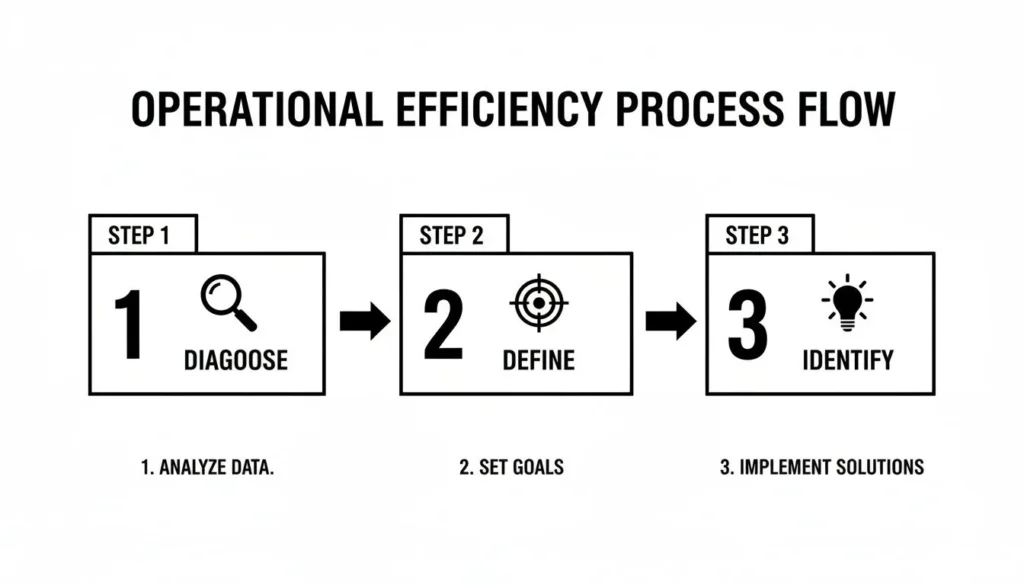
This cycle is the heart of any successful efficiency project. You diagnose the problems, define what success looks like, and identify the specific opportunities for improvement. It keeps your actions deliberate and grounded in reality.
Starting Your First Process Map
My advice? Don’t try to boil the ocean. Pick one specific, tangible process to start with. Trying to map the entire company at once is a recipe for disaster.
Choose a workflow that’s either a known headache or is absolutely critical to your customers.
Good starting points could be:
- Customer order fulfillment: From the second a customer clicks “buy” to the moment the package arrives at their door.
- New employee onboarding: From when a candidate accepts an offer to the end of their first productive week.
- Content creation workflow: From the initial idea for an article to hitting “publish.”
Get the people who actually do the work involved. Their hands-on knowledge is pure gold. Use a whiteboard, a wall of sticky notes, or a simple digital tool like Miro to sketch out every single action, decision, and handoff. The goal here is to create an honest “as-is” map, warts and all.
Spotting the Seven Types of Waste
As you map the current state, you’ll immediately start to see the cracks. In Lean methodology, these are called “waste”—any activity that eats up resources but adds zero value for the customer. Learning to spot them is the key to knowing how to improve operational efficiency.
These are the seven classic forms of waste, translated for today’s business environment:
- Waiting: Time spent stalled, waiting for the next step. It could be a designer waiting for a manager’s approval on a mockup or a developer stuck waiting on a code review.
- Overproduction: Making more of something than is needed right now. Think of batching weekly reports that nobody reads or building out software features that customers never asked for.
- Transportation: The unnecessary movement of information or materials. In an office, this is the classic “emailing a file back and forth for edits” instead of using a shared, collaborative document.
- Inventory: Excess stuff tying up capital. This isn’t just physical products. It’s a server clogged with outdated project files or a stockroom full of last year’s promotional swag.
- Motion: Pointless movement by people. This can be as digital as navigating a convoluted server folder structure to find one file or as physical as walking across the building for a signature.
- Over-processing: Doing more work than is required to get the job done. This includes re-entering the same customer data into three different systems or creating ridiculously detailed reports that don’t actually help anyone make a decision.
- Defects: Any error that has to be fixed. This is the most obvious waste, from software bugs needing an emergency patch to a typo in a marketing campaign that forces a reprint. Fixing a mistake always costs more than getting it right the first time.
I once worked with a marketing team that mapped their reporting process. They were shocked to find that 30% of their time was spent manually exporting data from three platforms and pasting it into a spreadsheet. The culprits? Over-processing and Motion.
By highlighting these wastes on your map, you’re not pointing fingers. You’re uncovering opportunities. Once you know exactly where the bottlenecks, redundant steps, and time-sinks are, you can start designing a better way forward—your “future state” map. This becomes your practical guide for making changes that actually move the needle.
Put Technology and Automation to Work
After you’ve mapped your processes and pinpointed the waste, it’s time to bring in your secret weapon: technology. Think of strategic automation not as a way to replace your team, but to free them from the repetitive, low-impact tasks that drain their energy. This is where you can make some serious gains in operational efficiency.
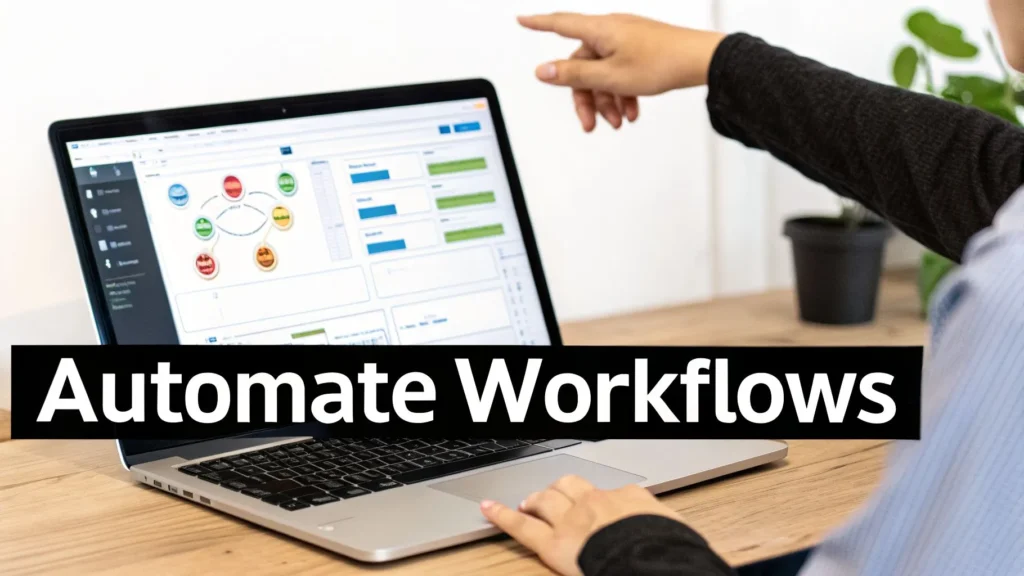
The idea is to zero in on the bottlenecks and redundant steps you found during your process mapping. By automating these specific friction points, you can see dramatic improvements in speed and accuracy without needing a huge upfront budget.
Automation Is More Accessible Than Ever
For a long time, automation felt like a complex, costly project only huge corporations could afford. That’s just not true anymore. The game has changed, thanks to the rise of low-code and no-code platforms.
These tools put the power of automation directly into the hands of the people who know the work best—your operational teams. They can build their own automated workflows with simple drag-and-drop tools, no coding required. This means they can solve their own problems without getting stuck in a long IT ticket queue.
Some of the best first targets for this kind of automation are:
- Data Entry: Think about automatically moving customer info from a web form straight into your CRM. No more copy-pasting.
- Report Generation: Set up daily or weekly reports that pull data from all the right places and land in the right inboxes on schedule.
- Approval Workflows: Digitize your approval chains. Documents can move from one person to the next automatically, with built-in reminders to keep things moving.
Getting a handle on these tools is becoming essential. Automating manual data entry can cut processing time by as much as 70%. It also drastically reduces human error, which typically runs between 10-20% on manual tasks, bringing it down to nearly zero.
Start Smart with High-Impact Projects
The best way to get started with automation is to aim for quick wins. Don’t try to boil the ocean and automate everything at once. Instead, pick your first projects based on their potential return on investment (ROI).
Look for tasks that are:
- Highly Repetitive: Things done the same way over and over, every single day.
- Prone to Human Error: Jobs where one small slip-up can create a cascade of problems.
- Time-Consuming: The kind of work that ties up your best people for hours.
Accounts payable is a classic example. Manually processing invoices means someone has to open emails, type data into the accounting software, match it to a PO, and then chase down approvals. Every step is an opportunity for delays and mistakes.
By automating this workflow, you can shrink invoice processing time from days down to minutes. The system can pull the data, validate it, and only flag the exceptions that need a human eye, freeing up your finance team for more valuable analysis.
This kind of project delivers a fast, visible win. It proves the value of automation to the whole company and builds the momentum you need for bigger initiatives. Keeping these projects organized is also crucial; using the right project management tools for startups can help you stay on track and deliver results much faster.
Don’t Automate a Bad Process
Here’s a golden rule you can’t ignore: clean up your process before you automate it.
If you just digitize a messy, inefficient process, you haven’t solved anything. All you’ve done is made the chaos happen faster. You’re just cementing the very waste you wanted to get rid of.
Before you roll out any new tool, go back to your process map and ask, “Can we simplify this? Can we just get rid of this step?” You’ll often find that certain tasks or approvals are just leftovers from an old way of doing things and serve no real purpose anymore.
By streamlining the process first, you make sure your technology investment pays off. You build a lean, effective workflow that automation can then execute perfectly, giving your operations a real competitive edge.
Put AI to Work for Predictive and Proactive Operations
If you really want to move the needle on efficiency, you have to look beyond basic automation. The real game-changer is Artificial Intelligence. AI, and especially generative AI, is helping businesses flip the script from a reactive “fix-it-when-it-breaks” mindset to a much smarter, proactive one. It’s all about spotting trouble before it starts and using resources with an intelligence that a human just can’t match.
This isn’t some far-off future concept; it’s a strategic priority happening right now. Generative AI is quickly becoming the main event in operations meetings. It allows companies to see around corners, predicting bottlenecks and shifting resources by digging into historical data.
In fact, a 2026 PwC Digital Trends Survey of 610 operations leaders found that 59% are already using AI. A massive 98% of them reported it was highly effective for boosting productivity and keeping costs in check. For the complete picture, you can check out the full McKinsey analysis of 2026 operations insights.
Shift From Reaction to Prediction
The real magic of AI in an operational setting is its ability to find the signal in the noise. By continuously sifting through data streams from your equipment, supply chain, and customer interactions, AI models figure out what “normal” operations look like. More importantly, they learn to spot the tiny red flags that pop up right before a major problem.
This opens the door to some seriously high-impact improvements:
- Predictive Maintenance: Instead of servicing equipment on a fixed schedule (which is either too often or too late), AI can pinpoint the perfect time for a tune-up. It analyzes data like vibration, temperature, and output to flag a machine that’s about to fail, preventing expensive, unplanned downtime.
- Demand Forecasting: If you’re in retail or e-commerce, AI can look at past sales, market trends, web traffic, and even weather patterns to build incredibly accurate sales forecasts. This is how you stop losing sales to stockouts and stop wasting money on over-stocking.
- Supply Chain Disruption: AI systems can monitor global logistics, port activity, and supplier data to warn you about a potential delay on a critical component. This gives you precious time to find another supplier or tweak production schedules before the entire line grinds to a halt.
I once worked with a logistics company that rolled out an AI model to predict delivery delays. By analyzing traffic, vehicle data, and weather, the system could proactively text customers about a potential late arrival. It turned what would have been a bad experience into a moment of transparent, trusted communication.
Make AI Accessible and Actionable
The idea of implementing “Artificial Intelligence” can feel overwhelming, bringing to mind huge, bank-breaking projects. But the secret to getting it right is to start small and stay focused. Don’t try to “boil the ocean” by applying AI everywhere at once.
Instead, pick one or two specific areas where you have good, clean data and a clear problem to solve. A great first project is often one that helps your team make better decisions, rather than trying to achieve full automation from day one. For instance, you could build a system that scans customer support tickets and suggests the most likely solution to your agents, cutting down resolution times.
Augmenting Your Team, Not Replacing It
The point of bringing AI into your operations isn’t to build a “lights-out” factory run entirely by robots. It’s to give your team superpowers. AI can process and analyze data on a scale and at a speed that is simply impossible for a person. For a better sense of how these systems think, check out our guide on what is machine learning.
AI delivers real-time insights that empower your people to make smarter, faster choices. An operations manager can get a dashboard alert that an AI model has spotted an emerging production bottleneck, complete with three recommended fixes based on what’s worked in the past. This elevates your team from just gathering data to making strategic decisions—and that’s the real key to long-term operational excellence.
Empower Your People for Sustainable Change
You can pour money into the latest tech and automation, but that’s only half the job. Real, lasting operational efficiency comes from the people who actually use those tools every day.
A team that feels left out of the loop will resist, create workarounds, and ultimately torpedo your entire investment. But an empowered team? They’ll become your biggest champions for change.

The human side of the equation is where efficiency projects either fly or fail. It’s never enough to just roll out a new system. You have to bring your people on the journey with you, and that means smart change management focused on communication, skill-building, and making improvement part of everyone’s job.
Communicate the Why, Not Just the What
Most resistance to change isn’t malicious—it’s driven by uncertainty. When you introduce a new process, the first things your team will wonder are, “Why are we doing this?” and “How does this affect my job?”
If you don’t have good answers, fear and rumors will fill the silence.
- Connect to Their Pain Points: Frame the change around frustrations they already have. Try something like, “We’re bringing in this new tool because we know everyone dreads spending hours pulling manual reports on a Friday. This will give you that time back.”
- Show the Big Picture: Explain how this makes the company stronger. It’s not just about pinching pennies; it’s about staying competitive, which means better job security and new opportunities for everyone.
- Be Radically Honest: Get right to the “what’s in it for me?” question. Show them how the change will make their work less boring, more meaningful, or give them a chance to learn valuable new skills.
This level of communication starts at the top. Investing in your team’s leadership skills for managers is one of the best ways to prepare your entire organization for a major operational shift.
Invest in Upskilling and Training
Don’t be the boss who dumps new software on a team with a one-hour webinar and then wonders why nobody uses it. That’s a classic recipe for failure. If you want to get real value from your new tools, you need to invest in making your people experts.
This means providing real, ongoing training that goes beyond just clicking buttons. Give them the space to learn, play around with the new system, and discover for themselves how it makes their work better. This proves you’re invested in their growth, not just in automating their old tasks away.
The data backs this up. The 2026 Survey of Business Leaders on hlb.global found that while half of business leaders are increasing automation, the highest-performing companies are doing something more. Those with over 5% margin growth are 1.3 times more likely to have highly engaged teams because they are actively investing in learning and development.
Build a Culture of Continuous Improvement
Ultimately, you want to get to a place where improving efficiency isn’t just a project—it’s the way you do business. This happens when every single employee feels empowered to spot a problem and suggest a better way, without fear of being shot down.
You want to move from a culture where people say, “That’s not my job,” to one where they ask, “How can we make this better?” This cultural shift is the foundation of sustainable operational excellence.
Here are a few ways to get there:
- Create a Formal Feedback Loop: Give people a simple, clear way to submit ideas for improving processes.
- Recognize and Reward Ideas: When an employee spots a bottleneck or suggests a change that works, celebrate it publicly. This encourages everyone else to do the same.
- Empower Small Experiments: Let teams test out small changes on their own. Not every idea will be a home run, and that’s perfectly fine.
When you combine great digital tools with a real investment in your people, you kickstart a powerful cycle. Better tools make work more engaging, and engaged people find smarter ways to use those tools. That’s how you win at operational efficiency for the long haul.
Measure, Iterate, and Cultivate Continuous Improvement
Getting your operations in better shape isn’t a one-and-done project. It’s a constant process. Your first wins are just the starting point; the real goal is to build a culture where getting better is just how things are done.
This is where you close the loop. You take the data from your new processes and use it to power the next round of improvements. Real, lasting change happens when you create a system to measure, tweak, and encourage a mindset of always looking for a better way.
Build Your Performance Dashboard
You can’t make smart decisions in the dark. This means going back to the Key Performance Indicators (KPIs) you defined earlier and putting them on display for everyone to see. A good performance dashboard is your command center for operational health.
This dashboard shouldn’t be some clunky spreadsheet nobody ever opens. It needs to be a live, visual tool that shows your most critical metrics at a glance. Tools like Tableau, Power BI, or even a well-built Google Data Studio report can pull real-time information directly from your systems.
Your dashboard needs to track the metrics that actually tell you something useful:
- Order Fulfillment Time: Is the number staying low, getting better, or slowly creeping back up?
- Cost Per Unit: Did that automation project actually bring down costs like you thought it would?
- Error Rates: Have the new process changes successfully reduced mistakes and the need for rework?
When you monitor these KPIs every day or week, you can catch bad trends before they snowball into big problems and put more resources behind what’s clearly working.
Continuous improvement isn’t about giant, dramatic changes. It’s about finding small, incremental wins every single day. Over time, those little adjustments add up to a massive competitive advantage.
Embrace the PDCA Cycle for Iteration
When your dashboard flags a problem or an opportunity, you need a simple framework to figure out what to do next. The Plan-Do-Check-Act (PDCA) cycle is a straightforward, battle-tested method for structured problem-solving. It stops you from making knee-jerk changes based on a gut feeling that could actually make things worse.
Here’s what that looks like in the real world:
- Plan: You spot an opportunity on your dashboard and form a hypothesis. For example, “We think we can cut invoice processing time by 15% if we create a standardized approval template.”
- Do: You roll out the change on a small scale. Try the new template with just one department or a single major client, not the whole company at once.
- Check: Now, analyze the results against your original KPI. Did the new template work? Did it make things faster? Did it create any new, unexpected problems?
- Act: If the test was a success, you standardize the new process and roll it out to everyone. If it failed, you figure out why, learn from it, and go back to the planning stage with a new idea.
Cultivate a Culture of Improvement
At the end of the day, all the tech and frameworks in the world are useless without the right culture. The ultimate goal is to create an environment where every single employee feels a sense of ownership over making the company run better.
This only happens when you go out of your way to recognize and celebrate the people who are driving these changes.
When a team suggests a tweak that saves two hours on a weekly report, celebrate that win publicly. When one person flags a recurring bottleneck and helps design a fix, reward that initiative. This positive reinforcement sends a clear message: your ideas matter, and making work better is everyone’s job. That’s how efficiency becomes a permanent part of your company’s DNA.
Frequently Asked Questions
When you start digging into operational efficiency, a few common questions always pop up. Here are some straightforward answers to help you cut through the noise and get started.
What Is the Fastest Way to Improve Operational Efficiency?
The quickest win always comes from targeting a single, high-impact bottleneck. Forget about overhauling an entire department right away. Instead, pull out your process map and find one repetitive, manual task that’s a constant source of delays.
A classic example is data entry, where someone is manually copying information from an email into a spreadsheet every day. You can automate that single step with a low-cost tool, delivering an immediate and measurable time-saving. This gives you a fast, visible victory that proves the value of these efforts and builds momentum with your team.
How Do You Measure Operational Efficiency?
You measure it with specific Key Performance Indicators (KPIs) that are tied directly to your business goals. Generic metrics are a waste of time. You need data that shows you’re actually reducing the “waste” you targeted, whether that’s lost time, money, or materials.
A few effective KPIs to start tracking include:
- Cost per Unit: The total cost to produce one item or deliver one service.
- Order Fulfillment Time: How long it takes from the moment a customer places an order until they receive it.
- Production Cycle Time: The time needed to complete one product from start to finish.
- Error Rate: The percentage of products or services that have defects or require rework.
Can a Small Business Improve Operational Efficiency Without a Big Budget?
Absolutely. Some of the most effective improvements don’t cost a dime—just your time and attention. Start with no-cost process tweaks, like creating a standard file naming system to cut down on search time. Or, develop simple checklists for recurring tasks to minimize errors.
You don’t need a massive, enterprise-level system for technology, either.
Start with free or low-cost automation tools. Platforms like Zapier or Make have generous free tiers that can connect your everyday apps. You can automate simple workflows, like saving email attachments to a specific cloud folder, without spending any money. The key is to focus on consistency and clarity first.
At maxijournal.com, we publish daily insights across business, technology, and more to help you stay informed. For fresh perspectives and practical advice, explore our latest articles at https://maxijournal.com.
Discover more from Maxi Journal
Subscribe to get the latest posts sent to your email.