Is the primary bottleneck in content creation the writing itself, or the handoff chaos before and after the draft? Most lists of AI tools treat content production like a single task. In practice, teams move through distinct stages: topic selection, drafting, editing, design, video, repurposing, and governance. If you choose tools one by one without mapping that lifecycle, you usually end up with overlapping subscriptions and fragmented output.
That gap matters more now because AI has shifted from novelty to operating layer. The generative AI in content creation market was estimated at USD 14.8 billion in 2024 and is projected to reach USD 80.12 billion by 2030, with a 32.5% CAGR from 2025 to 2030, according to Grand View Research’s generative AI content creation market analysis. At the workflow level, AI is already routine for marketers: Adobe reports that 60% use AI tools daily, 55% cite content creation as the most common AI use case, and 93% use AI to generate content faster in its AI marketing trends overview.
Most articles stop there and tell you to pick a writer. That’s too narrow. The better question is how to build an AI stack that matches the full content lifecycle without weakening trust, originality, or quality control.
If you want the broader strategic backdrop, this guide pairs well with a look at how to win with generative AI. Below, the tools are grouped by role in the stack, not just popularity.
1. Jasper
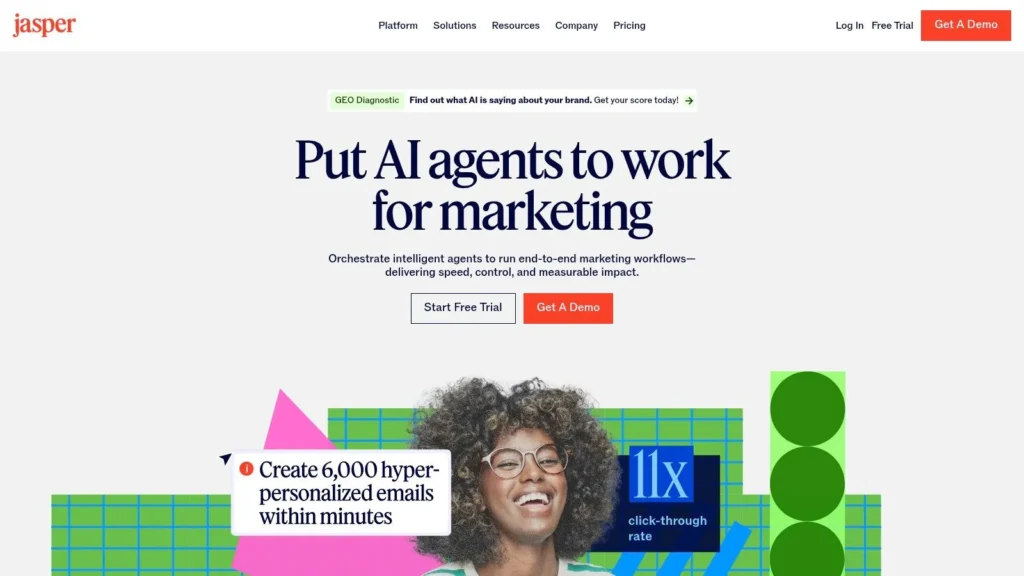
Jasper is best understood as a marketing operating system, not a generic AI writer. That distinction matters because many teams don’t need another chat window. They need repeatable output that stays aligned with brand voice, internal knowledge, and editorial rules across blogs, landing pages, emails, and campaign assets.
Its core advantage is structure. Brand Voice, Knowledge, and Style Guide features give teams a way to turn fuzzy prompt instructions into persistent controls. Canvas and Content Pipelines push Jasper beyond single prompts toward managed production.
Where Jasper fits in the stack
Jasper works best when content has to pass through several people and still sound like one brand. Solo creators can use it, but the product makes more sense once draft quality is only one part of the problem and governance becomes equally important.
A few strengths stand out:
- Brand control: Teams can centralize voice, terminology, and reference material instead of restating them in every prompt.
- Workflow design: Content Pipelines and marketing agents reduce prompt-by-prompt improvisation.
- Enterprise posture: APIs, permissions, and governance tools make it easier to operationalize content creation at scale.
Practical rule: Choose Jasper when inconsistency is costing more than drafting time.
Its downside is predictable. If you don’t need shared standards, approvals, or cross-channel coordination, Jasper can feel expensive relative to simpler tools. The product’s value shows up when a team needs fewer editorial corrections, not just more words.
If you’re evaluating how systems like this work under the hood, a primer on what machine learning is helps explain why model access alone doesn’t equal workflow value.
For AI tools for content creation, Jasper is strongest in the drafting and governance layers. It isn’t the best visual tool, video tool, or planning hub. It is the best option on this list for teams that need marketing output to be standardized before it reaches an editor.
2. Copy.ai
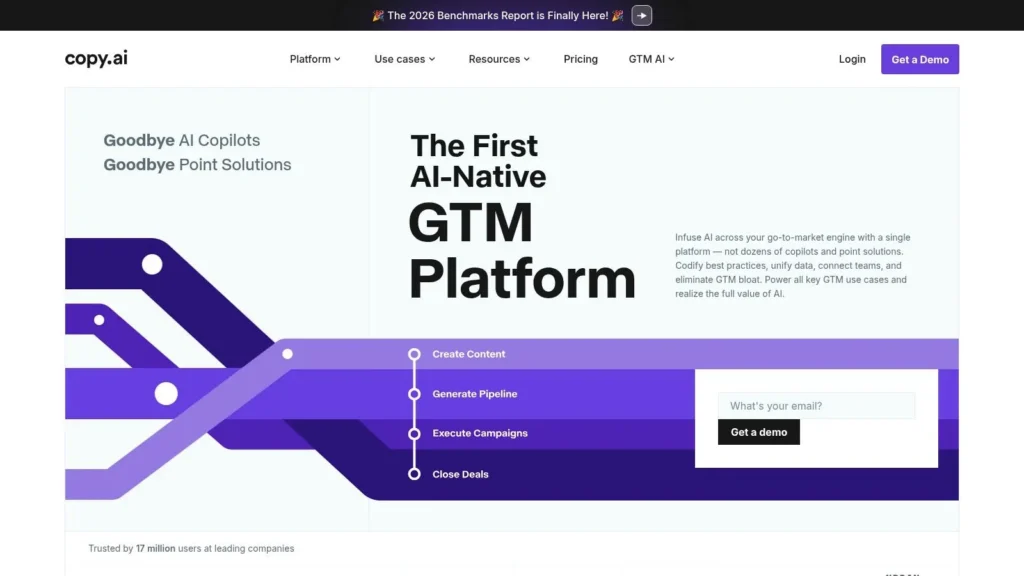
Copy.ai sits between chatbot simplicity and process automation. It started as a copy generator, but its current positioning is broader: a go-to-market workbench for marketing, sales, and operations teams that need both quick drafting and lightweight automation.
That makes it a useful middle ground. Jasper is more prescriptive. A raw model interface is more flexible but less organized. Copy.ai gives teams multi-model access, chat projects, templates, and workflows without requiring an enterprise-level setup from day one.
Best use case
Copy.ai is a good fit for teams that produce a lot of operational content around marketing, not just polished articles. Think campaign briefs, outbound sequences, nurture emails, content summaries, positioning drafts, and internal messaging.
Its practical trade-offs are clear:
- Accessible starting point: The lower-friction chat layer makes onboarding easier than heavier platforms.
- Multi-model coverage: Access to multiple model families gives teams more room to adapt outputs by task.
- Automation upside: Workflow credits let teams move from generation into repeatable process design.
The main limitation is that automation depends on credits and plan structure. High-volume teams can burn through those allowances quickly if they use workflows as a production backbone rather than an occasional accelerator. Governance is also lighter than what you get in a platform like Jasper.
SurveyMonkey’s compiled marketing data shows how mainstream these use cases have become: 51% of marketers use AI tools to optimize content, 50% use AI to create content, and 45% use AI to brainstorm ideas in its AI marketing statistics roundup. Copy.ai maps cleanly to all three activities.
If your content operation sits close to revenue teams, Copy.ai is one of the more practical AI tools for content creation because it treats content as part of a go-to-market workflow, not a standalone editorial artifact.
Visit Copy.ai.
3. Writesonic

Writesonic is more interesting than a standard AI article generator because it pushes upstream into discoverability. Most writing tools assume you already know what content to make. Writesonic tries to connect production with AI visibility, site audits, and opportunity analysis.
That makes it useful for search-led teams navigating a changing environment where content isn’t judged only by traditional rankings. If your organization cares about search, answer engines, and AI-generated discovery surfaces, Writesonic solves a different problem than simple drafting apps.
Why Writesonic stands out
The differentiator is its visibility layer. Monitoring how a brand appears in AI systems changes the content brief before anyone starts writing. That’s the under-discussed part of content operations. Draft speed matters, but choosing the wrong topic or format still wastes the cycle.
GWI has highlighted this broader shift by emphasizing audience data and demand signals before creation in its overview of free AI tools for content creation. That’s the strategic frame where Writesonic makes the most sense.
Here are the key advantages:
- Visibility-first workflow: It links content creation to AI answer presence and audit signals.
- Operational SEO support: Site audits and article generation sit in the same environment.
- Actionable workflowing: Agentic features can help teams respond to detected gaps rather than just report them.
The strongest content teams don’t start with prompts. They start with evidence about what audiences and platforms are already asking for.
The drawback is that Writesonic isn’t the cheapest entry point if you only want drafting. Its better features tend to sit in higher tiers, and the product feels most justified when a team is actively publishing and measuring visibility across channels.
If your next question is distribution, not just drafting, this guide on how to publish articles online pairs well with a tool like Writesonic.
Visit Writesonic.
4. Grammarly
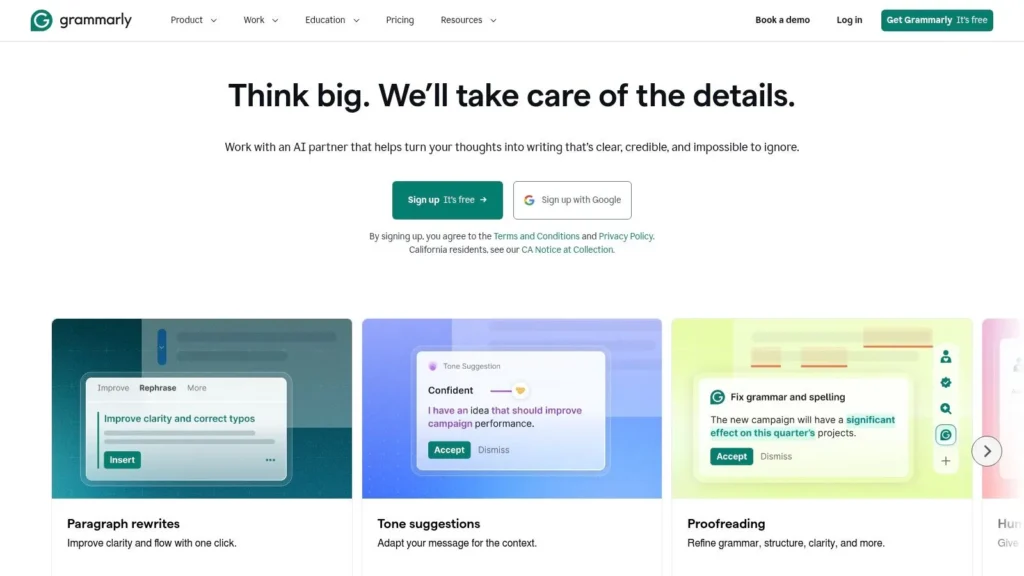
Grammarly is the least flashy tool on this list, and that is exactly why it earns a place in a serious stack. Content systems usually fail in the editing layer, not the brainstorming layer. Teams can generate drafts quickly, but they still need help with clarity, tone, and consistency across browsers, docs, email clients, and publishing interfaces.
Grammarly’s value comes from ubiquity. It follows the writer almost everywhere, which makes it more operational than many larger AI platforms. Instead of asking teams to move into a special workspace, it sits inside the tools they already use.
Best role in an AI stack
Use Grammarly as the final-pass layer. It is not the best primary drafting engine here, but it is one of the strongest polish and risk-reduction tools. Grammar suggestions, clarity edits, tone shifts, rewrites, and detection features make it a useful checkpoint between AI output and publication.
What it does well:
- Cross-environment support: Browser, desktop, and editor integrations keep it close to the actual work.
- Fast refinement: It improves awkward or bloated text without requiring a full redraft.
- Quality control: Plagiarism and AI-generated-text detection can support editorial review in paid tiers.
The trade-off is that heavy rewrites can flatten voice if you accept changes too quickly. Grammarly often improves correctness while softening distinctive phrasing. For editorial teams, that means it works best after voice has already been established, not before.
ImpactPlus notes that strong teams keep human review in the loop in its discussion of AI tools for content creation and editorial oversight. Grammarly fits that principle well. It is a review aid, not a substitute for judgment.
Among AI tools for content creation, Grammarly is the clearest example of a support tool that becomes more valuable as generation gets cheaper. When everyone can draft, the differentiator shifts to who can edit without losing trust.
Visit Grammarly.
5. Notion AI
Notion AI matters because many content problems are not writing problems. They’re planning problems. Teams lose time in scattered briefs, meeting notes, research fragments, approval comments, and version confusion. Notion AI works at that layer.
If your team already lives in Notion, adding AI there is often smarter than buying a separate planning tool. The product handles drafting, summarizing, translation, database autofill, meeting notes, enterprise search, and automations inside the same workspace where content operations already happen.
Where Notion AI creates leverage
Notion AI is strongest before and around the draft. It helps turn notes into briefs, discussions into action items, and document sprawl into searchable context. That makes it more of a content OS than a writer.
Its practical value shows up in three places:
- Research compression: Teams can summarize long notes and source material quickly.
- Knowledge reuse: Enterprise search and workspace-aware AI reduce duplicate work.
- Workflow continuity: Briefs, calendars, drafts, approvals, and automations stay connected.
This is especially useful because many roundups of AI tools for content creation skip the upstream planning problem. They focus on output generation after the strategic decisions are already made. In reality, that’s where many teams lose editorial alignment.
Notion AI isn’t ideal if you want the deepest brand governance or the most advanced creative generation. Some advanced functions, especially custom agents and automations, are also metered. But as a planning and collaboration layer, it can simplify more of the process than a standalone writer can.
A practical stack often starts here: research and briefs in Notion AI, long-form drafting in another tool, design in Canva, and final multimedia edits elsewhere.
Visit Notion AI.
6. Canva Magic Studio
Canva Magic Studio is the visual counterpart to the writing tools above. It works because it collapses several low-complexity creative tasks into one editor: social graphics, simple video, captions, layout changes, image edits, and presentation assets.
That often matters more than raw model sophistication. A marketer doesn’t need a cinematic tool for every job. They need to turn a blog post into LinkedIn graphics, an email header, a short promo clip, and a deck slide without opening five different apps.
Why Canva belongs in the stack
Canva is strongest when speed, accessibility, and template utility matter more than pixel-perfect originality. Magic Write, Magic Edit, Magic Erase, Magic Resize, and the broader template ecosystem reduce handoff friction between copy and design.
Its strengths are straightforward:
- Low design barrier: Non-designers can move from idea to usable asset quickly.
- Multi-format output: One concept can be adapted across channels inside the same environment.
- Team support: Brand kits and shared assets help maintain consistency across contributors.
The weakness is that advanced AI usage and some capabilities are gated by plan and region. Canva also isn’t the right tool for highly bespoke brand systems or deep post-production. It excels in fast content packaging, not high-end creative craft.
That makes Canva one of the best AI tools for content creation in the visual production layer. It is not trying to replace a full creative suite. It is trying to eliminate routine design bottlenecks that slow down publishing.
Visit Canva Magic Studio.
7. Descript

Descript is what happens when an editing tool is built around transcript logic instead of timeline logic. That sounds small until you use it. For podcasts, interviews, webinars, explainers, and social clips, transcript-based editing removes a lot of the friction that makes audio and video production slow.
This is one of the clearest examples of AI changing workflow rather than just output. Writers and marketers who would never touch a traditional editing suite can work in Descript because the interface starts with language.
Best for repurposing and rough cuts
Descript is strongest after recording. It helps teams cut filler words, clean audio, generate clips, dub content, and produce quick edits without deep technical expertise. Studio Sound and the broader AI co-editing features are especially useful for recurring content formats.
Its real advantages:
- Transcript-first editing: Deleting words from text is faster than scrubbing every clip manually.
- Repurposing support: Long-form interviews can become shorts and snippets with less manual sorting.
- Frequent publishing fit: Recurring creators get more value because speed compounds over time.
If your content engine includes interviews, webinars, or podcasts, Descript saves more time in revision than most writing tools save in drafting.
The main trade-off is metering. AI credits and media hours matter, especially for teams with heavier production volume. More complex projects can outgrow lower tiers quickly.
For creators building video around written content, it helps to know the production basics too. This guide on how to edit videos for YouTube complements what Descript automates.
Visit Descript.
8. Synthesia
Synthesia solves a very specific production problem. You need presenter-style video, but you don’t want the overhead of cameras, talent scheduling, retakes, locations, or multilingual reshoots. For training, tutorials, onboarding, product explainers, and internal communications, that proposition is strong.
This is not a tool for expressive filmmaking. It is a tool for scalable, repeatable delivery of narrated visual information.
Where Synthesia works best
Synthesia’s stock avatars, custom avatars, dubbing, and multi-language support make it useful when the script matters more than physical performance. Teams producing structured information can create a lot of video without building a studio process.
Its most important strengths are:
- Fast presenter video creation: Text becomes a finished spoken asset quickly.
- Language scaling: Multi-language adaptation is easier than traditional reshooting.
- Business consistency: Brand kits and higher-tier controls support standardized output.
The limitation is also obvious. Overuse creates sameness. Avatar-driven content can feel synthetic if every communication uses the same visual cadence and delivery style. That’s not a fatal flaw, but it means teams should reserve Synthesia for formats where clarity and scale matter more than personality.
Used selectively, Synthesia expands what counts as publishable content. A written explainer can become training video, customer education, or internal enablement material with much less production friction than live-action recording would require.
Visit Synthesia.
9. Runway
Runway is for teams that need visual generation as a creative capability, not just a convenience feature. It covers image and video generation, editing, effects, lip-sync, upscaling, and related tools in a way that goes far beyond templated social graphics.
That makes it a different category from Canva and Synthesia. Canva is about accessible asset creation. Synthesia is about scripted presenter video. Runway is about generative visual experimentation, concepting, and scene construction.
Best fit for creative production
Runway works well for b-roll, mood pieces, concept visuals, storyboards, motion experiments, and stylized video elements. If your content team collaborates with brand, motion, or creative direction functions, Runway can become a production sandbox rather than a one-off novelty.
Why teams choose it:
- Advanced generation: Text-to-video and image-to-video capabilities support idea exploration and visual prototyping.
- Editing utility: Background removal, upscaling, and lip-sync features reduce time spent in separate tools.
- Fast model evolution: Frequent updates can enable new creative workflows quickly.
The main cost is operational discipline. Credit-based systems require planning, and the strongest models usually sit behind higher plans. Runway rewards teams that test intentionally. It is less forgiving for people who generate at random and hope something useful appears.
For AI tools for content creation, Runway is one of the few entries here that can materially change the visual ambition of a content program, not just its speed.
Visit Runway.
10. Adobe Express with Firefly
Adobe Express with Firefly covers the fast-turn asset layer for teams that want Adobe ecosystem compatibility without jumping straight into full Creative Cloud workflows. It handles lightweight design, social content, simple video, presentations, brand-controlled assets, and generative image features inside a more approachable interface.
The key distinction is positioning. Express is not trying to replace Photoshop, Premiere Pro, or Illustrator. It is built for teams that need output quickly and want Adobe’s broader environment close at hand.
Why it makes sense for mixed teams
This tool is strongest when content creation sits between marketers and designers. Marketers can produce fast assets in Express, while designers can still pull work into heavier Adobe apps when needed.
Its practical advantages:
- Commercial workflow confidence: Firefly is positioned for business use inside Adobe’s ecosystem.
- Fast asset production: Social graphics, promos, and presentations move quickly.
- Brand support: Scheduling, templates, and brand kits help teams keep assets aligned.
The trade-off is monthly generative credit limits and a ceiling on editing depth. Once work becomes complex, teams still need the full Creative Cloud stack. But for day-to-day publishing, Express is often enough.
If your organization already uses Adobe tools, Express with Firefly is one of the most logical AI tools for content creation because it shortens the gap between simple marketing output and professional design infrastructure.
Visit Adobe Express pricing and Firefly details.
Top 10 AI Content Creation Tools, Quick Comparison
| Tool | Primary Use / Core Features | Best For | Content Quality & UX | Unique Strength | Pricing Notes |
|---|---|---|---|---|---|
| Jasper | Marketing-focused content creation; brand voice, content pipelines, APIs | Marketing teams, agencies, content ops | Strong governance, template-driven workflows; team collaboration | Purpose-built marketing agents + enterprise security | Higher entry price; best value for teams; 7-day Pro trial |
| Copy.ai | AI chat workbench + GTM workflows; multi-model access | Go-to-market teams, small marketing squads | Easy on-ramp; chat-centric UX; flexible model choice | Multi-model access (OpenAI/Anthropic/Gemini) and workflow credits | Low per-seat Chat plan; automation uses credits (can exhaust) |
| Writesonic | AI article generation + AI visibility tracking + audits | SEO/AEO/GEO teams, content operations | Combines visibility insights with creation; clear plan tiers | Tracks AI visibility across LLMs and acts with agentic workflows | Entry price higher; advanced features locked to higher tiers |
| Grammarly | Writing assistant (grammar, tone, rewrites, detection) | Writers, editors, journalists, editors-in-chief | Works across browsers/apps; reliable suggestions; rewrite caps | Plagiarism and AI-text detection (paid tiers) | Affordable Pro tier; generative prompts capped on Pro |
| Notion AI | Embedded AI in docs/databases; meeting notes, agents, search | Teams that draft/manage briefs and knowledge in Notion | Native workflow UX; strong summarization and research tools | AI inside workspace + enterprise search and custom agents | Best experience on Business plan; advanced agents credit-metered |
| Canva Magic Studio | Design + image/video generation; templates, Magic Write/Edit | Non-designers, social teams, blog visual creators | Very approachable editor; one-stop ideation to visuals | Integrated Magic tools with brand kit and templates | Some advanced features behind paid plans; region/plan limits |
| Descript | Edit audio/video by transcript; overdub, studio sound, clips | Podcasters, video creators, editors | Speeds rough-cut and polish; intuitive transcript editing | Overdub voice cloning + edit-by-text workflow | Media hours and AI credits metered by plan; higher tiers for heavy use |
| Synthesia | Text-to-video with AI avatars and voices; dubbing | Training, tutorials, explainers, multilingual videos | Fast production; presenter-style videos scale across languages | Large avatar library, custom avatars, multilingual dubbing | Minute/credit caps per plan; advanced features cost more |
| Runway | Image & video generation and effects (Gen-4/4.5); apps suite | Creative studios, experimental video, visual teams | Industry-leading video gen; model updates frequent | Advanced text-to-video models and creative toolset | Credit-based metering; best models on higher plans |
| Adobe Express (Firefly) | Lightweight editor with Firefly generative AI for images/text/video | Social marketers, quick asset creators, Adobe users | Fast social asset workflow; commercially safe outputs | Firefly commercial-safe content + Adobe ecosystem integration | Monthly generative credits; advanced editing in Creative Cloud apps |
Building Your AI Stack From Tools to Workflow
Choosing one tool rarely fixes a broken content operation. Significant gains come from assigning one tool to each major stage of the lifecycle and making those handoffs deliberate. Many organizations don’t need ten subscriptions. They need a stack with clear roles.
Start with the bottleneck that delays publication most often. If briefs are scattered, begin with Notion AI. If on-brand drafting is the issue, start with Jasper or Copy.ai. If social packaging is slow, Canva Magic Studio will probably enable more output than another writing tool. If recorded content piles up unedited, Descript is the better first purchase.
A practical stack often looks like this:
- Planning and research: Notion AI
- Drafting and brand governance: Jasper or Copy.ai
- Visibility-led optimization: Writesonic
- Editing and quality control: Grammarly
- Visual packaging: Canva Magic Studio or Adobe Express
- Audio and video repurposing: Descript
- Presenter-style explainer video: Synthesia
- Generative creative visuals: Runway
That structure matters because the most important shift in AI content creation isn’t just speed. It’s where intelligence gets applied. GWI and related industry coverage have pointed to a neglected issue upstream of drafting: audience fit. Teams increasingly need tools that help them decide what to make based on audience behavior, search patterns, and existing content gaps, not just tools that generate text on command. A stack that starts with demand signals and internal knowledge will usually outperform a stack built around pure generation.
The second strategic point is governance. Human review isn’t optional. Recent industry coverage repeatedly emphasizes editorial oversight, fact-checking, and controlled use of AI because production scale also scales mistakes. The stronger teams won’t be the ones that automate every sentence. They’ll be the ones that use AI to reduce friction while preserving judgment, originality, and trust.
So don’t buy tools by category page or social hype. Buy them by workflow failure.
If your team struggles with idea selection, choose a planning or visibility tool first. If drafts are fine but downstream packaging is slow, invest in Canva, Descript, or Adobe Express. If brand inconsistency creates endless revision cycles, Jasper will likely pay for itself faster than a cheaper general-purpose writer.
The best AI tools for content creation don’t work as isolated apps. They work as a coordinated production system. Build that system one constraint at a time, test it in a real publishing cycle, and keep only the tools that remove repeatable friction.
If you’re exploring smarter publishing workflows, broader tech commentary, or opportunities to contribute your own writing, MaxiJournal is worth bookmarking. The site brings together approachable coverage across technology, science, business, health, arts, education, travel, entertainment, and more, making it a strong destination for readers who want fresh perspectives and for writers looking for an independent platform.
Discover more from Maxi Journal
Subscribe to get the latest posts sent to your email.